Who might use these controls?
The useful starting point is the routine you want to control and the input method you can use for the whole task.
People who find switches or remotes difficult to use
For lighting, entertainment or an appropriate plug-in device, compare voice, app and automated controls with the physical controls you use now. Check that the chosen method works for the particular action you need, not just for turning a device on.
People who need a non-voice option
If speaking or hearing commands makes voice control impractical, consider written commands, touch controls or screen-reader navigation. Google documents TalkBack and VoiceOver support in the Google Home app; Amazon describes touch and on-screen-keyboard controls on supported Alexa devices. Check the exact device and routine.
Households adapting an existing setup
Start with the lamps, entertainment devices, heating controls and phones already in use. Scope advises checking what a smart-home product will do and whether it works with existing devices; an accessory, hub or help with setup may also be needed.
What should you check before choosing?
Work from the action you want to complete, then check its control method, device compatibility and setup requirements.
| Priority |
What to check |
Your needs |
| Accessible control |
Try the complete routine using voice, touch, written commands or a screen reader as appropriate. Confirm a usable alternative if your preferred method fails. |
I need to operate the controls reliably without depending on speech, a small touchscreen target or a hard-to-reach switch when those are barriers for me. |
| Device compatibility |
Check the exact accessory against the chosen app or ecosystem. For an existing plug-in lamp, check whether a suitable smart plug or adaptor is needed; an app alone cannot switch a non-smart lamp. |
I want to control equipment I already own, rather than buy a hub that cannot operate the device involved in my routine. |
| Hub requirements |
Check which functions need additional hardware. Apple Support says a home hub is needed for remote Siri control of HomeKit accessories and identifies hub requirements for some Matter uses. |
If I need control while away from home, I want to know which accessories and hub are required for that particular function. |
| Setup and support |
Check network coverage where the accessory will sit, account and app setup, accessible instructions and who can help after a disconnection. Foundations reports that poor signals made some devices unreliable in its Smart Support pilot. |
I need a setup I can manage—or someone who can help—when a device loses its connection or settings change. |
| Safe use and extras |
Check the appliance and smart-plug load limits, socket arrangements, required accessories and any subscription. Electrical Safety First warns that overloaded sockets create a fire risk. |
For an existing appliance or a larger home change, I need to know what else the routine requires and whether the electrical arrangement is suitable. |
Which ecosystems are relevant?
An ecosystem is useful only if its controls suit the person using them and its supported accessories cover the intended routine.
Amazon Alexa
A voice-led route for compatible smart-home accessories, with other interaction methods on supported Echo devices.
- Amazon describes on-screen tiles and keyboard interaction on supported Alexa devices, so speaking need not be the only method on those models.
- Check the exact Echo model, accessory compatibility and whether its available controls suit the person completing the routine.
Google Home and Google Nest
An app, speaker and display ecosystem for compatible home accessories.
- Google says devices added to Google Home can be controlled by voice and documents TalkBack support on Android and VoiceOver support on iOS for its app.
- Check the compatible phone or tablet, account, network and accessories needed for the intended controls.
Apple Home
An Apple-device-centred route for supported HomeKit and Matter accessories through the Home app and Siri.
- Apple documents control of compatible accessories through its Home ecosystem, including scenes and automations.
- Apple Support identifies home-hub requirements for remote Siri control and some Matter uses. Confirm the accessory and required hub for the exact function.
Joybuy options for specific routines
These options cover switching a suitable plug-in device, adding app-controlled lighting and connecting compatible devices through a hub. Choose by the routine and control method you need; the products serve different purposes.
 No image available
Eve Energy Matter Smart Plug with Power Meter, UK Type G
Consider this for switching or scheduling an appropriate existing plug-in device. The product title lists Matter, Thread technology, remote control and a UK Type G plug, but also calls it a Wi-Fi outlet; confirm how this exact variant connects before buying. Check the required controller and router, your appliance’s load and whether the available app controls suit you.
View on Joybuy
 No image available
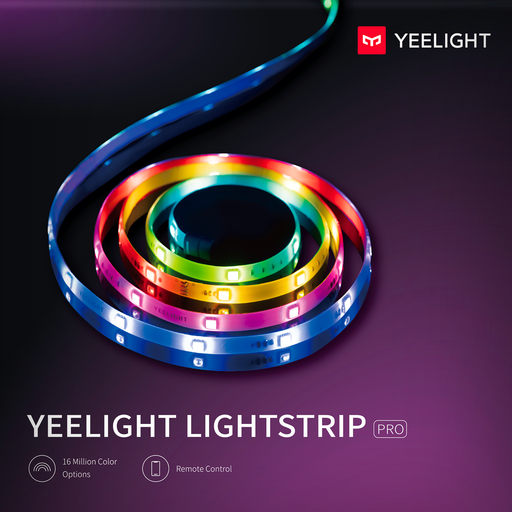
Yeelight Smart LED Lightstrip Pro RGBIC
This app-controlled lightstrip is an option when adding a separate lighting feature is the task, rather than adapting an existing fixed switch. Check its power, network and setup requirements, and try the app interaction method you intend to use.
View on Joybuy
 No image available
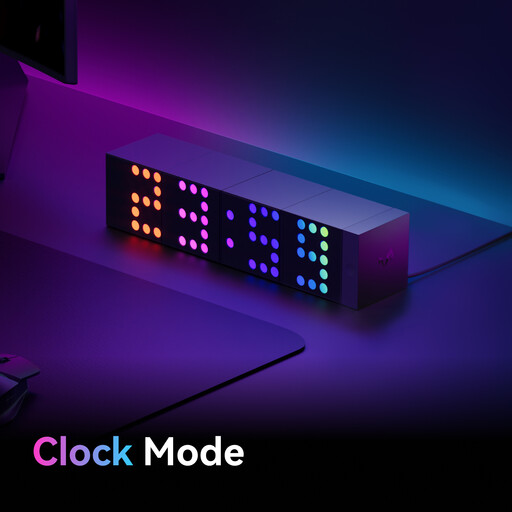
Yeelight Smart Lamp Cube 4-Matrix Pack
This four-cube lighting pack offers app-controlled colour zones for a separate ambient-lighting routine. Confirm its setup requirements and whether the app or any intended voice-assistant control provides an input method you can use.
View on Joybuy
 No image available
Xiaomi Smart Home Hub 2
Consider this hub for a routine involving devices confirmed compatible with the Xiaomi setup. Check every intended accessory against this model, and establish whether its app offers a usable alternative if voice is not suitable.
View on Joybuy
Questions about setup and use
Should I choose voice control or an app?
Choose the method you can use reliably for the entire routine, and check for a backup. Scope cautions that a voice-activated hub may not suit someone with speech or hearing difficulties; Google documents TalkBack and VoiceOver support in the Google Home app for people considering app navigation.
Does every smart-home accessory need a hub?
Hub requirements depend on the accessory, ecosystem and function. Apple Support identifies a home-hub requirement for remote Siri control of HomeKit accessories and for some Matter uses, so check the exact feature you want before choosing hardware.
Can a smart plug control a lamp I already own?
A suitable smart plug or adaptor can switch power to an appropriate plug-in lamp; an app or hub alone cannot make a non-smart lamp controllable. Check the lamp, plug rating and chosen control ecosystem before buying.
When might I need help with installation?
Changes to a heating or fixed lighting system may need a qualified engineer, according to Scope. For a larger home-control adaptation, Scope also suggests seeking assessment support; ordinary plug-in setup should not be treated as permission to alter fixed wiring yourself.
What should I check when using a smart plug with an extension lead?
Check the smart plug’s load limit, the appliance and the extension lead’s rating before use. Electrical Safety First advises against overloading sockets or connecting one extension lead to another because of overheating and fire risk.


