Start with the platform, controller and network your household already uses, then check whether the exact device and its category are supported. Matter can allow control through multiple platforms, but it does not ensure that every app offers the same features; account requirements, privacy controls and the manufacturer’s stated security-update period also affect the choice.
Who is adding a device?
Households with an established ecosystem
You already use Apple Home, Google Home, Alexa or a brand hub and want a new device to work with your existing rooms and controls. Setup guidance from Apple, Google and Philips Hue makes the precise platform and hub arrangement worth checking.
Households using several platforms
Household members use different phones or voice assistants, so access through more than one app matters. Google Home and Eve describe Matter routes for multi-platform control, though available functions still depend on the device and platform.
Privacy- and support-focused households
You want to understand the information a connected product collects, the permissions its app requests and how long the manufacturer commits to important security updates. The Information Commissioner’s Office and the National Cyber Security Centre advise checking these points for the product you choose.
What should you check before buying?
For a device joining an existing setup, establish its controller and connection requirements before comparing app features, privacy choices and update support.
| Concern |
What to check |
Who this matters to |
| Compatibility |
Check the exact device category, supported platform and whether its Wi-Fi, Thread or bridge setup needs a particular controller. Google Home’s Matter guidance distinguishes these setup requirements. |
I need the new device to work with the controls already used at home, rather than adding a separate way to operate it. Around 36% of consumers put compatibility and network fit first. |
| Accounts and features |
Check which platform or manufacturer accounts and apps are required, and whether your chosen app offers the controls you need. Google lists a Google Account among its Matter setup requirements. |
When several people manage the home, I want to know who can set up and control the device without repeatedly switching apps. Around 27% of consumers prioritise account and feature-management fit. |
| Privacy controls |
Review the product’s data collection, sharing and optional app permissions; check for a physical privacy control where the device type makes one relevant. These are checks recommended by the Information Commissioner’s Office. |
I want to decide which information and permissions a new connected product needs before it becomes part of daily life. Privacy control comes first for around 19% of consumers. |
| Update support |
Find the exact model’s stated minimum period for important security updates and how those updates are delivered. The National Cyber Security Centre advises checking the manufacturer’s stated period. |
If I expect to keep a device connected for years, I need to understand its documented update commitment. Around 18% of consumers make long-term support their primary concern. |
Common setup mistakes
-
Assuming Matter provides identical features in every app
Matter can allow multi-platform control, but supported device categories and features vary. Philips Hue also distinguishes the features available through its Bridge from direct Matter setup for eligible bulbs.
List the controls and automations you need, then check them against the exact model, your platform and any manufacturer app or bridge.
-
Choosing a Thread device without checking the hub
A Matter-compatible Thread device can still require a Thread border router or a suitable home hub. Apple and Google describe platform-specific hub requirements for their supported setups.
Identify your current hub model and confirm the device’s connection method and Thread requirements before buying.
-
Applying one update policy to every model in a brand
An update commitment needs to cover the device you are considering. The National Cyber Security Centre advises consumers to look for the manufacturer’s stated minimum period for important security updates.
Find that period for the exact model and compare it with how long you expect to use the device.
-
Accepting every app permission during setup
A connected-product app may ask for personal information or permissions beyond those you want to grant. The Information Commissioner’s Office advises reviewing collection, sharing and available privacy controls.
Check which permissions are necessary for the functions you want, and revisit privacy settings after installation.
Relevant brands and platforms
Philips Hue
A lighting-focused option for households extending a Hue setup.
- Philips Hue says its Bridge route supports older Hue bulbs and provides Hue features such as dynamic scenes.
- Direct Matter setup is limited to eligible bulbs and does not provide the same Hue feature set; check whether a Bridge or compatible Thread setup is needed.
Eve
A Matter-oriented product family to consider when control through more than one platform matters.
- Eve says its Matter approach does not require an Eve cloud or account registration.
- Check the exact Eve model’s compatible platform and hub requirements; an Eve account is not the only possible setup dependency.
IKEA Home smart
A hub-led route for adding compatible IKEA household devices.
- IKEA says the DIRIGERA hub connects supported IKEA products through its Home smart app.
- DIRIGERA is needed for that app route. Check the intended product’s current platform and Matter functions rather than assuming the same support across categories.
Google Home
A platform route for households already managing devices through Google Home.
- Google documents Matter setup and control for supported device categories.
- Its stated setup requirements include a Google Account, a suitable network and a Matter-enabled hub; Thread devices additionally need a Thread border router.
Amazon Alexa
A platform route for households already using Alexa-compatible devices.
- Amazon explains how to share an Alexa-connected Matter device with another voice assistant using a generated pairing code.
- Confirm that the exact Alexa hub, device category and manufacturer setup route support the functions you want.
Joybuy products for existing setups
These products cover a Matter smart plug, a controller for compatible Eve heating equipment and a connected monitor light. Check each one against the devices and platform already in your home.
 No image available
Eve Energy Matter Smart Plug with Power Meter, UK Type G
Consider this for adding a plug-controlled appliance to a compatible Matter setup. Its name specifies a power meter and UK Type G plug, but the connection wording conflicts between the title and description; confirm whether this exact model uses Thread or Wi-Fi. Check the required Matter controller and Thread border router before purchase.
Joybuy
 No image available
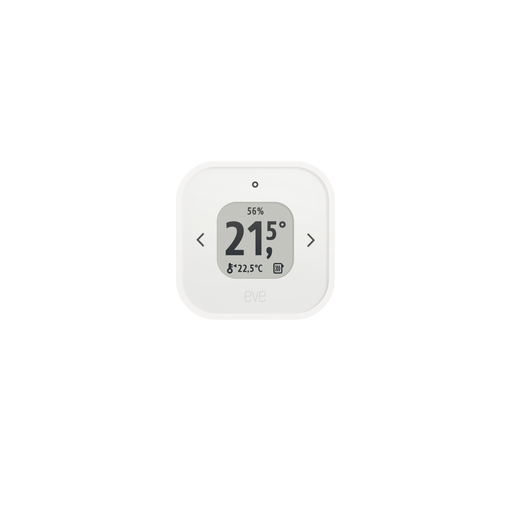
Eve Thermo Control Temperature & Humidity Sensor, Matter over Thread, White
This sensor and controller is for a setup with compatible Eve Thermo devices, not for use as a standalone radiator valve. Its name specifies Matter over Thread and USB-C rechargeable power. Check the required controller and Thread border router, along with the controls available through your intended platform.
Joybuy
 No image available
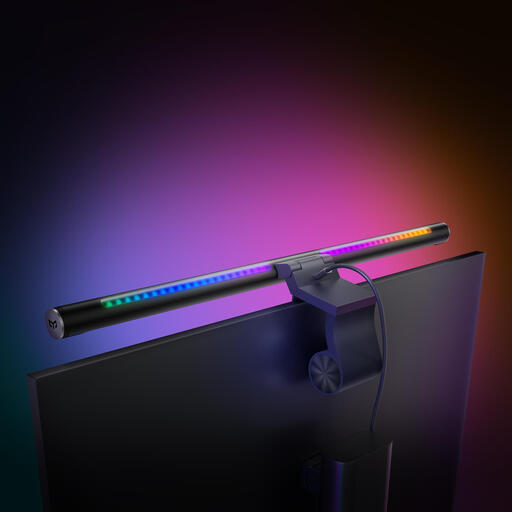
Yeelight Screen Light Bar Pro Libra 2 Matter Monitor Light
This is a connected light for a monitor or desk rather than general room lighting. Its name specifies a knob controller and Matter compatibility and names Alexa, Google Home and Apple Home. Check the exact setup requirements and which controls your chosen platform provides.
Joybuy
Frequently asked questions
Will a Matter logo mean every feature works in my smart-home app?
No. Matter can enable control through multiple compatible apps, but device categories and individual features depend on support from both the manufacturer and platform. Check your must-have functions against the exact model and app; some manufacturer-specific controls may use a separate app or bridge.
Do I need a hub for a new Matter device?
That depends on the device’s connection method and your platform. Google lists a Matter-enabled hub for its Matter setup and a Thread border router for Thread devices; Apple describes a Thread-enabled home hub requirement for Thread accessories in its supported hub route. Check your existing hub model against the exact device before ordering.
What privacy details should I check for a connected household device?
Check what personal information the device needs to function, what else its app collects or shares, and which permissions you can decline. The Information Commissioner’s Office also advises considering privacy controls relevant to the product type, such as a physical microphone control where a microphone is present.
Can I add an Alexa-connected Matter device to another assistant?
Amazon says an Alexa-connected Matter device can be shared with another voice assistant using a generated 11-digit pairing code. That code is valid for 15 minutes; check that the device and second platform support the setup you intend to use.


