Choose a device for its household purpose first, then compare the exact model’s data collection, permissions, privacy controls and stated minimum security-update period. For cameras and doorbells, pay particular attention to recordings and shared access; for speakers and TVs, check microphones, accounts and app settings.
Who is choosing a connected device?
Households adding a camera or doorbell
These households want a defined view or visitor alert and need to consider what is recorded, where it is stored and who can access it. The Information Commissioner’s Office (ICO) advises prospective buyers to consider data collection, privacy features and permissions.
Households choosing voice or viewing devices
People choosing a speaker, TV or streaming setup may want to weigh everyday use against microphone access, app permissions, account settings and the model’s support period. The ICO highlights data collection and privacy when assessing smart products.
Households keeping devices for years
These households want to know how long security updates are expected and how to report a security issue. The National Cyber Security Centre (NCSC) advises checking the manufacturer’s support period and security contact information.
What should you check before buying?
In the UK, the NCSC says that since 29 April 2024, manufacturers of relevant consumer smart devices must meet baseline security requirements, state a minimum period for important security updates and provide a contact for reporting security issues. These requirements apply to products within the regime, so check the exact model’s information and whether it is in scope.
| Concern |
What to check when buying |
Who this matters to |
| Data collection |
Check what information the device collects for its intended function, which app permissions are optional, and whether it has physical microphone or camera controls. |
If I want a connected device at home without granting more access than its function needs, I check permissions as well as its main features; around 36% of consumers put data collection first. |
| Updates and security contact |
For an in-scope model, match the exact version to the manufacturer’s stated minimum update period and security-issue reporting contact. |
If I plan to keep a device for years, I want a clear support date and a way to report security issues; around 29% of consumers prioritise update assurance. |
| Household access |
Check who can view live feeds, event history or saved clips, and review sharing permissions separately from alerts and recording controls. |
When several people need to use a camera or doorbell, I want to decide who can view or manage it; around 21% of consumers put household access first. |
| Storage and ongoing requirements |
Check whether saved video needs local storage media or a particular service plan, and whether the specific feature you want depends on a subscription. |
If I may need to review footage later, I compare the device’s storage options and any service conditions before choosing; around 14% of consumers prioritise ongoing requirements. |
Common buying pitfalls
-
Treating an app permission prompt as a formality
An app may request access beyond what you expect from the device’s main function.
Review requested access during setup and revisit permission and sharing settings afterwards.
-
Assuming a brand-wide statement gives your model’s update end date
General security information may not identify the minimum support period for the exact model or version.
Match the manufacturer’s update information and security contact to the precise model before relying on it, especially for a product within the UK regime.
-
Assuming a privacy zone stops motion detection
Ring says motion can still be detected behind areas blocked by compatible Privacy Zones.
Check image masking, motion detection and alert settings as separate controls.
-
Assuming every camera control works without conditions
Storage options and particular privacy controls can have model, equipment or plan conditions. Ring says its documented audio streaming and recording toggle requires a compatible subscription.
Check the exact model’s storage arrangements and the conditions attached to the feature you intend to use.
Relevant brands to consider
Echo speakers
A voice-speaker line for households considering hands-free audio or compatible home controls alongside microphone and account settings.
- Compare the physical microphone controls and account settings with how you expect to use the speaker.
- Check the precise model’s published security-update period; purchase conditions may affect support terms.
Ring
Doorbell and camera products for buyers weighing visitor viewing against recording, sharing and privacy controls.
- Ring lists the Battery Video Doorbell Plus for security updates through at least 31 December 2030.
- Ring says shared users can view live and stored video; compatible privacy zones may not stop motion detection, and a compatible subscription is required for its documented audio streaming and recording toggle.
TP-Link Tapo
A connected-camera line relevant to buyers comparing app-managed privacy settings and local recording.
- TP-Link describes privacy mode and microSD storage for the Tapo C210 V2.2.
- Check the exact version’s stated minimum update period rather than relying on general product-range information.
Samsung
A smart-TV line for households comparing connected viewing, apps and account management.
- Samsung provides UK support information for the QE55Q7FAAU and directs users to its security-reporting resource.
- That general information does not establish the minimum update end date for the exact TV variant; check the model-specific details.
Google Nest
A camera and doorbell range relevant to households checking compatibility with a Google Home viewing setup.
- Google’s instructions distinguish camera models and supported viewing devices.
- Compatibility information is not an individual model’s security-update commitment; check that separately.
Joybuy indoor camera options
These Joybuy listings relate to indoor household camera monitoring, with different app and storage details. Check each exact model’s privacy controls, minimum security-update period and security-issue reporting contact before deciding.
 No image available
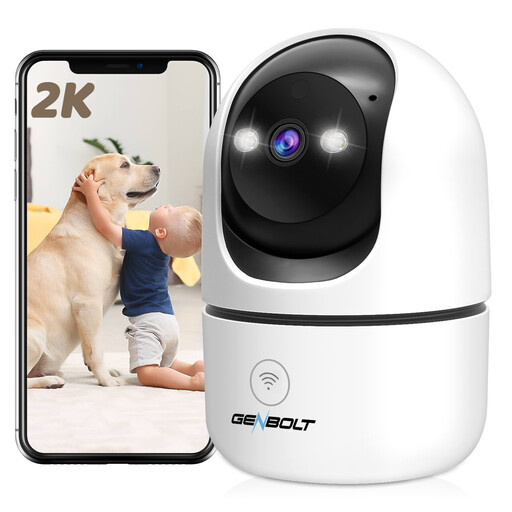
GENBOLT Indoor WiFi Camera
For indoor monitoring where app viewing, alerts and two-way audio are relevant.
The listing describes person and pet detection, detection zones, app viewing and microSD or cloud storage options. The microSD card is not included; the listing describes cloud storage as a free 7-day trial.
View on Joybuy
 No image available
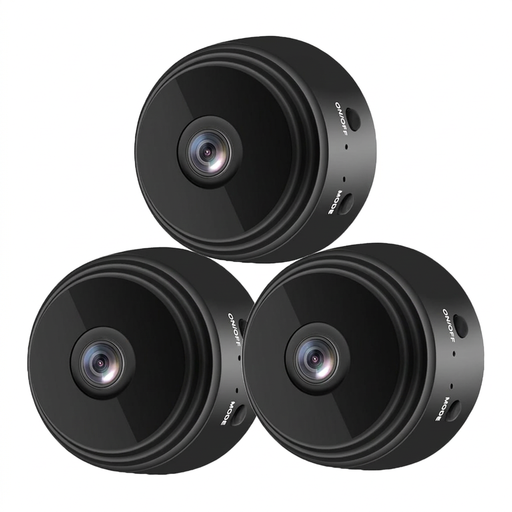
WS9K Indoor Camera 3-Pack, 1080P HD
For monitoring several indoor areas from an app, with video-only operation.
The listing specifies WiFi and Bluetooth, a 150° view and local recording to a microSD card. The card is not included.
View on Joybuy
 No image available
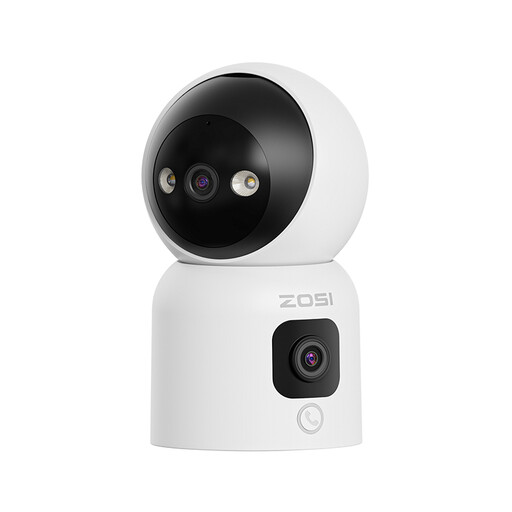
ZOSI C528D4 2-in-1 Indoor WiFi Camera
For indoor household monitoring where different viewing angles and two-way audio are useful considerations.
The listing describes dual-lens 2MP+2MP views, pan and tilt, and microSD, cloud-trial or NVR storage options. The memory card is not included; the cloud option is described as a 30-day free trial.
View on Joybuy
 No image available
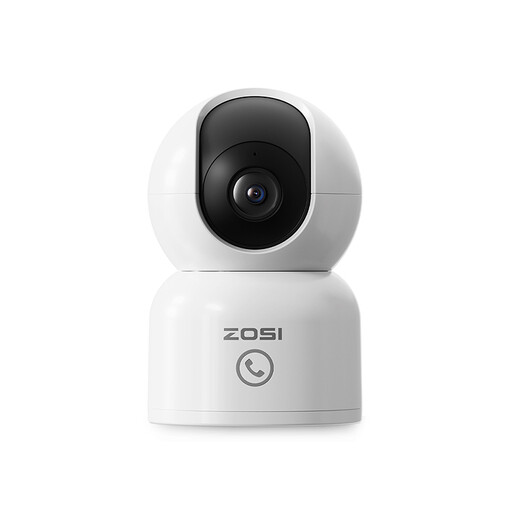
ZOSI C518 2MP Indoor Security Camera
For indoor monitoring where app viewing and controls for selected parts of the image matter.
The listing describes 360° motion tracking, privacy zones, two-way audio and local or cloud storage. The memory card is not included; cloud storage is described as a 30-day free trial.
View on Joybuy
 No image available
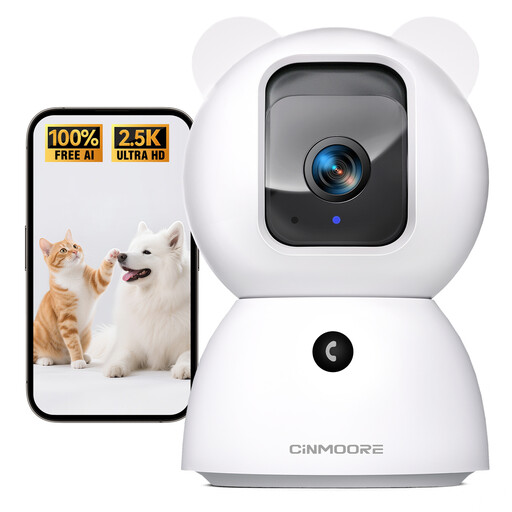
CINMOORE 2.5K Indoor Security Camera
For indoor monitoring where local recording and detection features are part of the choice.
The listing describes person, pet and cry detection, full-duplex two-way audio and an SD-card encryption mode. It specifies 2.4GHz WiFi only; the microSD card is not included, and cloud storage has a monthly fee.
View on Joybuy
Smart device buying questions
Does UK law set the same number of security-update years for every smart device?
No. For products within the UK consumer-connectable-product regime, manufacturers must state a minimum security-update period, but there is no single number of years for every device. Check the published information for the exact model and whether it is in scope.
What should I check when setting up a smart device?
Review the app’s requested access and sharing settings, enable two-step verification if offered, and keep the device and app updated. These are ICO and NCSC consumer recommendations; available controls vary by model.
Can someone I share a Ring doorbell with view recordings?
For Ring’s documented Shared User feature, shared users can activate Live View and view stored videos through the app. Check the permissions available on the exact system you choose rather than assuming that another user needs the owner’s login.
Does a privacy zone stop a doorbell detecting movement?
Not necessarily. Ring says motion can still be detected behind an area blocked by a compatible Privacy Zone, so check masking and motion-alert settings separately.
Does a security-update end date tell me when a device will stop working?
No. A published security-update period is not a guaranteed device lifespan. The NCSC advises checking the manufacturer’s support period when choosing a connected product.


