What to prioritise when choosing smart-home devices
Choose the household task first, then check whether the exact device, its controls and its support information fit your setup. The UK Product Security and Telecommunications Infrastructure regime took effect on 29 April 2024 for relevant consumer connectable products; exclusions and specified Northern Ireland supply circumstances mean the product category and supply context matter. This scope is described by the UK Office for Product Safety and Standards and UK government guidance.
| Concern |
What to check when buying |
Who this matters to |
| Security support |
Check the exact model’s minimum security-update period, how to report security issues and how updates are installed. |
If I am adding a connected device, I want to know how long it will receive updates and where to report a security issue. Consumers who put clear, model-specific security support first account for around 29%. |
| Compatibility |
Check whether the intended controller supports the device and whether its required features work in the app you plan to use. |
I want new devices to work with the controller and apps I already plan to use, without relying on a compatibility label alone. Consumers who prioritise compatibility across their setup account for around 23%. |
| Lighting and plug routines |
Check bulb fittings, included bridges or controllers, and whether a plug is suitable for the appliance and load. |
If I mainly want scheduled lights or a plug-controlled routine, I need the fitting and device to suit the job. Consumers who put practical lighting or plug routines first account for around 18%. |
| Voice and screen controls |
Check which devices the exact speaker, display or TV model can control, along with its account and data settings. |
I want audio, viewing or a voice or screen interface to make everyday control convenient, but I also need to know which devices it can manage. Consumers who prioritise entertainment controls account for around 18%. |
| Heating, appliance or network fit |
Check heating-system and installation requirements, the connected product’s app needs, and your home network’s update support. |
If I am choosing heating control, a connected appliance or network equipment, I need it to fit the specific home and task. Consumers who put that fit first account for around 12%. |
Joybuy products for connected homes
These Joybuy listings cover connected entertainment, home networking, plug control, connected appliances and lighting. Check each exact model’s compatibility and security-update information before choosing it for your home.
 No image available
TCL 98Q6C QD-Mini LED 4K HDR Smart Google TV
A connected entertainment option for a setup centred on TV viewing and smart-home control.
The product name specifies a native 144Hz refresh rate, up to 512 dimming zones and an ONKYO 2.1 Hi-Fi system. Check that the exact TV model supports the devices and services you want to use.
Joybuy
 No image available
TP-Link Deco BE22 BE3600 Whole Home Mesh Wi-Fi 7 System (3-Pack)
A home-network option to consider when planning how connected devices will join the household network.
The product name specifies Wi-Fi 7 and a three-pack. Check your existing network setup and the manufacturer’s update information for the exact model.
Joybuy
 No image available
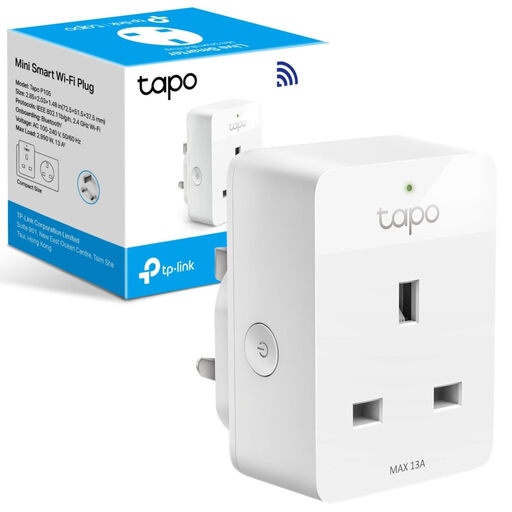
Tapo P105 Mini Smart Wi-Fi Plug (1-Pack)
A smart Wi-Fi plug option for consumers considering plug-based household routines.
Check the intended appliance’s requirements and the manufacturer’s restrictions before connecting it.
Joybuy
 No image available
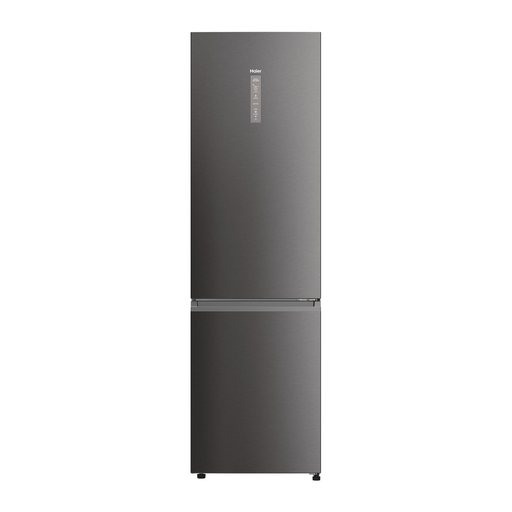
Haier 2D 60 Series 5 Pro Fridge Freezer (HDPW5620ANPD)
A connected-appliance option for consumers considering app-based control for a fridge freezer.
The product name identifies Wi-Fi connectivity and a stated height of 205cm. Check the appliance’s app requirements and the available space in your home.
Joybuy
 No image available
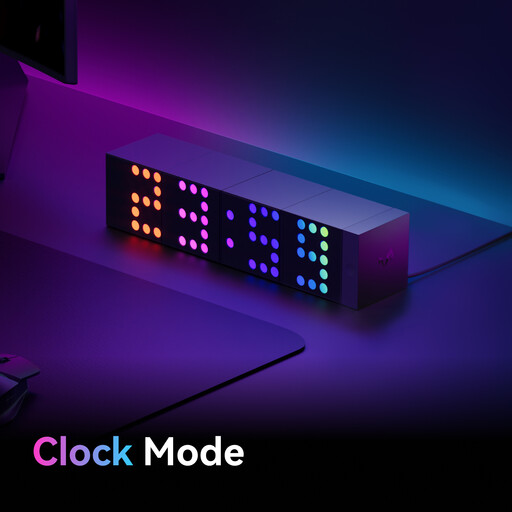
Yeelight Smart Lamp Cube 4-Matrix Pack
A smart lighting option for consumers planning room or gaming ambience.
The product name describes custom colour zones. Check the exact model’s app and integrations against the devices and services you intend to use.
Joybuy
Smart-home security questions
Where should I look for the required UK security information?
For an in-scope product, check the manufacturer’s information for the exact model’s minimum security-update period and contact for reporting security issues, and look for its statement-of-compliance information where applicable. Do not assume all this information must appear together on a retailer listing or the outside of a box. UK legislation includes specified alternative deemed-compliance routes, so the absence of a conventional accompanying statement alone does not settle whether a product complies.
Does the UK regime set one minimum number of years for security updates?
No single multi-year update period applies to every device under the cited requirements: manufacturers must publish the minimum security-update period for their product. Check the exact model’s stated period against how long you expect to use it, as advised by the National Cyber Security Centre and the Information Commissioner’s Office.
Does a Matter label mean every feature works in my preferred app?
No; check each feature separately. TP-Link says P110M energy monitoring is not currently supported through Matter and directs users to the Tapo app for that function.
How should I assess a regional model or a product supplied in Northern Ireland?
Identify the exact regional model, hardware version and included equipment, then check the circumstances in which it is being supplied. UK guidance describes a Northern Ireland exception for products made available for supply there to which specified Windsor Framework legislation applies; it is not a blanket exemption for every product sold in Northern Ireland. Do not assume that another region’s specifications or a Great Britain conclusion applies to your product.
Will a UK Nest Learning Thermostat be straightforward to install yourself?
Not necessarily. Google’s instructions for the cited UK/Ireland third-generation model specify a Heat Link, warn about high voltage and recommend professional installation. Check that exact model’s requirements and compatibility with your heating system before planning the installation.


