Long-term support checkers
You want a device you can continue managing securely; check the update commitment for the exact model and any required hub or app.


Choose a connected device for the job you need it to do, then check its exact model’s security-update period, setup requirements and dependence on subscriptions or cloud services. A camera for live viewing, a camera for retrieving recordings, a voice-controlled speaker and a sensor for automations serve different needs, so compare their essential functions rather than treating them as interchangeable.
You want a device you can continue managing securely; check the update commitment for the exact model and any required hub or app.
You need to know whether live viewing, saved footage and remote access depend on local storage, an account or a continuing subscription.
You want a speaker, sensor or appliance to work with the phone, network, account and hub your household can use and maintain.
Start with the device’s main job, then check the exact model’s support period, setup needs and dependence on a service or network connection.
| Concern | What to check when buying | Who this matters to |
|---|---|---|
| Security updates | Check the exact model and generation’s published update end date, including support for any required hub or app. | If I plan to keep a connected device for years, I want a clear commitment for the model I am buying. Around 30% of consumers put ongoing security support first. |
| Camera recordings | Compare live viewing with saved-video access, local storage options and any subscription needed for the recording history you want. | If I need to review an event after it happens, live viewing alone will not meet that need. Around 30% of consumers prioritise usable footage and its storage requirements. |
| Setup and compatibility | Confirm current app and phone operating-system requirements, account and Wi-Fi needs, and whether the device requires a hub. | If I want a new device to work with the phone and network I already use, I need to check those requirements before choosing. Around 20% of consumers put compatible setup first. |
| Everyday functions | Separate functions available on the device itself from app controls, notifications, cloud history and service-dependent automations. | If I rely on a particular camera, sensor or appliance function, I want to know what still works when connectivity or an optional service is unavailable. Around 20% of consumers prioritise dependable everyday functions. |
Ring says live viewing is available without a subscription, but reviewing recorded video requires one. Those are different camera functions.
Decide whether you need live viewing, event playback or a longer recording history before comparing cameras.
A recording plan or separately purchased storage media may be needed for the footage you want.
Aqara specifies that its Motion Sensor P1 requires an Aqara Zigbee 3.0 hub, so the sensor alone may not provide the setup you need.
Confirm the exact sensor-to-hub pairing and check support information for both components.
A compatible hub may be an additional purchase and another device whose support you need to manage.
Support information can differ by model and generation. Philips Hue says its Bridge v1 stopped receiving software updates on 30 April 2020; Ring publishes support information by device group.
Check the full model and generation against the manufacturer’s current support information, especially for older or second-hand devices.
A camera or video doorbell line to compare when you are deciding whether live viewing is enough or you need recorded footage.
A camera line with local-storage and cloud-service options on some models; check the exact camera and hardware version.
A connected-lighting line with Bridge-based systems, where support should be checked for each component and generation.
Sensors and hubs for households planning alerts or event-triggered automations.
Connected features for compatible household appliances, including washing-machine monitoring and controls.
These Joybuy choices are connected security cameras and an app-connected washing machine. Compare them for the relevant household task, and check the exact model’s support end date, setup requirements and any separately needed storage or services.
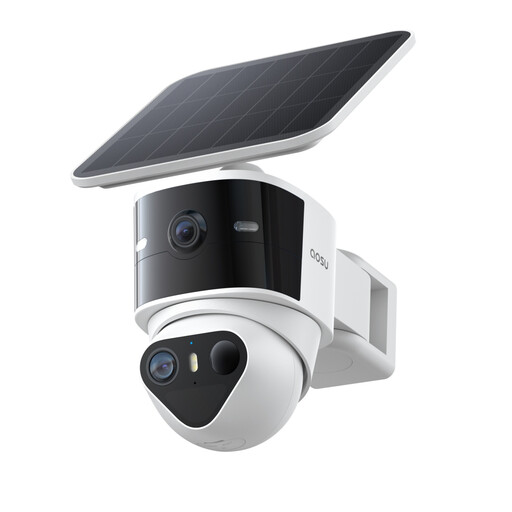 Image unavailable
Consider it for outdoor household monitoring if solar power and dual-camera views suit the installation. The title specifies 3K, a 5MP dual-camera system, 360° PTZ and a 170° wide-angle view.
Check storage before ordering: the microSD card is not included. For home CCTV, aim to capture only your own property; data-protection law applies if footage captures another property, a public area or communal space.
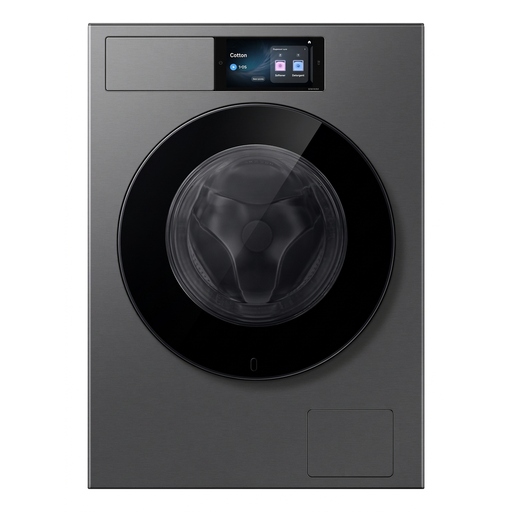 Image unavailable
Consider this freestanding front-load washer if app-based cycle monitoring and controls are useful alongside its ordinary washing function. The product name specifies a 9 kg capacity and 1400 RPM spin speed.
Connected features require internet access and a Samsung account; Bixby support is limited to selected languages.
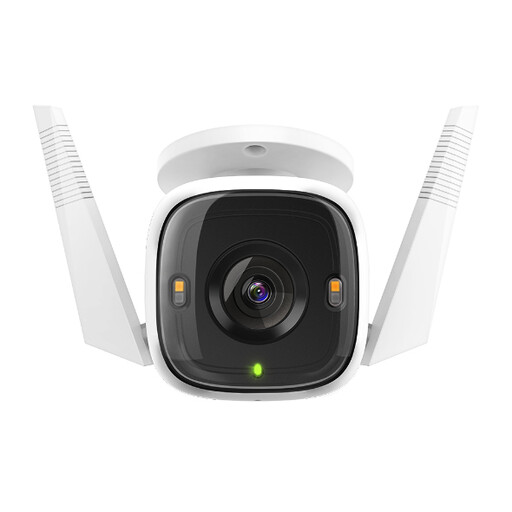 Image unavailable
Consider this outdoor camera if you want app-managed monitoring with local or cloud recording options. The microSD card is sold separately, so check whether you need to buy storage for the recording setup you intend to use.
For home CCTV, aim to capture only your own property; data-protection law applies if footage captures another property, a public area or communal space.
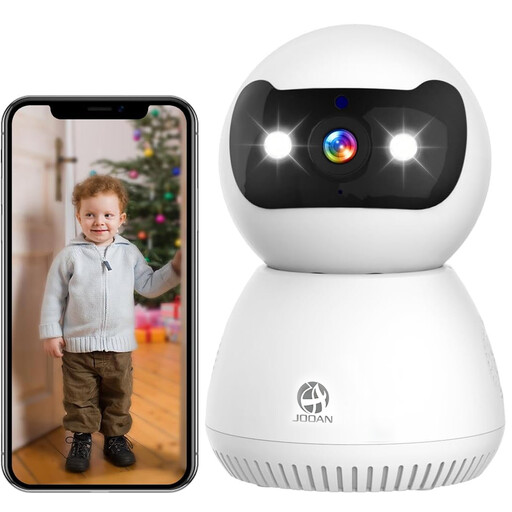 Image unavailable
Consider it for indoor monitoring where app-based alerts, two-way communication and recording options are useful. The product name identifies it as a 2K Full HD security camera.
The DC5V 1.5A adapter is not included, and cloud storage is paid. For home CCTV, aim to capture only your own property; data-protection law applies if footage captures another property, a public area or communal space.
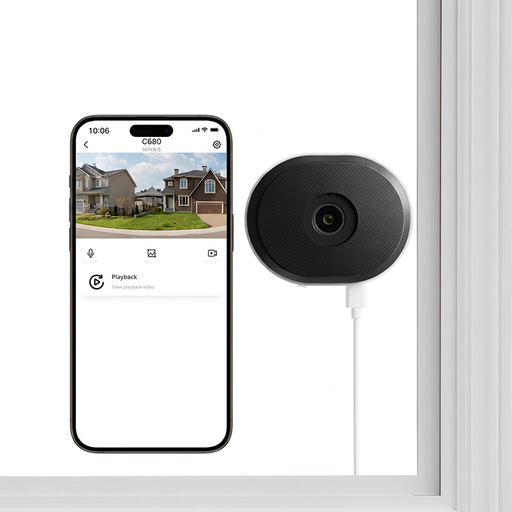 Image unavailable
Consider it for indoor monitoring through a window; the product name specifies a 3MP 2K camera, and the listing describes 2.4/5GHz Wi-Fi.
The microSD card is not included, and cloud backup is optional. For home CCTV, aim to capture only your own property; data-protection law applies if footage captures another property, a public area or communal space.
Not necessarily. Ring says live view is available without a subscription, but reviewing recorded video requires one. Check whether you need live viewing, saved footage or both.
TP-Link says configured Tapo cameras continue SD-card recording after losing their router connection, although initial setup requires internet. This does not establish that every app or remote-viewing function will work during an outage.
It depends on the sensor. Aqara specifies an Aqara Zigbee 3.0 hub for its Motion Sensor P1; check support information for both products before building a system around them.
For consumer connectable products within the scope of the UK regime, check the manufacturer’s published minimum security-update period; the regime took effect on 29 April 2024. Exceptions apply, including to certain products supplied in Northern Ireland under relevant Windsor Framework legislation, so the rules should not be assumed to apply identically to every product or supply route.
The Information Commissioner’s Office advises positioning a camera to capture only your own property where possible. If it captures another property, a public area or communal space, data-protection law applies; the ICO says its camera guidance is under review following the Data (Use and Access) Act.