What matters when choosing devices?
Start with the system you will use to manage the home, then check each model's support life and setup requirements. Give monitoring devices a separate privacy check before enabling remote access.
| Concern |
What to check |
Who this matters to |
| Security-update support |
Find the stated support end date for the exact model and check that it fits your intended period of connected use. |
If I plan to keep a device connected for years, I need to know when security updates are due to end. About 36% of consumers put that support-life decision first. |
| Compatibility |
Confirm the exact device's supported ecosystem, phone requirements and any hub, bridge or network conditions. |
When I add lights or controls from several brands, they need to fit the household's existing system. For about 29% of consumers, making devices work together is the primary concern. |
| Privacy and access |
Review the app's data and permission settings, household sharing and any physical camera or microphone controls on the model. |
A camera or voice-capable device could expose more of what happens at home, so I want control over who can access it. Privacy is the main priority for about 21% of consumers. |
| Setup and maintenance |
Check the required apps, accounts and Wi-Fi band, then consider who will manage updates and settings. |
If several people will use the home controls, I want setup and ongoing administration to remain manageable. About 14% of consumers place that simplicity above the other concerns here. |
Connected-device options on Joybuy
These products cover plug-in controls, connected lighting, indoor baby monitoring, outdoor camera monitoring and app-managed heating. Compare each one with your intended control system, network and support-life requirements.
 Image unavailable
Eve Energy Matter smart plug, UK Type G
Consider this plug for connected appliance switching and energy monitoring. The listing describes schedules and Matter over Thread, and names Apple Home, Alexa, Google Home and SmartThings; check the functions you want in your chosen platform. A Matter controller and Thread border router are stated requirements for full functionality. Check the exact model's security-update end date before buying.
View on Joybuy
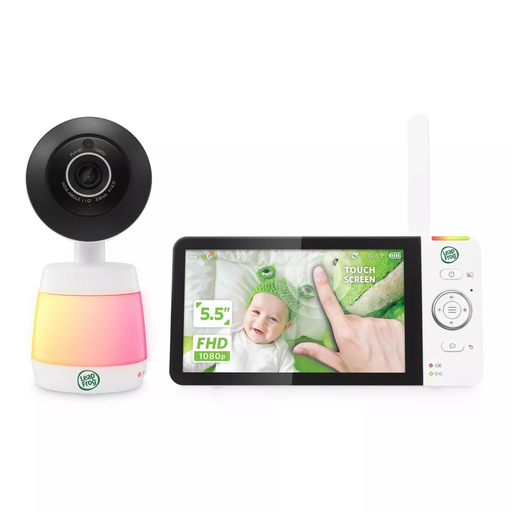 Image unavailable
LeapFrog LF2936FHD 5.5-inch smart video baby monitor
Consider this model if you want a dedicated parent unit as well as app-based viewing. The listing describes non-Wi-Fi use of the parent unit and Wi-Fi streaming through the LeapFrog Baby Care+ app. For remote viewing, check your home Wi-Fi, phone and app requirements; also check the model's security-update end date.
View on Joybuy
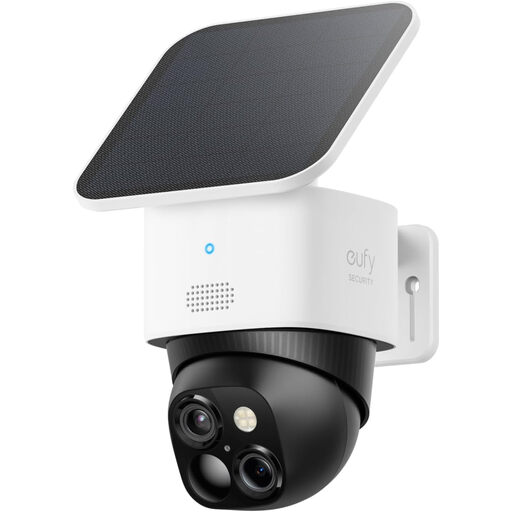 Image unavailable
eufy Security SoloCam S340 outdoor camera
Consider this camera for outdoor monitoring where a 2.4 GHz Wi-Fi connection reaches the installation point. Its listing describes dual cameras, 3K video, solar power and HomeBase S380 compatibility. Check the exact model's support end date, app and account requirements, and privacy controls before installing it.
View on Joybuy
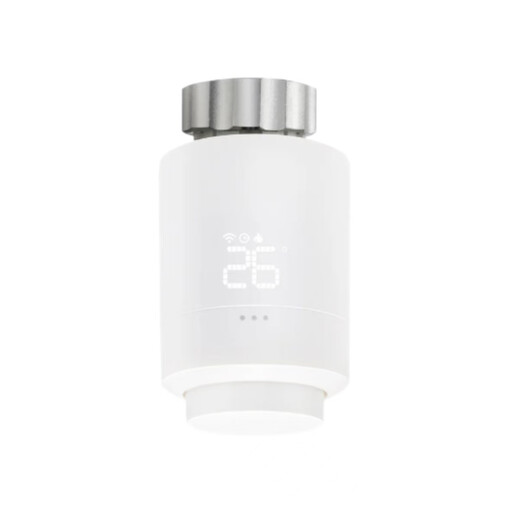 Image unavailable
Maginon WT-1 Zigbee smart thermostat
Consider this model for app-managed heating if its valve connections fit your existing setup. The listing names Smart Life control and M30x1.5, Danfoss, Giacomini and Caleffi connections. Its description says a Zigbee gateway is required and sold separately; confirm the gateway and the contents of this particular product before buying. Check the model's security-update end date too.
View on Joybuy
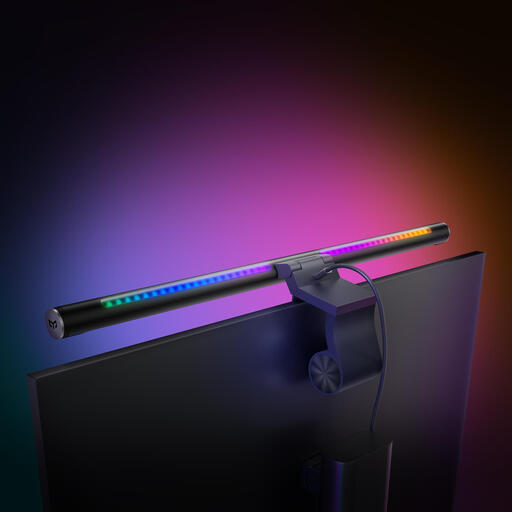 Image unavailable
Yeelight Screen Light Bar Pro Libra 2
Consider this for connected lighting at a monitor rather than general room lighting. The description states knob control and a 2700K–6500K colour-temperature range, while the listing claims Matter compatibility. Check the exact model's supported controller, setup and network requirements, as well as its security-update end date.
View on Joybuy
Common questions
How do I check a device's security-update support period?
Find the exact model on the manufacturer's product, support or security pages and note its stated end date. Under the relevant UK Regulations, the defined support period is a minimum period for security updates expressed with an end date; a general brand statement about updates is not a substitute for model-specific information.
What security requirements apply to covered connected products in the UK?
The National Cyber Security Centre explains that the regime effective from 29 April 2024 requires manufacturers of covered consumer products to avoid universal default passwords, provide a security-issue reporting contact and state a minimum security-update period. GOV.UK notes an exception for products made available for supply in Northern Ireland where relevant Windsor Framework legislation applies; check the applicable route for a Northern Ireland purchase.
Must every online listing show all the security details?
Do not assume the listing alone contains everything needed to assess a particular device. Check its packaging or manuals and the manufacturer's model-specific support information for the stated update period; if you cannot establish the end date, do not assume a long support life.
Will Matter make every feature work in every smart-home app?
No. Matter is designed for interoperability among compatible devices and systems, but you still need to check the exact product's supported ecosystem, functions and network equipment. Apple states that Thread-enabled Matter accessories need a suitable Thread-enabled home hub or supported third-party border router.
What should I check before buying a connected camera or baby monitor?
Check the exact model's Wi-Fi, app and account requirements, security-update end date, privacy settings and household access controls. For example, Tapo's guidance for its covered camera models specifies the Tapo app, a TP-Link ID and 2.4 GHz Wi-Fi; other models can have different requirements.


