Routine automators
Households wanting compatible devices to handle recurring tasks such as lighting, timers, reminders or climate control. The first useful purchase is the one that addresses a routine they actually want to change.


Start with the household routine you want to change, then choose a device that works with your phone, home network and preferred smart-home system. Before buying, check the exact model’s app or account requirements, compatibility, any necessary hub and declared minimum security-update period. A system that connects several devices may make routines easier to manage, but it can also add setup and account dependencies.
Households wanting compatible devices to handle recurring tasks such as lighting, timers, reminders or climate control. The first useful purchase is the one that addresses a routine they actually want to change.
Households planning to add device categories over time. Guidance from Google Home, Apple and the Connectivity Standards Alliance makes the exact device, app and hub combination worth checking before settling on a system.
Households prioritising update support and account protection. The National Cyber Security Centre advises checking manufacturer support before purchase; a camera or doorbell also calls for a separate look at its proposed location and what it would record.
For a household in Great Britain adding connected devices to everyday routines, identify the need that would decide the purchase, then check the exact model against it. A compatibility label, a familiar app and a useful feature each answer a different question.
| Concern | What to check | Who this matters to |
|---|---|---|
| Security support and account safety | Find the exact model’s declared minimum security-update period and check how its app or account is managed. The National Cyber Security Centre advises checking support before purchase. | If I expect to keep a connected device in use, I want to know how long important updates are promised and how I will manage its account. Around 31% of consumers would put that need first. |
| Everyday control | Choose the routine first, then check the required app, compatibility label and home-network requirements. Amazon notes that many smart-home Wi-Fi devices use 2.4GHz. | When I want to control lights or set recurring timers, extra setup is worthwhile only if it makes that particular routine easier. That would be the primary need for roughly 25% of consumers. |
| Room to expand | Check the exact device category and functions supported by your chosen system, plus any Matter hub or Thread controller requirement. A Matter label alone does not settle every setup question. | If I plan to add devices from different brands, I want them to work in the system I intend to use rather than accumulate separate controls. About 25% of consumers would make that their first concern. |
| Heating or appliance fit | Confirm the exact model’s installation and system requirements, then check the app or account needed for the feature you intend to use. | For heating or an appliance, I need the product to fit my existing setup before connected controls are useful. This would come first for around 19% of consumers. |
The National Cyber Security Centre warns that a device without ongoing support may become easier to compromise or stop working as intended.
Check the exact model’s declared minimum security-update period and manufacturer support information before committing to it.
Network access does not establish whether a product works with the controls you want. Amazon identifies the Works with Alexa badge for Alexa-compatible devices, while Google Home has its own compatibility and Matter setup requirements.
Match the product’s stated compatibility and Wi-Fi requirements to the system and network already in your home.
Matter support does not remove every infrastructure requirement: Google says adding a Matter device to Google Home requires a Matter-enabled hub.
Check the intended app, device category and controller requirements for the exact product, especially if it uses Thread.
A compatible hub or Thread-capable controller may be an additional item to obtain.
A camera or video doorbell can capture more than the entrance you intend to watch. The Information Commissioner’s Office says capturing someone else’s property, a public area or communal space can bring data-protection obligations into play.
Assess the proposed location, property permissions and privacy position separately before choosing a model. The National Cyber Security Centre also advises keeping camera software updated.
These systems are useful reference points for checking a device’s compatibility; a brand name alone does not establish that every product or function will work in your home.
An app-led, voice-control system for compatible devices such as bulbs, plugs, thermostats and cameras.
An app-based system for compatible Nest and third-party connected-home devices.
An Apple-device-centred system for compatible smart-home accessories.
These products cover a smart plug, desk lighting, connected heating and a household appliance. Choose by the routine and installation you have in mind, then check each model’s setup and support information before buying.
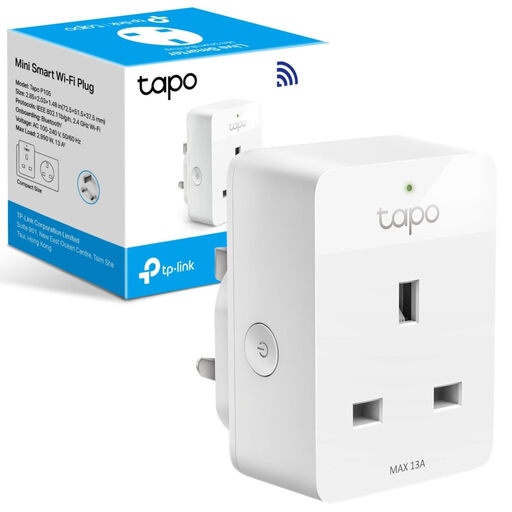 No image available
Consider this plug for a simple on-and-off routine with a suitable appliance. Check that your home network accommodates its stated 2.4GHz Wi-Fi requirement and confirm the exact model’s security-update period.
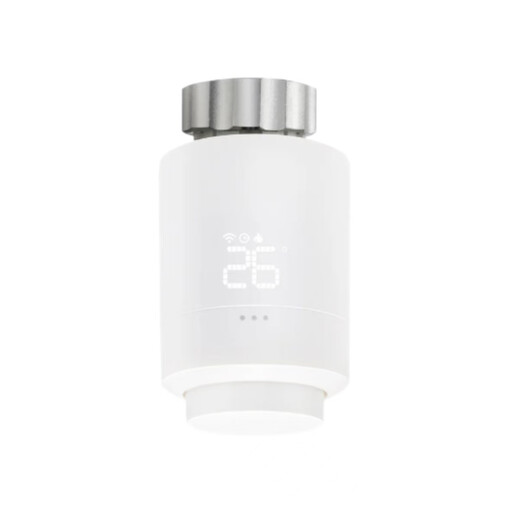 No image available
For a heating routine, establish whether the WT-1 fits your valve and control setup before considering its connected features. Check whether the required Zigbee gateway comes with this product, and confirm the model’s security-update period.
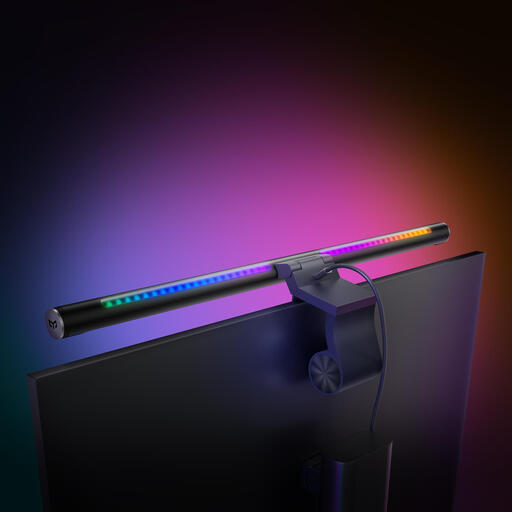 No image available
This is a monitor light for a desk-lighting routine, with knob control stated in its product name, rather than a choice for general room lighting. Check the Matter controller, app and functions required by your chosen system, along with the model’s security-update period.
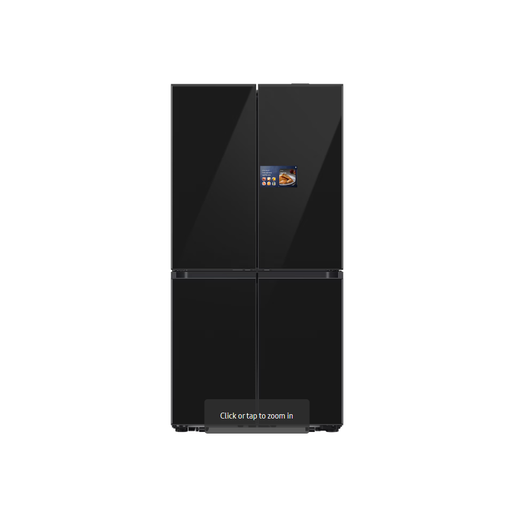 No image available
Consider the connected functions only after checking that this appliance fits the intended space; its listed capacity is 654L. Check the stated 50mm installation clearances, Wi-Fi and Samsung Account setup, and the exact model’s security-update period.
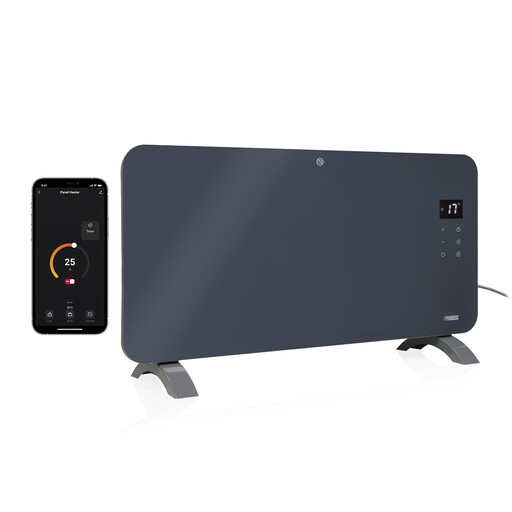 No image available
This app-connected heater is a choice to examine for timed heating; its product name lists a 24h timer. Confirm the permitted installation method and any mounting parts before purchase, as the product descriptions differ on wall-mounted and free-standing use. Check system compatibility if integration matters to you, as well as the model’s security-update period.
For relevant consumer connectable products supplied in Great Britain, the product-security regime effective from 29 April 2024 requires information about the minimum security-update period. The National Cyber Security Centre advises checking the exact device’s declared period rather than assuming that all products in a category receive updates for the same length of time. Northern Ireland has a separate legislative position.
No. Matter is intended to help compatible devices work across systems, but you still need to check support for the product’s device category, the functions you want and any controller it requires. Google, for example, says adding a Matter device to Google Home requires a Matter-enabled hub.
Plan for that possibility: the National Cyber Security Centre says managing a smart device will almost certainly require internet access and a smartphone or tablet for an app or online account. Check the exact model’s setup instructions and any account or subscription terms before buying.
Check the manufacturer’s instructions for removing the exact device from its app or account and resetting it where supported. Transfer and reset arrangements vary by model, so they matter if you expect to move home, resell the device or change who manages it.