Choose a connected TV, speaker, camera or app-controlled device for a feature your household will use, then check the exact model’s stated security-update period, data collection, app permissions and privacy controls. A microphone switch or camera cover is useful for immediate control, but it does not replace reviewing sharing choices and account access.
Who needs to make these checks?
Households considering microphones or cameras
If you are choosing a speaker, display, camera or doorbell, look for controls household members can use when recording or voice response is unwanted. The Information Commissioner’s Office (ICO) notes that connected products can process voice, video and movement information, making the device’s controls and associated account settings worth checking together.
Smart TV buyers reviewing data choices
Streaming apps and connected features can come with account and advertising settings. Check what viewing information the TV service uses and where you can review personalised-advertising choices, rather than treating the picture and app selection as the whole buying decision.
People starting with app-controlled devices
For a connected plug, light, thermostat or appliance, decide which remote-control or automation features you intend to use. That gives you a practical basis for questioning permissions and sharing requests during setup.
What should you check before buying?
Begin with the connected function you want, then assess the exact model, its companion app and any linked service as parts of the same choice.
| Priority | What to check | Your needs |
|---|
| Data collection |
Read the privacy information for the device, app and linked services. Look for the data used by the function you want and any additional account, usage, voice, video or location data. |
I want to know what information a connected feature uses before I create an account or pair the device. |
| Security updates |
Find the stated security-update period or end date for the exact model and regional version. Distinguish security updates from feature or operating-system upgrades. |
If I expect to keep the device for years, I need to compare its stated support period with that plan—not assume every product in a brand’s range has the same dates. |
| Permissions and sharing |
Match each permission to the function it enables. Review separate choices for advertising, personalisation, linked services and third-party access. |
I want the functions I chose without automatically agreeing to unrelated data-sharing options. |
| Sensor controls |
Check whether the exact speaker, display or camera has a usable microphone switch, camera cover or recording control. Also find the app’s history and account settings. |
When a microphone or camera is not needed, I want a control people at home can use easily—and a way to review access afterwards. |
| TV advertising |
On a connected TV, locate viewing-data and personalised-advertising settings. Check what each choice changes rather than assuming one opt-out removes every advert. |
I want streaming and apps, but I also want to understand how viewing information affects the TV service. |
Which privacy assumptions can cause problems?
-
Assuming a security requirement answers every privacy question
A stated security-update period tells you about one aspect of support, not how a service collects information or uses it for profiling and advertising. The ICO notes that connected products can process usage, sensor and account information as well as recordings.
Check the update information, then read the exact product’s privacy notice and setup choices separately.
-
Treating a mute button as the only control you need
Amazon says an Echo with its microphones switched off will not respond to device voice commands, but it can still be controlled through the Alexa app. The button does not make account permissions and stored history irrelevant.
Look for a physical control you will use, then review voice history, app settings and access granted to linked services.
-
Assuming similar models have the same support end date
Google publishes model-specific dates for listed Nest devices; its stated five-year minimum is measured from when Google starts selling a device on the US Google Store. That starting point should not be mistaken for a UK purchase date.
Record the full model and check its published security-support date against how long you expect to use it.
-
Accepting every setup request to finish faster
A request needed for a selected feature is different from a choice about personalisation, advertising or another service. Accepting both without reading them makes it harder to know what you have enabled.
Set aside time for setup, enable the functions you want and note where you can revisit privacy choices later.
What do relevant brands say about their controls?
These manufacturer statements are starting points for checking a particular model, not a comparison of every product each brand sells.
Google Nest / Google Home
Relevant if you are comparing connected-home devices within the Google Home ecosystem.
- Google says listed Nest connected-home devices receive automatic security updates for at least five years from their first sale on the US Google Store, and publishes model-specific dates.
- Check the exact UK model and its published support information; the US-store starting date is not your purchase date.
Amazon Echo / Alexa
Relevant if voice control and a device-level microphone control matter to your household.
- Amazon describes microphone-off buttons on Echo speakers and privacy settings for voice history and skill permissions.
- Switching off an Echo’s microphones stops its response to device voice commands, but the Alexa app remains another way to control it. Review app and account settings as well.
Samsung Smart TV / SmartThings
Relevant to connected-TV buyers assessing entertainment features alongside account and data-use choices.
- Samsung’s UK TV information states that security software updates are provided for at least three years from product launch.
- Samsung’s UK privacy policy describes collection of information supplied by users, service-usage information and information from third parties, including use for personalised advertising. Check the exact TV’s settings and applicable support details.
Joybuy camera option
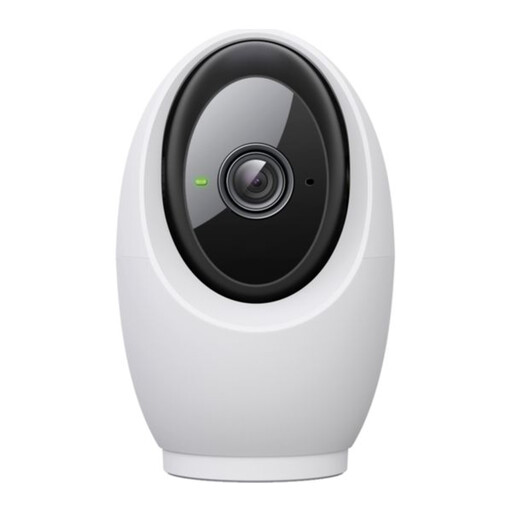
This indoor Wi-Fi camera is an option for households considering visual monitoring. Apply the same update-support, app-permission and data-sharing checks before deciding whether it suits your home.
 No image available
Tapo C260 Pan/Tilt AI Wi-Fi Camera
For indoor monitoring, consider how you would stop visual capture and exclude areas you do not want monitored. Check the Tapo C260’s exact security-update period, app permissions and data-sharing choices before setting it up; its Pan/Tilt and Wi-Fi features are identified in the product name.
View on Joybuy
Frequently asked questions
Does a security-update period also promise new features?
No. A stated security-update period concerns security support, while feature and operating-system upgrades may have different terms. Check both commitments for the exact model and the version sold in the UK.
How do I judge whether an app permission is necessary?
Start with the function you intend to use and ask what the permission enables. For example, a location-triggered routine needs location information to work as intended; that does not make separate advertising, personalisation or linked-service choices essential. The ICO advises checking what data a smart product needs, what else it collects and whether it shares information.
Does switching off an Echo’s microphones cover the Alexa app too?
No. Amazon says an Echo will not respond to device voice commands while its microphones are off, but it can still be controlled through the Alexa app. Review the device control and the app’s privacy and account settings separately.
What should I consider when security updates end?
Reassess whether you still need the device’s connected functions. Check the manufacturer’s latest support information for your exact model, then consider whether disconnecting it or replacing it is more appropriate for how your household uses it.


