What should you check before buying?
Start with the household task, then compare the controls you would actually use. The Information Commissioner’s Office advises checking personal-data collection, sharing, permissions, physical controls and stated security-update support before buying a smart product.
| Priority | What to check | Your needs |
|---|
| Device function |
Decide whether voice and audio suffice, a screen serves a regular purpose, or remote video is necessary. For a hub, check compatibility with the devices you intend to control. |
Would a speaker do what I need, or will I use a display’s screen? If I need to see a room remotely, a camera or connected baby monitor addresses a different task. |
| Device controls |
Check the exact model for a physical microphone-off control, camera switch or cover. Find out which functions stop when you use it: Amazon says its Echo microphone-off button disconnects microphones, while Google says the Nest Hub Max hardware switch disables camera and microphone streaming or recording. |
I want a straightforward way to stop capture in a shared or private room, and I need to know whether that also stops voice commands or video features. |
| Data and access |
Read the device and app privacy information. Check setup permissions, optional data collection, sharing with other services and who can access the household account. |
If several people use our smart home, I want to control household access rather than assume every account has the same permissions. |
| Recordings |
For cameras, check whether video is stored locally, in the cloud or both, and who can view it. Confirm exact-model eligibility and feature changes before choosing encryption; Ring also documents privacy zones for supported cameras. |
I may need remote viewing but not broad access to saved video. Storage location, shared users and any viewing restrictions matter more to me than a feature name alone. |
| Update support |
Find the manufacturer’s security-update statement for the full model and generation. Check whether its period starts at purchase or at another stated point, and whether purchase conditions apply. |
For a device that may stay in my home for years, I want to know its remaining stated support period before choosing an older generation. |
Which brands provide useful points of reference?
These product lines illustrate different controls to compare; a brand name alone does not establish which features a particular model has.
Amazon Echo and Echo Show
Speakers and displays for voice, audio and compatible smart-home controls.
- Amazon says the microphone-off button disconnects microphones on supported Echo devices.
- Amazon’s Echo security-update statement includes purchase-source conditions. Check the exact device and applicable support period rather than applying one date to the whole range.
Google Nest
Connected speakers, displays and cameras with settings for household and device data.
- Google says the Nest Hub Max hardware switch disables camera and microphone streaming or recording while it is off.
- That switch also affects voice and camera functions. Google’s stated minimum update period for connected-home devices starts when sales begin on the US Google Store; check its application and remaining period for the UK model you are considering.
Ring
Video doorbells and connected cameras with app-based recording and access controls.
- Ring documents privacy zones and optional end-to-end video encryption for compatible devices.
- Check encryption eligibility and any changes to viewing or sharing features. Ring’s security-update information also needs to be matched to the device.
eufy Security
Connected cameras, including systems offered with local video storage.
- eufy says recordings in its eufyCam S330 and HomeBase 3 setup can be kept on local storage; this claim concerns that specific setup.
- For any model, check the required storage hardware, remote-access behaviour, account controls and current update information separately.
Apple HomePod
Camera-free smart speakers for voice and audio use within Apple Home.
- Apple says HomePod sends speech to its servers after recognising a Siri wake phrase or when the top is touched and held for a request; it also provides Siri and location controls.
- Check the controls and current security-update information for the HomePod model you intend to buy.
Joybuy indoor camera options
These indoor cameras are options for households considering app-based video monitoring. Compare their stated storage and camera controls with the permissions, account access and update support you need; they do not replace a speaker or display for a voice-first task.
 No image available
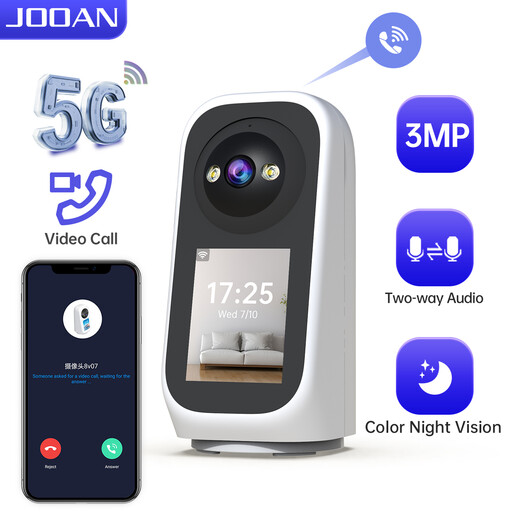
JOOAN 5G WiFi 2K indoor camera with screen
For indoor app-based monitoring, the listing describes privacy masking and a local microSD recording option. Privacy masking is an app setting, not a physical camera control; the microSD card is separate. Before using it in a private room, check the exact model’s update support, app data practices and household access controls.
View on Joybuy
 No image available
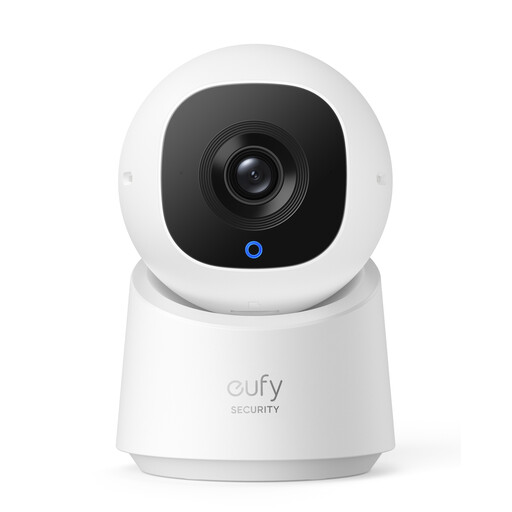
eufy C220 2K indoor camera
For indoor monitoring with a local recording option, the product description says this camera records to a microSD card of up to 128 GB; the card is separate. Its described Privacy Mode turns the camera towards a preset position, which should not be treated as confirmation that image capture stops. Check that behaviour, household access and the exact model’s update support before buying.
View on Joybuy
 No image available
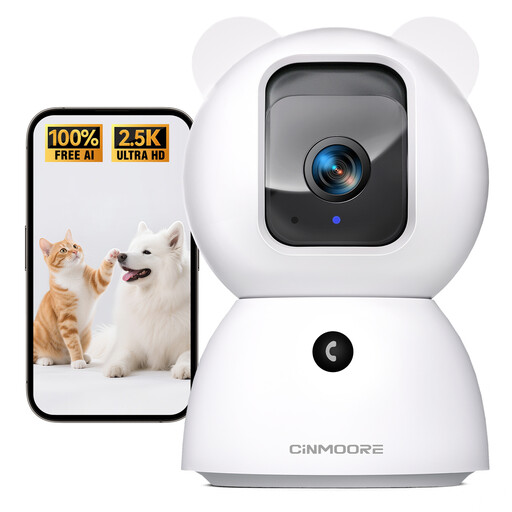
CINMOORE 2.5K 4MP indoor camera
For indoor monitoring, the description offers microSD recording and describes an SD-card encryption mode; the card is separate. Check how that mode works and who can view recordings in your intended setup. Also confirm whether the camera has a disable control and review its app permissions and exact-model update support.
View on Joybuy
Questions about smart-home privacy
What should I check before buying a smart-home device?
Check what the device and app collect or share, which permissions they request, who can access the household account and how long the manufacturer states it will supply security updates. The Information Commissioner’s Office also advises looking for useful physical microphone or camera controls.
How do I compare security-update support?
Compare statements for the exact model and generation, including when the period starts and any purchase conditions. Amazon’s Echo statement includes conditions for devices bought new from Amazon.co.uk; Google’s stated minimum for connected-home devices starts with sales on the US Google Store. Neither starting point should be assumed to describe every UK listing’s remaining support.
Will a microphone or camera switch affect everyday use?
It can. Amazon says an Echo cannot respond to voice commands while its microphones are off. Google says turning off the relevant Nest Hub Max controls also removes voice or camera functions, so check which functions you would lose on the exact device.
Should I choose a camera just because it offers encryption?
No. First decide whether remote video serves a household need, then check that the exact camera supports the encryption option and that its viewing and sharing changes suit everyone who needs access. Ring describes end-to-end video encryption as optional for compatible devices.
Does local video storage settle how a camera handles data?
No. Local storage describes where recordings are held, not every way a connected camera and its app handle information. Check remote viewing, account access, permissions and any cloud-linked services for the exact model and setup.


