Start with the routine you want to control: a speaker can suit hands-free reminders or commands, plugs and lighting can suit scheduled switching, and a thermostat is relevant when it matches your heating system. Ofcom’s 2022 qualitative research included household-management uses for smart speakers, while Amazon’s and other manufacturers’ setup guidance shows why compatibility needs checking device by device. Before buying, check the required app, network, account, hub or subscription, as well as the exact product’s UK security-support information.
Who can benefit from smart-home devices?
Hands-free routine households
If you want timers, reminders or voice commands during everyday activities, check that the devices you want to control work with your chosen assistant. Ofcom’s 2022 qualitative research covered household-management uses for smart speakers, and Amazon explains how supported Alexa routines can group actions.
Scheduled-lighting households
If you want lights or suitable plug-in items to follow a schedule, match the control to the task: a bulb changes the light, while a plug switches power. Philips Hue describes Bridge-enabled lighting automations, and TP-Link provides model-specific information for its smart plugs.
Heating-schedule households
If you want to manage heating by app or schedule, identify your current controls and check the proposed thermostat against your heating system. tado°’s guidance distinguishes product generations and advises checking particular installation arrangements.
What should you check before buying?
Start with the task you want to automate, then check which devices and setup requirements support it. For consumers considering connected devices for household routines, the table focuses on the primary need that shapes the choice.
| Concern |
What to check when buying |
Who this matters to |
| Hands-free routines |
Check the assistant’s supported actions, compatible devices and account requirements. Ofcom’s 2022 qualitative research found household-management uses, but only a few participants used speakers to control smart devices. |
If you want spoken timers, reminders or commands during daily tasks, make sure the specific devices can perform those actions together. Around 33% of consumers prioritise hands-free routines. |
| Scheduled lights or plug-in items |
Choose a bulb, plug or bridge according to the action; check the bulb fitting or plug rating and whether the desired lighting automation needs a bridge. Philips Hue describes Bridge-enabled automations, while TP-Link specifies indoor use and a 13 A maximum for the UK Tapo P110. |
If you mainly want lights or a suitable plug-in item to switch on a schedule, match the product to the task and its limits. Around 25% of consumers prioritise scheduled lighting or plug control. |
| Heating-control fit |
Identify the boiler, existing thermostat and programmer, then check the exact kit and product generation. tado° says X devices cannot be used with earlier product lines in the same Home; its AI Assist automation is subscription-based. |
If your main goal is app-managed heating schedules, check the existing system before choosing a thermostat and distinguish standard scheduling from subscription features. Around 25% of consumers prioritise heating control. |
| Appliance-specific functions |
Check the exact appliance’s app functions, network and account requirements, plus its stated compatibility with your chosen control system. The National Cyber Security Centre advises checking minimum requirements and manufacturer support before buying smart devices. |
If you need an appliance’s own app-controlled function, rather than general voice, lighting or plug control, confirm that the model performs the task you need. Around 17% of consumers prioritise an appliance-specific function. |
Buying pitfalls to avoid
-
Assuming a voice assistant, Matter label or hub makes every feature interoperable
The connection method, controller and supported functions determine whether the intended routine will work. Google’s setup guidance distinguishes Matter devices using Wi-Fi from those using Thread; Thread devices need a suitable Thread border router.
Check the exact devices and the action you want against the controller’s compatibility and setup instructions.
A compatible controller or Thread border router may be an additional part of the setup.
-
Treating a smart plug as a universal appliance controller
A plug switches power, but an appliance may need its own controls or may exceed the plug’s stated limits.
Check how the appliance behaves when power is restored, as well as the plug’s rating and usage warnings.
-
Buying heating controls before identifying the existing system
Wiring, the boiler and product generation can affect whether the planned setup is suitable. tado° advises checking the particular system and notes that some system-boiler arrangements need extra installation consideration.
Record the boiler, programmer and thermostat models, then check the specific kit and installation guidance.
A different compatible kit or installation work may be necessary.
-
Assuming an app listing establishes a product’s security-support period
The support information needs to apply to the exact connected product and version; an app description alone does not establish how long security updates will be provided.
Before choosing a model, look for the manufacturer’s support-period information for that exact product and check its relevance to UK requirements.
Relevant smart-home brands to consider
Amazon Echo
Voice-first speakers and displays for households considering supported Alexa routines.
- Amazon describes routines as a way to group supported actions. Its security-update table lists Echo Pop through at least 31 December 2030.
- That does not establish that a particular third-party device works with Alexa or confirm an individual product’s UK compliance documentation.
Google Nest
Google Home control and compatible Matter setups for households considering that ecosystem.
- Google distinguishes Matter devices using Wi-Fi from those using Thread in its setup guidance.
- Matter labels do not by themselves confirm that every feature will work in every app; Thread devices need a suitable Thread border router.
Philips Hue
Connected lighting, with an optional Bridge for Bridge-enabled automations.
- Philips Hue describes automations that require the relevant Bridge-enabled setup and lists compatible control platforms for its products.
- Its support policy distinguishes the Bridge from other Hue products, so check the support information for the specific product you are considering.
TP-Link Tapo
App-controlled plugs, including the UK Tapo P110 for scheduled switching and energy monitoring.
- TP-Link says the P110 needs no separate hub and specifies indoor use and a 13 A maximum output.
- Check the exact hardware version’s support information and the plug’s stated load limits for the intended appliance.
tado°
Heating controls for households prepared to check boiler, wiring and product-generation compatibility.
- tado° provides heating-compatibility guidance and distinguishes standard scheduling from AI Assist automation for X devices.
- tado° says X devices cannot join earlier product lines in the same Home, and AI Assist is subscription-based. Check the particular home’s installation requirements.
Joybuy product choices
These Joybuy choices relate to household routines, including scheduled switching, connected-device coordination, app-controlled feeding and lighting. Check each product’s setup requirements and applicable UK security-support information for the exact model before deciding whether it suits your home.
 No image available
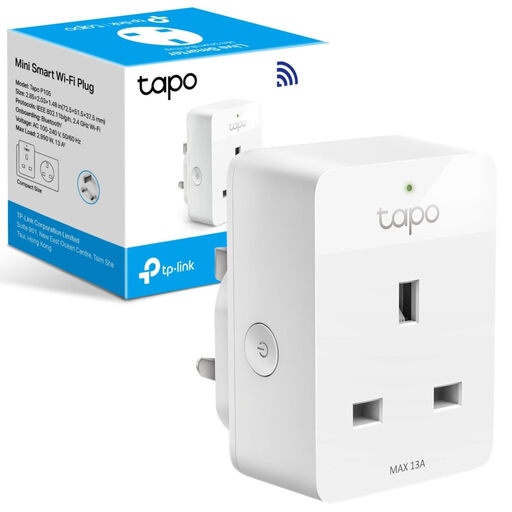
Tapo P105 Mini Smart Wi-Fi Plug (1-Pack)
Consider it for scheduled switching of a suitable plug-in device using app, timer or voice controls.
The listed connection requirement is 2.4 GHz Wi-Fi.
View on Joybuy
 No image available
Xiaomi Smart Home Hub 2
Consider a hub when coordinating compatible connected devices or setting household scenes is the task.
View on Joybuy
 No image available
Eve Energy Matter Smart Plug with Power Meter, UK Type G Plug
Consider it for scheduled remote switching or energy monitoring of a suitable plug-in device.
Full Thread-network functionality requires a Matter controller and Thread border router.
View on Joybuy
 No image available
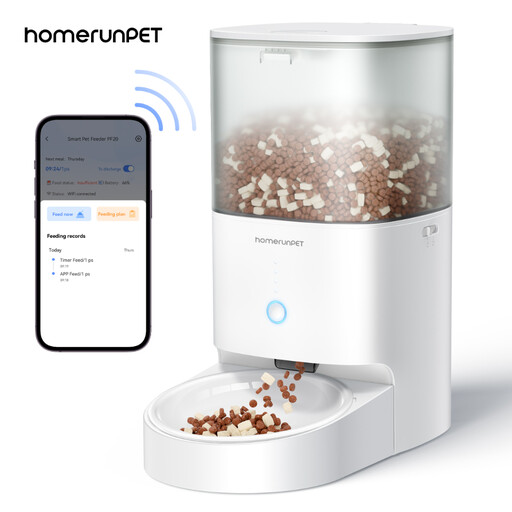
HomerunPET PF20 Ceramic Pet Feeder, 4L Capacity
Consider it if you want to set app-controlled feeding schedules and portions for a pet.
The instructions specify use with dry pet food.
View on Joybuy
 No image available
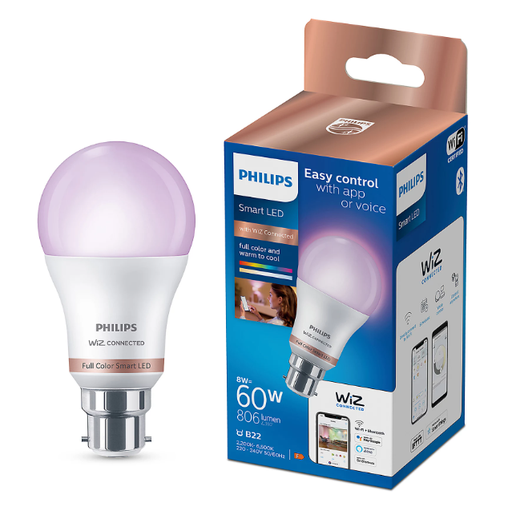
Philips Smart Light Bulb, Frosted B22 Bayonet, Full Colour and Warm/Cool Spectrum, 60W
Consider it for app-controlled lighting schedules and adjustable light colour.
Use in dry indoor environments or suitably rated luminaires; installation must be carried out by a qualified electrician or competent person.
View on Joybuy
Smart-home device FAQs
Does a Matter label mean all my existing devices will work together?
No; check each device’s supported Matter function and connection method against your chosen controller. Google’s setup guidance says Matter-over-Thread devices need a suitable Thread border router, and does not guarantee that every feature works in every app.
What should I check before installing a smart plug or thermostat?
For a plug, check the exact model’s electrical rating and whether the attached appliance is suitable; TP-Link specifies indoor use and a 13 A maximum for the UK Tapo P110, with additional motor-load and EV-charging warnings. For a thermostat, identify the existing heating controls and follow the manufacturer’s compatibility guidance; tado° advises contacting a heating engineer for certain system-boiler arrangements.
Will routine features require another account or subscription?
That depends on the product and feature, so check their setup requirements before buying. The National Cyber Security Centre advises checking a smart device’s minimum requirements; tado° describes standard smart scheduling separately from its subscription-based AI Assist automation for X devices.
What UK product-security information should I look for?
For the exact product, check whether the UK consumer-connectable product security regime applies and find the manufacturer’s relevant support-period information and compliance documentation. GOV.UK says the regime came into effect on 29 April 2024; its scope includes stated exclusions, so do not assume that every connected product is covered.
How should I maintain a connected device after setup?
Follow the manufacturer’s update instructions and check that the product remains supported. The National Cyber Security Centre warns that missing security fixes can increase risk; TP-Link says Tapo firmware updates are managed through its app, with automatic-update availability varying by model.


