Mixed-device households
These households want one way to manage existing lights, plugs, sensors or appliances, but need to check whether each model works with the proposed controller or requires a separate bridge.


Choose a smart-home control route around the devices you own or plan to add, rather than choosing a screen or voice interface first. A speaker suits hands-free control, a display offers a shared visual control point, and a compatible hub may be needed for particular devices; an app can be enough when it supports the controls your household wants. Check exact device and routine compatibility, access requirements and paid features before committing.
These households want one way to manage existing lights, plugs, sensors or appliances, but need to check whether each model works with the proposed controller or requires a separate bridge.
For these households, the deciding question is whether their chosen devices can carry out the intended time-, presence- or device-state routines, not just respond to an individual command.
Several people may need access through an app or shared screen, with suitable account permissions and, where needed, control while away from home.
List your devices first, then decide whether voice commands, a shared screen, a dedicated hub or an app meets your household’s routine and access needs.
| Concern | What to check | Who this matters to |
|---|---|---|
| Device compatibility | Check each device’s exact model and available functions in the proposed ecosystem. Identify any required bridge, compatible hub or Thread border router. | If I already have devices from several ranges, I need to know they can join the setup before choosing its interface. Around 33% of consumers would put compatibility first. |
| Routine capability | Write down each intended trigger and action, then check that the ecosystem and devices support them. Confirm whether the required feature needs a subscription. | When a routine depends on presence or a device changing state, I need those specific conditions to work with my equipment. Around 27% of consumers would prioritise routine capability. |
| Shared and remote control | Decide whether household members need a shared screen, separate app access or control while away. Apple Support says its stated remote-control, sharing and automation uses require a home hub. | In a home where several people adjust devices, I want each person to have practical access without sharing one account. Around 20% of consumers would make shared or remote control their primary concern. |
| Security and ongoing features | Check the manufacturer’s support period, account permissions and privacy settings, along with any subscription terms for the functions you intend to use. | Before connecting household devices to an account, I want to know how long they will receive updates and which functions require an ongoing plan. Around 20% of consumers would put security, support and feature terms first. |
A speaker, display or app may not connect directly to every device you own. Amazon Customer Service says direct Zigbee connection requires a compatible Echo model with a built-in hub; SmartThings UK Support says its Zigbee, Z-Wave and LAN-connected devices require a SmartThings-enabled hub.
Make a model-by-model inventory and check each device’s supported functions and any bridge or hub requirement before choosing a control point.
The Connectivity Standards Alliance describes Matter’s ability to work across supported controllers, but that does not establish compatibility for non-Matter devices or identical features in every app.
Check the exact accessory, its connection method and the functions exposed by the app and controller you intend to use.
Google Home and Nest Help warns that automations can depend on internet, Wi-Fi and third-party services and should not be used for safety- or security-critical tasks.
Use these routines for everyday convenience, while retaining appropriate independent controls for safety and security functions.
The National Cyber Security Centre advises against buying devices that are unsupported or close to the end of support. Google also identifies automation features that require Google Home Premium.
Check the stated update period, household account permissions and the terms for each feature you intend to use, including any linked camera service.
These ecosystems offer different ways to organise household control; compatibility and available functions depend on the particular devices and controller.
Voice-led control, with a shared visual option for households considering an Echo Hub.
App- and voice-based household control for compatible devices and automations.
An app-based route for households using compatible Apple Home or Matter accessories.
App and hub-based control for compatible devices, including selected Samsung products.
A more hands-on control platform for households willing to configure their own integrations.
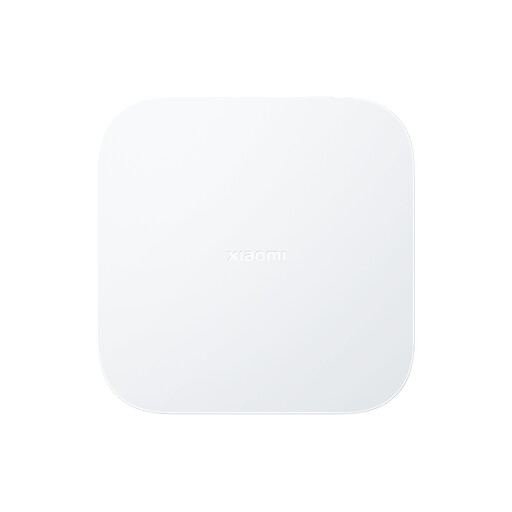
This hub is an option for households building control around Xiaomi or Mijia devices. Check your exact device models and intended scenes before choosing it.
 No image available
Consider this hub if you are building around Xiaomi or Mijia devices, subject to checking support for each model and the functions you need.
Check whether your intended scenes, shared access and remote control work with your chosen devices and accounts.
No. The Connectivity Standards Alliance describes multi-platform control for compatible Matter devices, but Matter does not make a non-Matter device compatible or ensure the same functions in every ecosystem. Check the exact accessory, supported functions and any controller or Thread border-router requirement.
Yes, for the remote-control, sharing and automation uses described by Apple Support, you need a home hub. Apple also says Thread-based Matter accessories require a Thread-enabled home hub or compatible third-party Thread border router.
No. Google Home and Nest Help says its automations are for convenience rather than safety- or security-critical use, because network and third-party service availability can affect them. Keep appropriate independent controls for tasks where a missed action could cause harm.
That depends on the exact feature and linked service, not simply on whether you choose a speaker, screen, hub or app. Google says its Help me create feature and some automation traits require Google Home Premium; Amazon identifies separate Ring subscription features for recording and certain alerts. Check the terms for the functions you intend to use.