Choose the ecosystem around the devices and routines you want to use, then choose a controller: a speaker for hands-free commands, a display when shared visual controls matter, or an app-based hub when its particular device and protocol support fits your setup. Matter can make it easier to use a device across supported ecosystems, but it does not make every feature available in every app; check the exact device, connection method and any required Thread hardware before buying.
Who is this for?
First-time routine builders
If you want recurring actions for lights, plugs or heating, start with the devices involved and a control method everyone at home can use. Which? identifies smart speakers as one way to begin; Amazon Alexa and Google Home also describe app-created routines.
Mixed-device households
If you own devices from several brands or plan to add them, check each model against your chosen app and hub. Google, Apple and Samsung describe different Matter and hub requirements, so a shared standard does not remove the need to check individual features.
Households wanting a shared screen
If people need touch controls, visible device status or camera views in a communal room, a display may be more useful than voice commands alone. Check which controls and services the particular display provides.
What matters when choosing?
Start with the devices and routines you need, then decide how the household will control them. Matter-compatible accessories can be added to a suitable ecosystem; they are not a separate substitute for checking its controller and connection requirements.
Smart speaker
Choose it when: Hands-free commands are the main way household members want to start routines.
Bear in mind: Voice control still depends on the chosen ecosystem supporting each device and action; Thread accessories may need suitable additional hardware.
Smart display
Choose it when: A shared room needs touch controls or visible camera and device information alongside voice control.
Bear in mind: Review camera and microphone controls, and check whether any service you want requires a subscription.
App-based hub
Choose it when: Phone-based routines or a particular mix of device protocols matters more than having a voice or screen controller.
Bear in mind: Protocol support belongs to the exact hub model, not every device associated with its platform.
| Concern |
What to check |
Who this matters to |
| Device compatibility |
Check each intended model and function in your chosen app, plus its Wi-Fi, Matter, Thread, Zigbee or Z-Wave requirements where relevant. |
If I am keeping devices from different brands, I need one setup that can control the ones I own and plan to add. Around 36% of consumers put compatibility first. |
| Routine usability |
Check the triggers and actions your routine needs, and how household members will start or change it. |
When a routine serves several people, I want them to understand and use it without relying on one person's phone. For around 29% of consumers, ease of using routines is the primary concern. |
| Subscriptions and add-ons |
Identify the devices and optional services needed for each intended feature; check which routine controls work without a subscription. |
I want to build recurring routines without signing up for services I will not use. Avoiding unwanted ongoing commitments comes first for around 21% of consumers. |
| Shared visual control |
Decide whether touch controls or camera views warrant a screen, and review its microphone, camera and privacy settings. |
If the controller will sit in a shared room, I may need controls everyone can see rather than voice commands alone. Around 14% of consumers prioritise that visual access. |
Buying pitfalls
-
Assuming Matter carries every feature between apps
Google and Apple describe Matter support in terms of supported accessory categories and platform capabilities. A device may pair in more than one app without offering the same functions in each.
Check the exact accessory model, category and function you want in the ecosystem where you intend to use it.
-
Choosing Thread accessories before checking the controller
Google and Amazon specify Thread-capable hardware for relevant Matter-over-Thread setups. The controller you already use may not fulfil that role.
Confirm that a suitable Thread border router or Thread-enabled hub is part of your intended setup.
You may need to accommodate another compatible device in the home.
-
Treating the controller as the complete routine
A routine may also depend on compatible lights, sensors or cameras. Which? notes that some additional smart-home features require subscriptions; that does not make a subscription a requirement for every routine.
Map out the devices and any optional service needed for the specific action you want before choosing a controller.
-
Overlooking privacy settings and security updates
Microphones, cameras and connected-device activity make permissions and update support relevant to the choice. The UK Information Commissioner's Office advises consumers to review what a smart product collects and shares, its physical privacy controls and the manufacturer's stated security-update period.
Review permissions during setup, switch off collection you do not need and check the stated update policy before committing to a device.
Brands to consider for household routines
Google Home / Nest
An app and voice-assistant ecosystem for compatible devices and household automations.
- Google Home describes automations built from starters, conditions and actions, as well as support for specified Matter devices.
- Google says its Matter setup needs a suitable hub and that Matter-over-Thread devices need a Thread border router. Check the current supported category and function for each accessory.
Amazon Alexa / Echo
A voice-led route using Alexa routines and compatible Echo speakers or displays.
- Amazon says Alexa routines can combine smart-home actions. Its UK Echo Show 8 listing describes control of compatible Zigbee, Matter and Thread devices.
- Hub capability varies by Echo model, and Amazon says Thread-based Matter setup needs a Thread-enabled Alexa device. Some separate services have subscription conditions.
Apple Home / HomePod / Apple TV
A Home app route for households using Apple devices and compatible accessories.
- Apple describes Home automations triggered by time, location, sensors or accessory actions, and lists the Matter accessory types its Home app supports.
- Check the intended accessory against Apple Home's current requirements, including the hub and Thread hardware needed for the functions you plan to use.
Samsung SmartThings
An app-based route for routines and phone control, with hub options for particular device protocols.
- Samsung UK describes SmartThings routines and identifies the Aeotec Smart Home Hub as connecting Zigbee, Z-Wave and Matter devices.
- Check the exact hub and accessory models: SmartThings compatibility alone does not establish that every hub supports the same protocols.
App-based hub on Joybuy
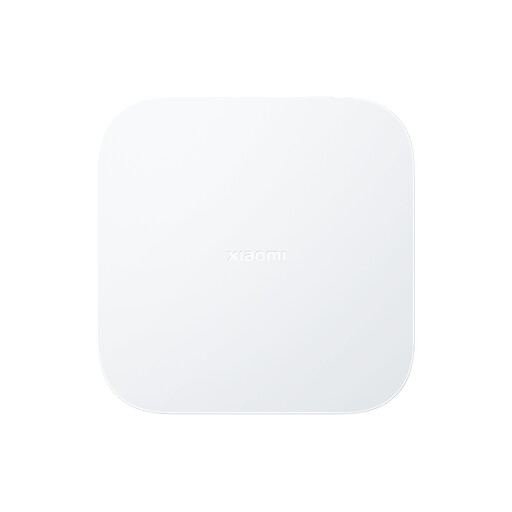
This app-based hub is relevant if you are planning routines around Xiaomi or Mijia devices. Check the exact devices and functions you intend to use before deciding whether it fits your household.
 No image available
Xiaomi Smart Home Hub 2
Consider this hub for routines involving Xiaomi or Mijia devices, provided it supports the exact devices and actions you need.
Before adding accessories, check their required protocols and whether your setup needs separate Thread-capable hardware. Confirm any routine, app-account or sharing requirements that matter to your household.
View on Joybuy
Frequently asked questions
Will a Matter device have the same features in every smart-home app?
Not necessarily. Google describes control through multiple Matter-certified apps, while Apple lists the accessory types supported by its Home app. Check the exact device and intended function in each app you plan to use.
Do I need a hub for a Matter-over-Thread accessory?
You need to meet the chosen ecosystem's Thread hardware requirements. Google specifies a Thread border router for Thread devices, and Amazon says its Alexa setup needs a Thread-enabled device. For Apple Home, check the accessory and the Home hub functions you intend to use before selecting hardware.
Do basic household routines require a subscription?
A subscription is not a blanket requirement for creating routines in the ecosystems described here: Amazon and Google provide instructions for app-created routines. Check the particular feature, though. Which? notes subscriptions for some additional smart-home services, and Google identifies its 'Help me create' automation feature as part of Google Home Premium.
What should I check before putting a smart display in a shared room?
Check that its touch controls or camera views serve a household need, then review its privacy controls. The UK Information Commissioner's Office advises consumers to examine information collection and sharing, app permissions, physical microphone or camera controls, and the manufacturer's stated security-update support.


