Start with the lights, plugs or sensors needed for your routines, then choose a controller: a speaker for hands-free commands, a display when touch and visual information matter, or a dedicated hub for a wider mix of device protocols. Matter can help keep a choice of control apps open, but check each accessory’s supported functions, whether it uses Wi-Fi or Thread, and any account or subscription requirements before committing to a setup.
Who is this setup for?
Households starting with a few devices
If you want recurring lighting or plug routines, begin with the accessories you intend to control. Choose voice, touch or app control to suit how your household will use them; a separate dedicated hub is not automatically necessary.
Households using more than one ecosystem
If family members use different control apps or assistants, Matter is worth considering. Google Home and Nest Help says a Matter-enabled device can be controlled in multiple Matter-certified apps, but you still need to check the device category, functions and any Thread requirements.
Homes adding sensors and more protocols
If routines will involve a growing mix of devices, compare dedicated hubs against the protocols those devices use. SmartThings documents hub-connected Matter Wi-Fi and Thread, Zigbee and Z-Wave devices; support must still be checked for the particular hub and accessories.
What should you check first?
Choose the accessories and control method together: a convenient controller is useful only if it can run the routines you have in mind.
Smart speaker
Choose it when: Spoken commands and timers are the main way your household will start routines.
Trade-off: There is no persistent visual dashboard, and built-in Zigbee or Thread capability depends on the exact speaker model.
Smart display
Choose it when: A shared touchscreen for controls, reminders or calendar information adds value alongside voice commands.
Trade-off: It takes up space, while accessory compatibility still depends on the display model and its integrations.
Dedicated hub
Choose it when: The planned system calls for a broader mix of protocols or hub-connected routines.
Trade-off: It adds setup and administration; a Matter controller without a Thread border router cannot by itself connect Thread accessories, as SmartThings Support explains.
| Priority | What to check | Your needs |
|---|
| Ecosystem flexibility |
Check the accessory’s Matter category and support in each intended app. Confirm that the specific routine and controls are available there. |
I may change control apps later, but I still need my essential routines to work. Google Home and Nest Help says Matter devices can be controlled in multiple certified apps; supported device types can change with updates. |
| Network protocol |
Check whether each Matter accessory uses Wi-Fi or Thread. For Thread, identify a compatible Thread border router in the planned setup. |
I want a new sensor or plug to join the controller I actually own, without discovering that the setup needs another piece of hardware. |
| Everyday control |
Decide whether commands will usually be spoken, tapped on a shared display or managed in an app. Check the chosen controller against each accessory. |
In a shared room, I might want visible controls; elsewhere, hands-free switching may be more useful. Amazon describes Echo Show devices as offering both voice and touchscreen control for compatible devices. |
| Accounts and services |
Check setup-account requirements, remote-access conditions and whether a desired assistant feature requires a subscription. Separate those features from basic device control. |
I want to know what a routine depends on before making it part of the household’s day. Google lists a Google Account among its Matter setup requirements, while Amazon describes Alexa+ in the UK as an English-only Early Access service. |
| Security updates |
Find the manufacturer’s stated minimum security-update period for each connected device. Check how updates are delivered after setup. |
If a plug or hub will stay connected for years, I want to know how long the manufacturer says it will provide important security updates. The National Cyber Security Centre highlights that stated support period as a check for UK buyers. |
Common buying mistakes
-
Checking the Matter logo but not Thread
A Thread accessory needs compatible Thread infrastructure; a Matter controller without a Thread border router is not enough for that connection, according to Apple Support and SmartThings Support.
Check whether the accessory uses Matter over Thread or Wi-Fi, then check the exact controller model for Thread border-router capability.
A different controller or an additional Thread border router may be needed for a Thread-based setup.
-
Assuming every smart speaker has the same hub features
Built-in protocol support is model-specific. Amazon identifies a Zigbee hub in the Echo (4th generation), while its guidance treats Thread-based Matter pairing separately.
Compare the speaker or display’s stated Zigbee, Matter and Thread capabilities with the accessories you plan to use.
-
Expecting identical features in every Matter app
Multi-app control does not establish that every platform exposes the same device functions. Google Home and Nest Help notes that Matter device-type support changes with updates.
Before adding several accessories, confirm that your intended app supports the relevant device category and the routine you need, such as scheduled switching or a sensor trigger.
-
Building a routine around an Early Access service
Amazon describes Alexa+ as an English-only Early Access rollout in the UK, so its availability should not be assumed for every household.
Base essential routines on functions available to your chosen devices now; check eligibility and subscription conditions before relying on an enhanced assistant feature.
Relevant ecosystem brands
Amazon Alexa / Echo
Echo speakers and Echo Show displays provide voice-led control, with touch control on displays, for compatible devices.
- Amazon says the Echo (4th generation) has a built-in hub for setting up compatible Zigbee lights, locks and sensors.
- Do not assume that another Echo model has the same Zigbee or Thread hardware; check its specifications against each accessory.
Google Home / Nest
Google Home combines app and voice control with support for compatible Matter accessories.
- Google Home and Nest Help says Matter-enabled devices can be controlled in multiple Matter-certified apps.
- Google’s Matter setup calls for a Google Account and an appropriate hub; Thread accessories also need a Thread border router. Check current support for the intended device category.
Apple Home / HomePod / Apple TV
Apple Home uses the Home app and Siri, with a HomePod or Apple TV home hub for functions including remote control and automations.
- Apple Support identifies home-hub options for households already using Apple Home.
- For Thread Matter accessories, Apple says a Thread-enabled home hub or supported third-party Thread border router is required; check the exact hardware.
Samsung SmartThings / Aeotec
SmartThings is a dedicated-hub route for routines involving compatible devices across several protocols.
- SmartThings documents hub-connected Matter Wi-Fi and Thread, Zigbee and Z-Wave devices.
- A Matter controller does not necessarily include a Thread border router. Confirm the selected hub generation and its support for each planned accessory.
Joybuy options for these routines
These options cover a smart plug for appliance routines and a hub for households considering central control. Check how each fits your existing devices and intended ecosystem.
 No image available
Eve Energy Matter Smart Plug with Power Meter, UK Type G
For a connected-appliance routine, this plug is described as supporting schedules and timers, and its title identifies a power meter and UK Type G fitting. Check whether this particular variant connects over Wi-Fi or Thread: the product wording names both. If it uses Thread, confirm that your setup has a compatible Matter controller and Thread border router. Check its account requirements and stated security-update period too.
View on Joybuy
 No image available
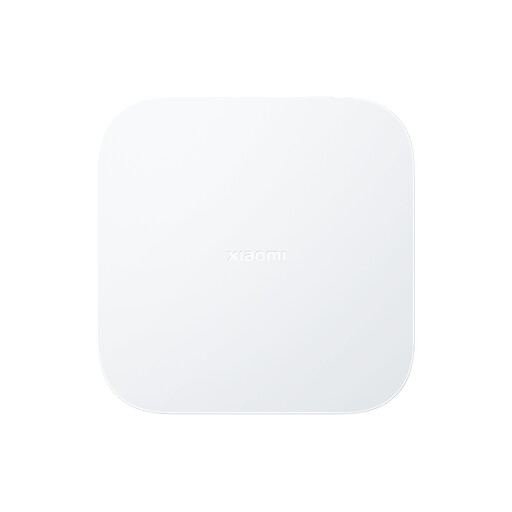
Xiaomi Smart Home Hub 2
Consider this hub for routines involving compatible Xiaomi or Mijia devices; check each intended device and scene before buying. If your plans include Zigbee or devices from other ecosystems, confirm their compatibility with this exact hub. Check Matter and Thread support, account requirements, local-control behaviour and the stated security-update period separately.
View on Joybuy
Questions before you buy
Do basic light and plug routines need a dedicated hub?
Not always. A compatible Wi-Fi accessory may work through its supported app or ecosystem, whereas a Matter setup needs an appropriate controller for the chosen platform. A dedicated hub becomes more relevant for a planned mix of protocols such as Zigbee and Z-Wave; Thread Matter accessories also need a Thread border router.
Will Matter give me the same functions in every app?
No. Google Home and Nest Help says Matter devices can be controlled in multiple Matter-certified apps, but device-type support changes over time. Check that each intended app supports the accessory’s category and the specific routine you want to run.
Which routines might depend on an account or service?
Requirements vary by platform and feature. Google lists a Google Account among its Matter setup requirements; remote access and linked services can have additional conditions even when compatible commands operate locally. For an enhanced assistant feature such as Alexa+, check UK eligibility, language and subscription conditions rather than assuming it is part of ordinary device control.
Can a HomePod or Apple TV run Apple Home automations?
Yes. Apple Support says HomePod and Apple TV can act as home hubs for automations and remote control. For a Thread Matter accessory, check that the selected hub is Thread-enabled or that the setup has a supported third-party Thread border router.
What security support should I check for a connected device?
Check the manufacturer’s stated minimum period for important security updates, then keep the device updated after setup. The National Cyber Security Centre identifies that stated support period as information UK buyers should be able to find.


