What should you decide before buying?
Choose the first routine and how people will control it, then check the accessory’s platform and connection requirements before expanding the setup.
| Concern |
What to check |
Who this matters to |
| Future platform choice |
Check Matter support for the exact accessory and intended apps. Identify whether it connects through Wi-Fi, Ethernet or Thread and what controller it requires. |
I want my first device to remain useful if I change voice assistants later. Around 36% of consumers would put that flexibility first. |
| Shared control |
Choose between a phone app, voice speaker and display; confirm accessory compatibility and any manufacturer-app setup. |
Everyone at home needs a control method they can use for the same routine. Roughly 29% of consumers would make ease of shared control their main concern. |
| A small first routine |
For a lamp, check scheduling, plug format, rated load and whether the accessory works with your chosen platform. |
I would rather try one useful on-and-off routine before adding a wider system. About 21% of consumers would prioritise that modest start. |
| Ongoing services |
Check whether the functions you want depend on a subscription, manufacturer app, cloud service or bridge. |
I want to know whether a routine will still work without an optional service or a continuing cloud connection. Around 14% of consumers would put long-term service dependence first. |
Joybuy products for starter routines
These products address two narrower starting points: switching a suitable appliance with a smart plug and adding smart control to desk lighting. Choose according to the routine you want to establish, rather than treating either as a complete household control system.
 Image unavailable
Eve Energy Matter Smart Plug with Power Meter, UK Type G
Consider this for testing an on-and-off routine with a suitable indoor appliance. The product description lists energy monitoring, schedules and a maximum load of 13A/2900W; follow the appliance and plug instructions. Its title refers to Wi-Fi while its description specifies Matter over Thread, so confirm the connection method and whether your setup needs a Matter controller and Thread border router before buying.
View on Joybuy
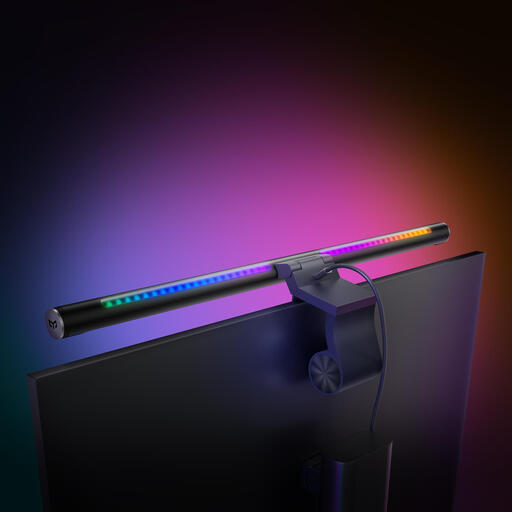 Image unavailable
Yeelight Screen Light Bar Pro Libra 2
This monitor light is a more specific choice for smart control at a desk than for room-wide lighting. Its description lists a control knob, adjustable brightness and colour temperature, and four lighting scenes. Check whether the exact model supports the schedules or automations you want, along with its app and platform requirements.
View on Joybuy
Common questions
Do I need a hub to start a smart home?
Not for every app-controlled setup. Apple Support says an iPhone running iOS 18 or later can add and control Matter accessories in Home without a home hub, but Thread accessories need compatible Thread hardware apart from specified Thread-enabled iPhones. Google Home and Nest Help says adding Matter devices to Google Home requires a Matter-enabled hub, so check the platform you intend to use.
Does Matter mean every feature will work in every app?
No. Matter can enable control across supported platforms, but individual features may remain in the manufacturer’s app. TP-Link says energy monitoring on its Tapo P110M is not currently supported through Matter, so check the exact model and function you need.
Will a smart plug work with my home Wi-Fi?
Check the plug’s stated connection method and your network before buying. Amazon Customer Service says most Wi-Fi smart-home devices use the 2.4GHz band; a Thread accessory instead needs the appropriate compatible hardware.
Do basic routines require a subscription?
A subscription is not a general requirement for basic schedules and device control, but it may apply to particular optional services. Check the functions you intend to use: Google describes Home Premium as a paid service for additional features, while Amazon sets separate UK terms for Alexa+ after Early Access.
What should I check before using a mains-powered smart plug?
Check that the plug is intended for your supply arrangement, is suitable for the appliance and is used within its stated rating. Electrical Safety First advises against overloading or daisy-chaining extension equipment. For products placed on the market in Great Britain, the Office for Product Safety and Standards explains that the Electrical Equipment (Safety) Regulations 2016 set requirements for suppliers; Northern Ireland has separate regulatory arrangements.


