
24/7 Customer Support

Free returns

Same-day & Next-day Delivery

Quality Guaranteed

Unlock Your Welcome Offers: FREE Delivery | Up to 80% OFF | Free 30-day JoyPlus trial
Download the APP
Upgrading to smart lighting can transform the atmosphere of your home, but navigating the options can feel complicated. With terms like Wi-Fi, Bluetooth, hubs and ecosystems, it's easy to feel overwhelmed. As a Joybuy Product Recommendation Officer, my role is to help you understand these features so you can make a practical choice that suits your home and lifestyle.
This guide will walk you through the key considerations for selecting a smart light bulb and highlight a few recommended options to get you started.
Before adding a bulb to your basket, a few key factors will determine how well it integrates into your home. Taking a moment to consider these points will ensure you get the functionality you expect.
How your bulb connects to your network is one of the most important decisions.
To use voice commands, you need a bulb that works with your smart speaker or display. Check the packaging or product description to ensure it is an alexa compatible light bulb or a google home light bulb. Some also support Apple HomeKit and other platforms. Compatibility ensures you can say "Hey Google, dim the living room lights" and have it work seamlessly.
Beyond basic control, think about the features you want. A simple dimmable led bulb in a warm white is perfect for creating a relaxing mood. For more dynamic effects, a colour changing light bulb (also known as an rgb smart bulb) can produce millions of hues, ideal for movie nights or parties. Finally, always check your light fittings. In the UK, the most common types are the B22 (bayonet cap) and E27 (Edison screw), so make sure you choose the correct one, such as a b22 smart bulb, for your lamps and ceiling fixtures.
Based on features, connectivity and user-friendliness, here are a few options to consider for your home.
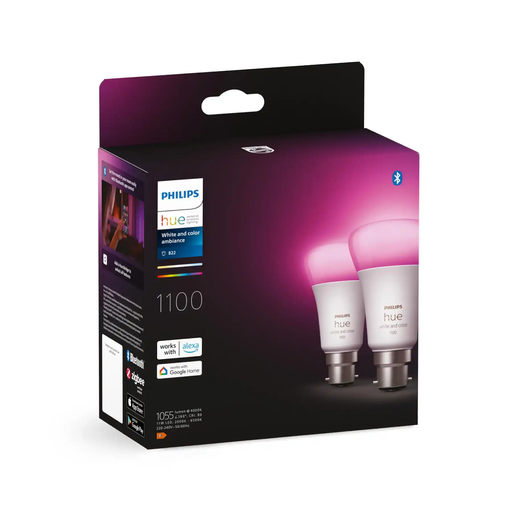
Why It Stands Out: This twin pack offers exceptional flexibility. You can start immediately with Bluetooth control directly from your phone, with no hub needed. When you're ready to expand, adding a Hue Bridge unlocks the system's full potential, including out-of-home control, advanced automation and syncing with music and films. With a bright 1100 lumen output, it's powerful enough to illuminate most rooms effectively.
Pros:
Who is it for? This is an excellent choice for anyone new to smart lighting. It allows you to test the waters in one room and provides a clear upgrade path to a comprehensive, whole-home system without needing to replace your initial bulbs.
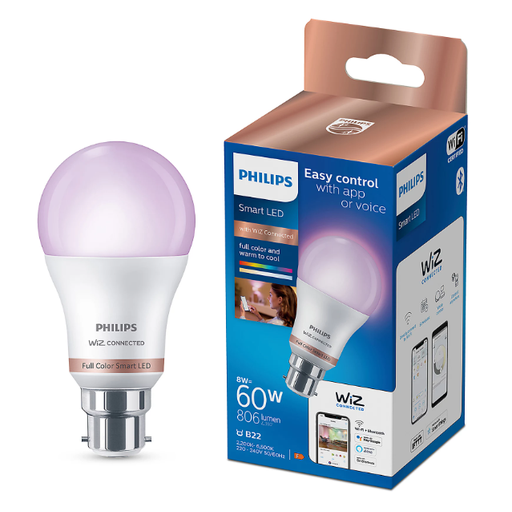
Why It Stands Out: This bulb operates on the WiZ platform, connecting directly to your Wi-Fi network without any need for a hub. It's a true plug-and-play solution. Beyond standard colour changes, it offers dynamic preset modes like 'Fireplace' and 'Ocean' to create unique atmospheres instantly via the app controlled light bulb interface.
Pros:
Who is it for? Ideal for users who want a simple, hub-free experience with fun, built-in lighting effects. If you want to add character to a room without investing in a larger ecosystem, this is a fantastic option.
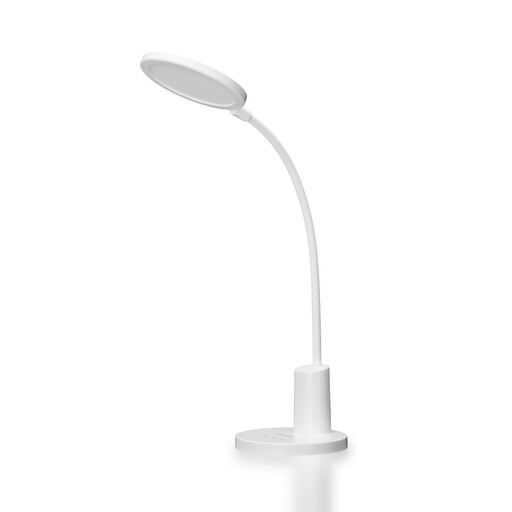
Why It Stands Out: The key feature here is its support for Matter. Matter is a new connectivity standard designed to allow smart home devices from different manufacturers to work together seamlessly. This makes the Yeelight W4 Lite a forward-thinking choice that helps future-proof your smart home. It connects directly via Wi-Fi and works with all major voice assistants, including Alexa, Google Assistant and Siri.
Pros:
Who is it for? This bulb is aimed at tech-savvy individuals building a smart home with devices from various brands. If you value interoperability and want to ensure your setup remains compatible with future technology, the Matter support here is a significant advantage. Note the E27 screw fitting.
If our top recommendations don't quite fit your needs, or if you're looking for a different fitting, brightness level or feature set, we have a wider selection available.
Explore our full range of smart light bulbs to find the perfect match for your home.
1. Do smart light bulbs use a lot of electricity? Not at all. Smart bulbs are almost exclusively LED-based, which makes them far more energy-efficient than traditional incandescent or halogen bulbs. Features like dimming and scheduling can further reduce energy consumption, as the dimmable led bulb will use less power at lower brightness levels.
2. Can I use a smart light bulb with a normal light switch? Yes, you can. However, for the smart features to work, the physical light switch must be left in the 'on' position. The bulb is then controlled via the app or voice commands. If you turn the switch off, it cuts the power to the bulb, and it will not respond to smart controls until the switch is turned back on.
3. What is the main difference between a Wi-Fi and a Bluetooth smart bulb? The primary difference is range and control. A bluetooth light bulb is for short-range, in-room control directly from your phone, making it very simple to set up. A wifi light bulb connects to your home's internet router, allowing you to control it from anywhere in the world via its app, as long as you have an internet connection.