Renters automating lamps and simple routines
If a lamp or another suitable device already plugs into a socket, a smart plug offers a route to timed control without replacing the socket. Check the connected appliance against the plug’s stated limits.


A smart plug suits a compatible plug-in lamp, while a smart bulb suits a compatible light fitting; a speaker, hub or sensor becomes more relevant when you want voice control or coordinated routines. Start with devices that use existing sockets or fittings or sit on furniture, then check electrical limits, network access and household privacy settings. For improvements to rented homes in England, Shelter England advises getting the landlord’s agreement in writing; check your tenancy agreement before attaching equipment or changing fittings.
If a lamp or another suitable device already plugs into a socket, a smart plug offers a route to timed control without replacing the socket. Check the connected appliance against the plug’s stated limits.
A smart bulb can provide app-based lighting control in a compatible existing holder. Check the fitting and keep track of any bulb supplied with the property.
Several lights, plugs or sensors may call for a hub or voice-control device. Agree who manages the Wi-Fi access, account permissions and privacy settings before setting up shared routines.
Choose the control you want, then check whether the device fits the home’s fittings, network and tenancy arrangements.
| Priority | What to check | Your needs |
|---|---|---|
| Changes to the home | Check whether the device uses an existing socket or bulb holder, rests on furniture, or needs fixing to a surface. Read the tenancy agreement before altering fittings or finishes; Shelter England advises tenants in England to get written agreement before improvements. | I want to take my setup with me without leaving altered wiring, holes or damaged finishes. |
| Plug suitability | Match the plug type, maximum load and excluded uses to the exact appliance. TP-Link states that its indoor Tapo P110 has a 13A maximum and does not support EV charging; those limits do not establish the ratings of other plugs. | A lamp or other suitable plug-in device needs timed or remote power control, but I still need to follow the appliance’s operating instructions. |
| Bulb compatibility | Confirm the holder type, bulb shape and brightness for the room. Philips Hue says its Bluetooth lights can connect directly to a phone without a hub; check the exact bulb’s control method rather than assuming every smart bulb works that way. | I want to control one room’s lighting without changing its fixed switch or lighting circuit. |
| Network and accounts | Check Wi-Fi access, app requirements and who will manage the account. IKEA says DIRIGERA needs a router with an available Ethernet port; Amazon says Echo Pop setup needs an Amazon account and Wi-Fi credentials. | In a shared home, I need a setup everyone involved can access appropriately—and one I can manage when I move. |
| Privacy and support | Review data collection, sharing and app permissions, as advised by the Information Commissioner’s Office. Check the manufacturer’s stated minimum security-update period for the exact device, along with any feature-specific subscription terms. | Before putting a connected device in a shared room, I want everyone affected to understand its account and recording controls. |
| Sensor placement | Confirm what devices a sensor can control, how it is powered and whether its mounting method could mark a surface. IKEA states that MYGGSPRAY is a wireless Matter sensor and that its batteries are sold separately. | Movement-triggered lighting appeals to me, provided the sensor can be placed without an unsuitable change to the property. |
A wireless device can still leave holes or marks if it is fixed to a wall. For improvements in England, Shelter England advises checking the tenancy agreement and obtaining the landlord’s agreement in writing before starting.
Prefer an existing socket, compatible bulb holder or freestanding position where practical. Check the agreement and seek written confirmation before drilling, altering fittings or using an attachment that could damage a finish.
A mounting method that leaves damage may involve restoration work or a deposit dispute.
A plug’s electrical rating and excluded uses matter as much as whether it fits the socket. TP-Link, for example, excludes EV charging from the stated uses of its Tapo P110.
Compare the exact plug’s rating and restrictions with the appliance label and manufacturer’s instructions before setting a routine.
IKEA says DIRIGERA requires a working Wi-Fi router with an available Ethernet port. A household may not have convenient access to that connection.
Check the router and network permissions before buying a hub. If the aim is to control just one compatible light or plug-in device, compare a direct-control bulb or no-hub plug.
An inaccessible Ethernet port can prevent the intended hub setup until the network arrangement changes.
Connected devices can involve personal information and, for speakers, microphones in shared rooms. The Information Commissioner’s Office advises checking what information a product collects and shares.
Agree who controls the account, review permissions and recording controls, and check security-update support and any optional subscription terms before relying on a device for household routines.
These examples illustrate different setup routes; a brand’s inclusion does not mean every product in its range has the same requirements.
A reference for starting with an indoor plug-in routine rather than a whole-home hub.
A reference for controlling compatible lighting in a room without starting with a bridge.
A reference for connecting compatible lighting, plugs and sensors in coordinated routines.
A reference for voice control through a portable speaker and compatible connected devices.
These bulbs address compatible existing light fittings, while the plugs address suitable devices that already use a socket. Check each product’s setup and electrical requirements before choosing it for a rented home.
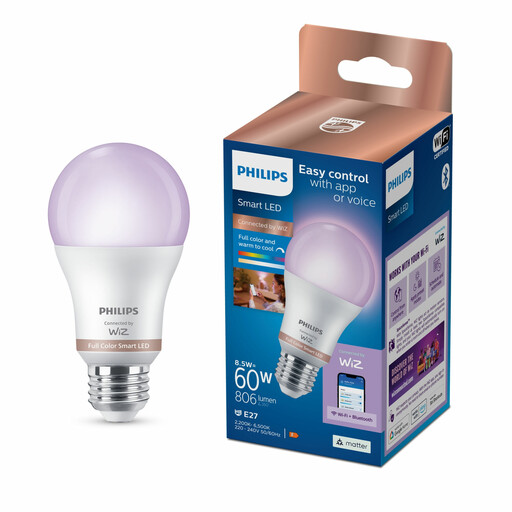 No image available
An option for an existing E27 light fitting when you want colour and warm or cool white light. Confirm the fitting and the bulb’s brightness for the room before replacing an existing bulb.
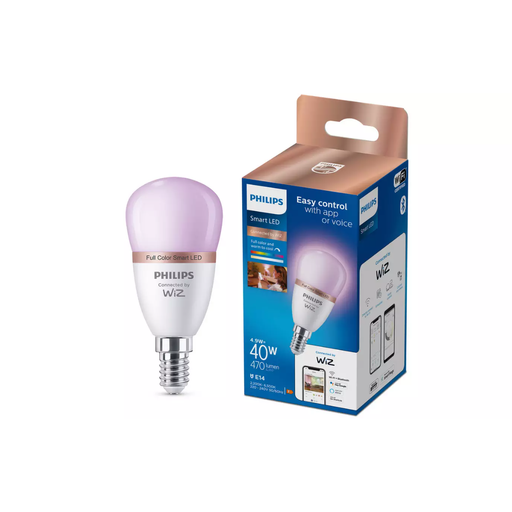 No image available
Consider this variant for a compatible E14 holder if you want colour and warm or cool white light. Check the fitting, available space and brightness needed in that room.
 No image available
A plug-in route for a suitable existing appliance when power metering matters. Its title mentions both Wi-Fi and Thread technology: confirm the exact connection method, compatible controller and any Thread Border Router requirement before buying. Check the appliance against the plug’s stated load limits.
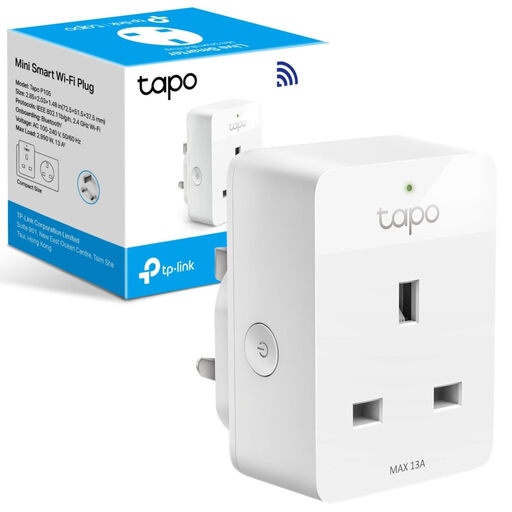 No image available
A Wi-Fi plug to consider for controlling a suitable plug-in device without changing the socket. Confirm the plug type, maximum load and household network access against the intended setup.
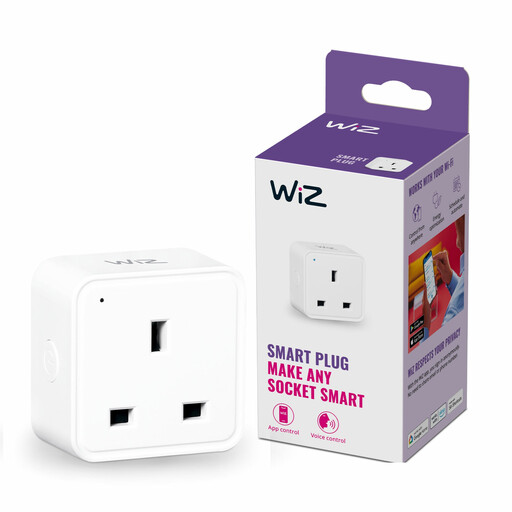 No image available
A plug-in option to consider for controlling a suitable existing device. Check its plug type and maximum load against the socket and appliance, as well as access to the household Wi-Fi.
Check the tenancy agreement and the proposed installation method. For improvements to rented homes in England, Shelter England advises getting the landlord’s permission in writing before starting and notes that smaller changes may also need permission. Confirm the position before drilling, changing fixed fittings or attaching equipment that could damage a surface; do not assume the same rule covers every tenancy across the UK.
No. Match the exact plug’s rating and exclusions to the appliance and follow its manufacturer’s instructions. For example, TP-Link specifies indoor use and a 13A maximum for the Tapo P110 and says it does not support EV charging.
Confirm that you can use the household network and manage the required account. Amazon says Echo Pop setup needs an Amazon account and Wi-Fi credentials; IKEA says DIRIGERA needs a working Wi-Fi router with an available Ethernet port. Check the requirements of the exact device you intend to buy.
Agree who controls the account before putting a speaker in a communal room. Amazon describes microphone-off and voice-history controls for Echo devices; the Information Commissioner’s Office advises checking what information a smart product collects, whether it shares it and which app permissions it uses.
Yes. Check the manufacturer’s stated minimum period for important security updates for the exact device. The National Cyber Security Centre explains that UK smart-device security requirements call for manufacturers to state that period; it is useful to consider alongside the device’s account and network requirements.