
24/7 Customer Support

Free returns

Same-day & Next-day Delivery

Quality Guaranteed

Unlock Your Welcome Offers: FREE Delivery | Up to 80% OFF | Free 30-day JoyPlus trial
Download the APP
The dream of a massive, cinema-style screen at home is more accessible than ever, thanks to the rise of the smart projector. These all-in-one devices promise huge, vibrant pictures for movie nights, gaming sessions and even outdoor gatherings. However, the market is flooded with confusing specifications and overblown marketing claims that can lead to disappointment.
Before you invest, it's crucial to understand the common pitfalls. Many buyers find their new gadget is either too dim for their living room, can't actually run popular streaming apps like Netflix smoothly or requires constant, frustrating adjustments to get a clear picture. This guide will help you cut through the clutter and identify the features that truly matter for a great viewing experience in the UK.
Navigating the world of projectors can feel like a minefield of technical jargon. Here are the three most common traps that catch out unsuspecting buyers:
To ensure you get a projector that performs as expected, focus on these core parameters.
The most important resolution figure is the native resolution. This is the actual number of pixels the projector can display. Many budget models are advertised as "4K Supported," which only means they can accept a 4K signal but will downscale it to a lower resolution, such as 720p or 1080p.
For a sharp, clear image that feels like a true home cinema projector, look for a Native 1080p (1920x1080) resolution. This provides a genuine Full HD picture, which is a significant step up in clarity and detail from 720p models.
As mentioned, ANSI lumens are the standardised measurement of a projector's brightness. This figure tells you how well the image will hold up against ambient light.
Always check the ANSI lumen rating to set realistic expectations for where and when you can use your projector.
A modern smart projector should be effortless to use. Key features to look for include:
Based on the criteria above, we've matched a few standout models to different user needs.
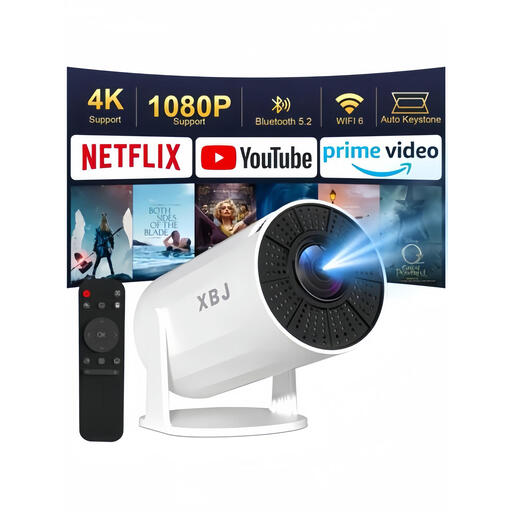
Why This Fits Their Persona: Ideal for those wanting a flexible, affordable mini projector for a bedroom or flat. The rotatable stand is perfect for projecting onto a ceiling for relaxed viewing, and its compact size makes it easy to store or move.
It avoids the setup nightmare with auto vertical keystone correction and the "fake smart" issue by running on a built-in Android 11 system, allowing direct app downloads.
The 180° rotatable stand offers unique viewing flexibility. It also includes modern connectivity with WiFi 6 and Bluetooth 5.2 for smooth streaming and audio.
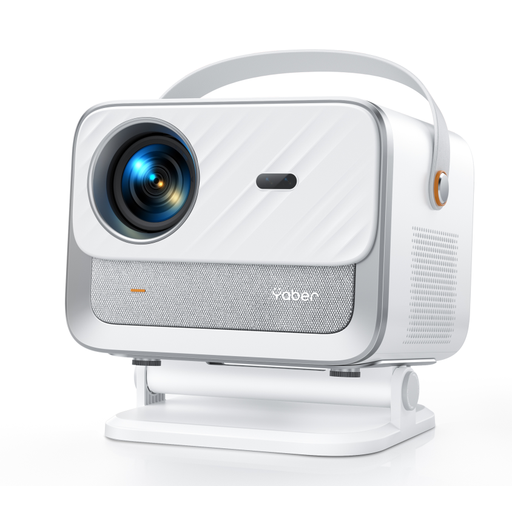
Why This Fits Their Persona: For families or individuals who want a high-quality, plug-and-play experience. It's perfect for the main living room, offering bright, clear images and powerful sound without needing extra equipment.
It directly solves the "fake smart" problem with an official Netflix licence and a Linux OS for stable apps. It also eliminates setup issues with full auto-focus and auto-keystone correction.
The combination of Native 1080P resolution, 400 ISO lumens brightness and powerful 20W HiFi speakers with Dolby Audio provides a complete home cinema package straight out of the box.
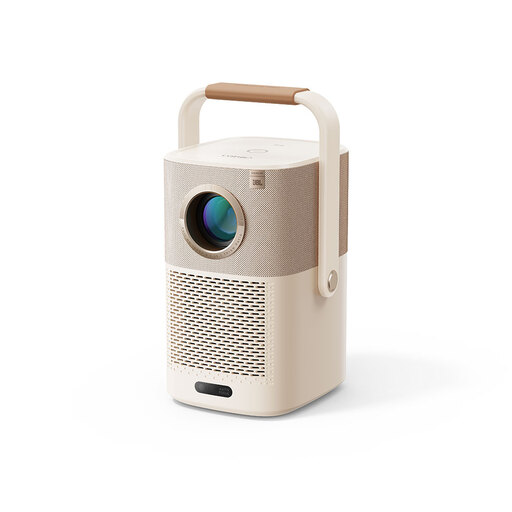
Why This Fits Their Persona: This is for the user who wants to take their movie night into the garden, on a camping trip or anywhere without a power socket. Its rugged design and integrated battery make it a truly portable entertainment hub.
It delivers true portability, unlike models that are small but still need to be plugged in. The built-in Google TV dongle ensures a genuine smart experience, and AI auto-setup handles image correction on the go.
The built-in battery (up to 2.5 hours) is the standout feature. This is complemented by high-quality audio from integrated JBL speakers and a clever handle that doubles as an adjustable stand.
We have compiled a complete, real-time list of products that fully satisfy these strict selection criteria and UK safety regulations.
Most modern smart projectors use LED light sources instead of traditional bulbs. These LEDs have a very long lifespan, often rated for 20,000 to 30,000 hours of use. This means that even if you watched a two-hour film every single day, the lamp could last for over 25 years, so you are unlikely to ever need to replace it.
This depends entirely on the projector's ANSI lumen rating. A model with under 300 ANSI lumens will produce a very washed-out image in a room with daylight. For daytime viewing, you would need a projector with a much higher brightness (ideally 600 ANSI lumens or more) and may still need to draw the curtains to achieve good contrast. For the most part, projectors deliver their best performance in low-light or dark environments.
If you choose a true smart projector with an integrated operating system (like Android TV, Google TV or a manufacturer's Linux-based OS) and an official Netflix licence, you do not need a separate device. You can download and run the Netflix app directly on the projector. However, if a projector only claims "screen mirroring" or lacks official app support, you will likely need to connect an external device like a Fire TV Stick, Chromecast or laptop to stream copyrighted content.