
24/7 Customer Support

Free returns

Same-day & Next-day Delivery

Quality Guaranteed

Unlock Your Welcome Offers: FREE Delivery | Up to 80% OFF | Free 30-day JoyPlus trial
Download the APP
Tired of squinting at a television screen for your film nights or big sporting events? A modern smart projector can transform any room into a dynamic home cinema, offering a large-screen experience that a TV simply cannot match. But with so many features and technical terms, choosing the right one can feel overwhelming.
This guide is designed to cut through the clutter. As the Joybuy Product Recommendation Officer, my role is to provide clear, practical advice to help you find a projector that fits your space, your needs and your budget. We will explore key features to look for and highlight a few standout models that deliver on performance and convenience.
Before diving into specific models, understanding a few key features will help you make an informed decision.
The clarity and vibrancy of your projected image depend on two main factors: resolution and brightness.
The "smart" in smart projector refers to its built-in capabilities, which eliminate the need for extra streaming devices.
Modern projectors have become incredibly user-friendly. Features like an auto focus projector and automatic keystone correction are game-changers. These technologies automatically adjust the image to be sharp and perfectly rectangular, even if the projector is placed at an angle. This saves you from fiddly manual adjustments.
Consider where you will use it. A compact mini projector or portable projector is perfect for moving between rooms or taking outside for a movie night under the stars. Larger, more powerful models are often better suited for a permanent home cinema projector setup.
Here are a few recommendations that cater to different needs, from ultimate portability to high-performance home cinema.
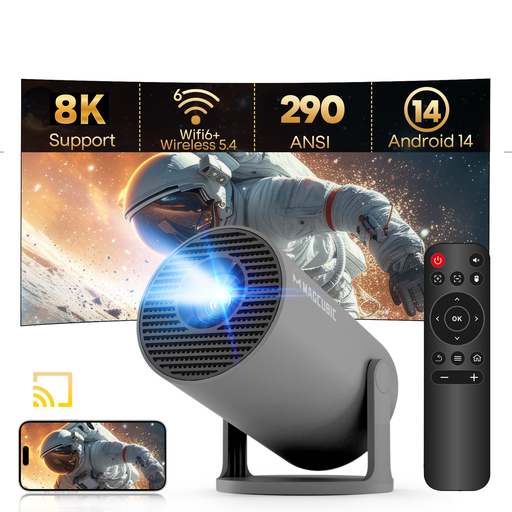
Why It Stands Out: This model is all about flexibility. Its unique 180-degree rotating stand allows you to project onto a wall or even the ceiling with minimal effort. Combined with its incredibly compact and lightweight design, it’s a truly go-anywhere entertainment device.
Pros:
Who is it for? This is an excellent choice for anyone who values portability and convenience. It’s ideal for students, renters, or families who want a flexible screen for kids' rooms, outdoor gatherings, or impromptu movie nights.
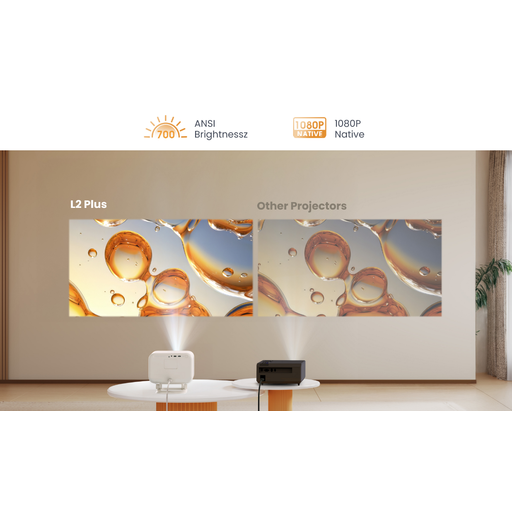
Why It Stands Out: The Yaber L2 Plus is a fantastic all-rounder that combines a sharp picture with impressive built-in audio. With officially licensed Netflix and integrated JBL speakers, it provides a complete cinema experience without needing any extra hardware.
Pros:
Who is it for? Perfect for those who want a simple, high-quality setup for their living room or garden. If you don’t want to fuss with connecting external speakers and streaming sticks, this outdoor projector is a brilliant plug-and-play solution.
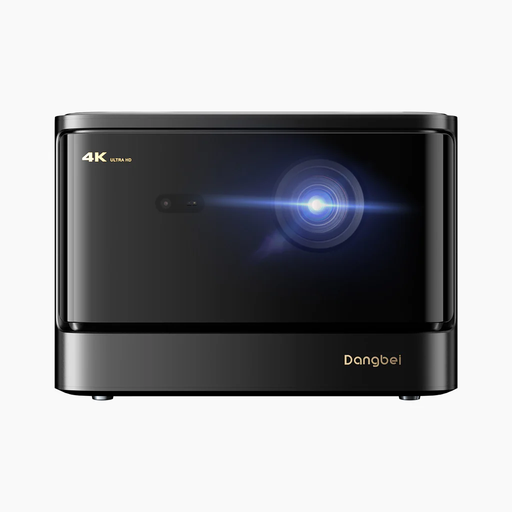
Why It Stands Out: For those seeking a premium viewing experience, the Dangbei DBOX02 delivers. Its laser light source produces an exceptionally bright and vibrant native 4K projector image, while its advanced smart features make it a powerhouse for films, TV and gaming.
Pros:
Who is it for? This is aimed at serious home cinema enthusiasts and avid gamers who demand top-tier performance. If you’re building a dedicated media room and want uncompromising picture quality, this is a formidable option.
Every home entertainment setup is unique. If these recommendations aren't quite what you're looking for, or if you'd like to compare more models, there are many other choices available.
Explore our full range of Home HD Projector models to find the perfect match for your viewing needs.
1. Can a smart projector replace a TV? For many households, yes. A smart projector offers a much larger screen size and greater placement flexibility than a traditional TV. Models with high brightness and a built-in smart OS can serve as the primary entertainment hub in a living room, especially for evening viewing. However, for bright, daytime viewing, a television may still have an edge.
2. Do I need a separate screen for a projector? While you can project onto a smooth, light-coloured wall, a dedicated projector screen is recommended for the best results. A screen is designed to reflect light evenly, which improves contrast, colour accuracy and overall image sharpness, making your picture look its best.
3. How difficult is it to set up a smart projector? Modern smart projectors are designed for simplicity. Features like auto focus and auto keystone correction handle the picture adjustments for you. With an integrated OS like Android TV and built-in WiFi, you can connect to your network, log into your streaming apps and start watching within minutes.