Desk-based electronic-music listeners
You want to weigh stereo presentation and bass against the space a speaker takes on your desk. Its placement and connection options matter alongside its smart-home features.


Prioritise a compact stereo speaker if desk space and conventional left-right presentation matter most. Consider a spatial-audio model if you seek compatible Atmos or 360 music; whichever route appeals, check your music service, device ecosystem, setup requirements and any accessories needed for a wired source.
You want to weigh stereo presentation and bass against the space a speaker takes on your desk. Its placement and connection options matter alongside its smart-home features.
You look for Dolby Atmos or other spatial-audio releases and are prepared to check the track, streaming service and speaker requirements before choosing that route.
You want playback to fit the phone, voice assistant and music services you already use, whether your setup centres on Apple and AirPlay, Alexa or Google Home.
For electronic music in a home office, decide how much you value sound presentation before checking desk placement and compatibility with your existing playback setup.
| Concern | What to check | Who this matters to |
|---|---|---|
| Sound presentation | Check whether stereo comes from one speaker or requires a pair. For spatial music, confirm that both the device and your service support the tracks you want. | When I listen to electronic tracks at my desk, I want stereo presentation and bass to guide my choice. Around 42% of consumers put sound presentation first. |
| Desk space and setup | Measure the intended spot and check power access. Confirm whether Wi-Fi and app setup must happen before Bluetooth playback. | If my workstation is crowded or its network is restricted, I need a speaker I can place and set up there. Desk fit and setup are the primary concern for around 25% of consumers. |
| Devices and services | Check your preferred service and any phone or tablet requirements. If you use a wired source, confirm the input and required adapter. | When my phone and music service already shape how I listen, I want the speaker to fit that routine. Around 33% of consumers place ecosystem and service fit first. |
A spatial-capable speaker will not make an ordinary stereo track an Atmos or 360 release. Amazon Music identifies eligible music with an Atmos/360 badge.
Check the electronic artists and playlists you actually use in your chosen service before making spatial playback the reason for your purchase.
According to Sonos, Era 300 needs initial Wi-Fi setup before it can be used as a Bluetooth speaker. That matters if your office network restricts new devices.
Check the onboarding steps for the exact model and whether you can use the intended Wi-Fi network.
A planned connection from a laptop or other wired source will need the appropriate input and accessories. Sonos Era models require a Sonos Line-In Adapter for this route.
If wired playback is central to your setup, confirm the adapter and cable you need for the particular source.
A speaker intended for another market may not arrive with the plug or documentation you expect to use at home.
Check the supplied power arrangement and product documentation for where you will use the speaker; consult the applicable guidance separately for Great Britain and Northern Ireland.
The Era models offer a Wi-Fi-led route with different listening aims: Sonos positions Era 100 around compact stereo sound and Era 300 around Dolby Atmos Music.
HomePod mini is a compact option for a home office already using compatible Apple devices and AirPlay.
An Alexa-centred route may suit listeners who already use Alexa and want to explore Amazon Music spatial-audio tracks.
Google's Home speaker route is relevant if integration with your Google Home setup matters more than a particular spatial-music feature.
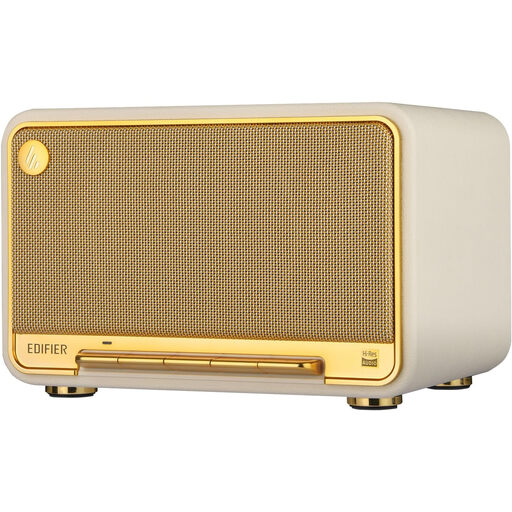
This tabletop speaker is an option for home-office music playback through its listed AirPlay 2 and Bluetooth connections. Check voice-control and spatial-music compatibility if either is important to your choice.
 No image available
Consider this tabletop model for desk listening if AirPlay 2 or Bluetooth playback fits your devices.
No. Spatial playback needs a compatible track, service and device. Amazon Music marks eligible songs with an Atmos/360 badge, while Sonos describes Dolby Atmos Music playback on Era 300 through supported services added to its system.
Not before initial setup: Sonos says Era 300 must first be set up on a Wi-Fi network. Make sure you can complete that step on the network available in your home office.
It depends on the source and speaker: check your music service's availability and terms, and confirm any accessories needed for a wired connection. Sonos Era wired input requires a Sonos Line-In Adapter and an appropriate auxiliary cable.
Check that the supplied plug and product documentation suit where you will use it. For conformity-marking questions, use the applicable GOV.UK guidance for Great Britain and check Northern Ireland requirements separately.