Dedicated opera listeners
If you listen to complete recordings rather than background music, start with the service or device holding them. Consider where the speaker can sit in the lounge and whether its available controls suit extended listening.


Choose the playback route before judging a speaker by its audio features: HomePod (2nd generation) suits an Apple and AirPlay setup, Echo Studio suits listeners using compatible Alexa music services, and Sonos Era 100 offers Bluetooth and an optional wired route alongside Wi-Fi. For opera in a shared lounge, confirm that a typical recording will play through the route you intend to use, then consider how everyone will control the volume and whether voice features suit the household.
If you listen to complete recordings rather than background music, start with the service or device holding them. Consider where the speaker can sit in the lounge and whether its available controls suit extended listening.
Several people may need to start, stop or adjust playback. Check for controls they can use without speaking to an assistant, and agree how any voice features will be configured.
If you alternate between a streaming catalogue, a phone and recordings on another device, check each playback route separately. A supported service does not establish that a local-file app or physical source will work.
For opera in a shared lounge, establish how a familiar recording will reach the speaker before weighing shared controls and placement.
| Concern | What to check | Who this matters to |
|---|---|---|
| Recording source | Check the exact service, app or source device against the speaker's supported playback routes; confirm any account or subscription requirements. | If my opera recordings live in a particular app or on another device, I need a workable way to play them. Around 42% of consumers put source compatibility first. |
| Shared control and privacy | Check non-voice playback and volume controls, microphone options where applicable, and the account settings regular users will share. | When others use the lounge, I want them to adjust playback without having to use my voice account; roughly 33% of consumers make shared control and privacy their primary concern. |
| Placement and expansion | Check the intended position, mains access and Wi-Fi coverage; consider whether a second speaker or another input route is worth arranging. | If the lounge layout or my recording source may change, I want a setup I can adapt. About 25% of consumers prioritise that flexibility. |
A compatible voice assistant does not mean it can request your particular opera recording or receive audio from the app that holds it.
Trace one typical recording from its service, app or device to the speaker. Check whether that route uses a linked Alexa service, AirPlay, Bluetooth or a wired input.
The music service or catalogue tier you choose may require a subscription.
A CD player or another source with an analogue output needs a compatible input path; wireless playback alone does not establish one.
Check the exact model and the output on your source device. Sonos says Era 100 accepts an auxiliary source through its Line-In Adapter, rather than through a built-in 3.5 mm socket.
An Era 100 wired setup needs the compatible adapter as well as a suitable cable.
People sharing the lounge may want a quick way to change volume or stop playback without using a voice feature.
Check the chosen speaker's app, touch and microphone controls, then agree the household's voice and privacy settings during setup.
An imported speaker or mismatched power accessory may not suit the electrical supply where it will be used.
Check that the model and its power equipment are suitable for your supply, and follow the product's safety instructions. The Health and Safety Executive advises checking electrical equipment against the supply to which it will be connected.
HomePod (2nd generation) is a route to consider if your household already plays music from Apple devices through AirPlay.
Echo Studio is a route to consider when requesting music through Alexa is central to how the household listens.
Era 100 is worth considering if recordings may come from more than one type of source.
Google Home Speaker is a route to consider if the household already uses Google Home, Nest or Google Cast devices.
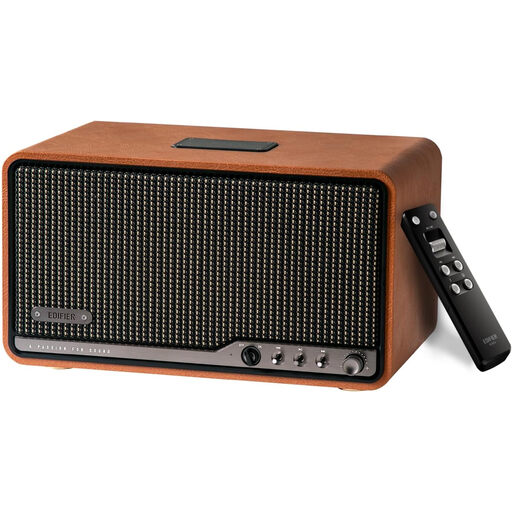
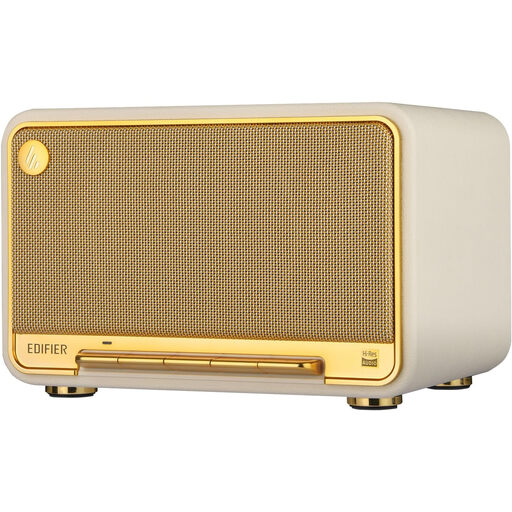
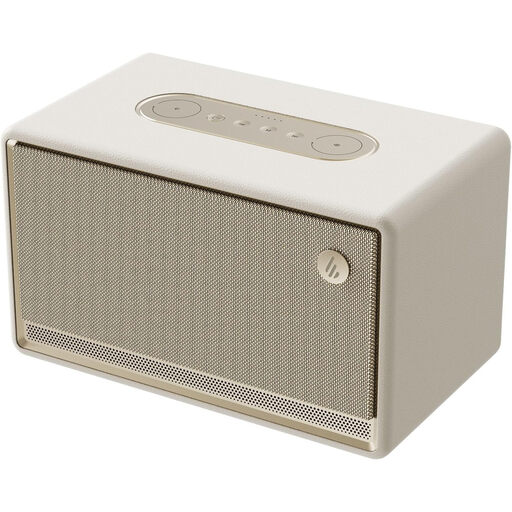
These Edifier tabletop speakers offer choices for playing recordings from a compatible device in a shared lounge. Check your exact playback route and any requirement for hands-free voice control before choosing one.
 No image available
Consider this tabletop model if you want a speaker for lounge playback and may use multi-room listening. Check that your opera app or device can send a typical recording over your intended connection route, and confirm voice-control and power requirements if they matter to you.
 No image available
For listeners who want app control alongside several stated connection options, the D32 lists AirPlay 2, Bluetooth 5.3, USB-C and AUX, with 60W RMS and a 2.1 acoustic architecture. Check that your recording app works with the connection you plan to use, and confirm any voice-control or power requirement separately.
 No image available
If your device sends recordings by Bluetooth, the ES300 lists Bluetooth 5.3; its playback options also include AirPlay 2. Check your chosen app and connection route before buying. If you expect to use it away from mains power, confirm the applicable battery runtime, as the stated durations differ.
Only if there is a compatible route from the device or app holding them. Apple lists AirPlay for HomePod (2nd generation); Sonos lists Bluetooth for Era 100 after Wi-Fi setup and an analogue-source route through its Line-In Adapter. Check one of your actual recordings against the route you intend to use.
That depends on where the recording is held and which service or catalogue tier you choose. Amazon says some Alexa music services require an existing account or subscription to be linked, so check access to the particular recording rather than assuming a speaker includes it.
It can accept an auxiliary source through a compatible Sonos Line-In Adapter and cable, rather than a built-in 3.5 mm socket. Check the source device's output and any equipment it needs before planning a wired setup.
Review the chosen speaker's microphone and account controls together during setup, and make sure regular users know how to change them. Google describes microphone-off, history-management and Guest Mode controls for Nest Audio; check the controls on the exact model you plan to use.