What should you check before choosing?
Start with the actions you expect to use regularly, then check the calling service and setup requirements behind them.
| Priority | What to check | Your needs |
|---|
| Everyday routines |
Decide whether spoken timers, reminders and audio are enough, or whether you will use video calls and on-screen controls. Check which personal account holds your reminders. |
I mainly want to set a timer or play something without reaching for my phone. A screen only matters to me if I will use its visual functions regularly. |
| Calling |
Check the UK calling method, what recipients need, and whether your intended device supports the call type. Amazon documents UK mobile and landline calls through Alexa Calling; Google documents Google Meet, rather than Google-supported phone-number calling, outside the US and Canada; Apple says HomePod telephone calls require an iPhone. |
The people I call need to be reachable through the service I choose. If group video calls matter, I will check support on the exact speaker or display. |
| Privacy |
Review microphone and, for displays, camera controls on the exact model. Check companion-app permissions, voice-history settings and the manufacturer’s security-update commitment; the Information Commissioner’s Office advises checking how long updates will be provided. |
I want to understand the controls before giving a device access to my contacts, calendar or third-party services. |
| Home setup |
Check the device’s Wi-Fi and account requirements, then confirm each plug or light’s stated ecosystem compatibility and any hub requirement. Google warns that its speakers and displays may not connect to some public or shared networks. |
My home network and the accessories I actually plan to use need to work with the same setup. |
Joybuy options for voice-controlled lighting
These are plug and lighting add-ons for a compatible home routine, not speakers or displays for calls, reminders and media. Check the relevant voice-assistant setup and electrical or installation requirements for the one you intend to use.
 No image available
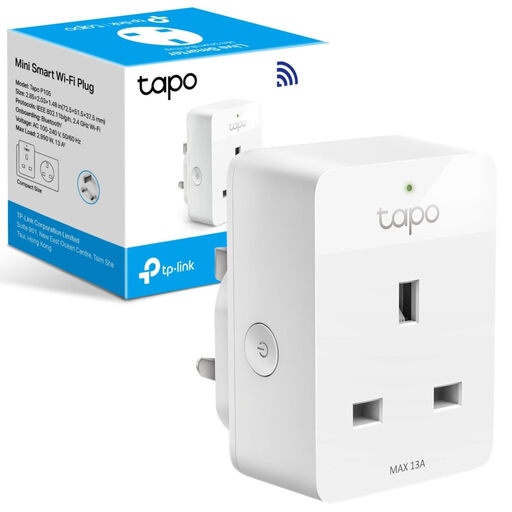
Tapo P105 Mini Smart Wi-Fi Plug (1-Pack)
Consider this plug for a recurring on/off appliance routine, not for calls or reminders. Confirm that the intended appliance can be controlled this way, and check the plug’s UK socket fit, voltage and maximum load against its requirements.
View on Joybuy
 No image available
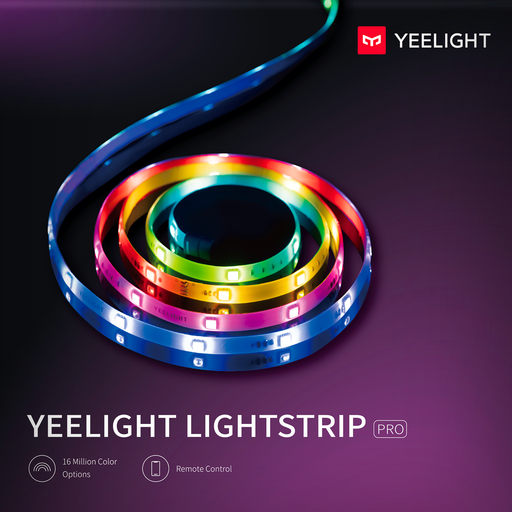
Yeelight Smart LED Lightstrip Pro RGBIC
Consider this lightstrip if changing ambient lighting is a regular part of your voice-controlled routine; it is not a device for calls or reminders. Check UK mains compatibility, network requirements and installation before choosing it.
View on Joybuy
Common questions
Can every smart speaker make ordinary telephone calls in the UK?
No. Amazon documents UK mobile and landline calls through Alexa Calling, while Google documents Google Meet rather than Google-supported phone-number calling outside the US and Canada. Apple says HomePod telephone calls use an iPhone or iPad, with an iPhone required for telephone calls. Check the recipient and call type you need.
Can I rely on a voice-controlled device for an emergency call?
Do not rely on one as emergency-response equipment. Amazon says Alexa Calling excludes emergency-service numbers, and Google says its documented calling methods do not support emergency calls. Check emergency arrangements separately rather than assuming an everyday calling feature covers them.
What matters most when choosing a display for video calls?
Check that your contacts can use its supported calling service, that it handles the type of call you need, and that its camera controls suit where you will place it. Amazon documents video calling on Echo Show devices; Google says incoming group calls require a display rather than a speaker.
Which privacy controls should I review during setup?
Review companion-app permissions, voice-history choices and the physical microphone or camera controls on the exact device before adding contacts or third-party services. The Information Commissioner’s Office also advises checking the manufacturer’s stated security-update period.
Will a smart speaker work on shared Wi-Fi or a mobile hotspot?
Do not assume it will. Google warns that its speakers and displays may not connect to public or shared-apartment networks and mobile hotspots. Check the exact device’s network requirements against the connection available at home.


