What should you check before buying?
Start with the playlist service and how everyone will control it; then consider access settings, the speaker’s place in the office and any devices you may want to group later.
| Concern |
What to check |
Who this matters to |
| Exact playlist playback |
Confirm that the chosen service, account plan and control method can start the named playlist, not just related music. |
If our office has one playlist we all use, I need it to start as requested rather than become a related station. Around 36% of consumers would put exact-playlist access first. |
| Shared control and privacy |
Check who can change playback, whether people can use separate accounts, and how microphone access is controlled. |
When work calls happen near the speaker, I want to decide who can control it and when its microphone is active. Shared access and privacy would be the main concern for around 29% of consumers. |
| Office placement and sound |
Measure the available desk or shelf space and decide whether a compact speaker or a stated stereo configuration fits the listening setup. |
I need music where I work without giving too much desk space to a speaker or making calls awkward. Around 21% of consumers would prioritise that office fit. |
| Other rooms and devices |
Check whether existing and planned devices support the same grouping system; AirPlay 2 multi-device playback requires compatible devices on the same Wi-Fi network. |
If I later want the office playlist in another room, I need the new speaker to work with devices I already own. That future grouping would come first for around 14% of consumers. |
Joybuy product choices
These tabletop speakers are options for an office considering Bluetooth and, for Apple-device use, AirPlay 2. Before choosing either one for a shared playlist, check how the intended music service starts playback and how other people would control it.
 No image available
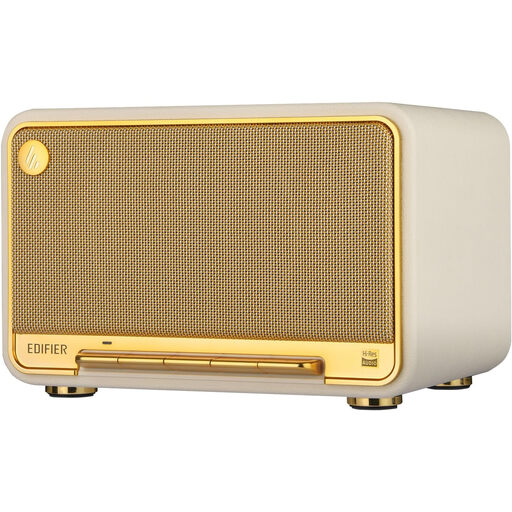
Edifier D32 Tabletop Wireless Speaker
Consider this model if an Apple-device office wants an AirPlay 2 option while retaining Bluetooth and wired inputs. Check that your music service can play the shared playlist and that everyone who needs control has a suitable method.
The stated configuration includes 2.1 acoustic architecture, 60W RMS, Bluetooth 5.3, AirPlay 2, USB-C and AUX inputs, with up to 11 hours of stated playtime. AirPlay 2 playback across multiple devices requires compatible devices on the same Wi-Fi network.
View on Joybuy
 No image available
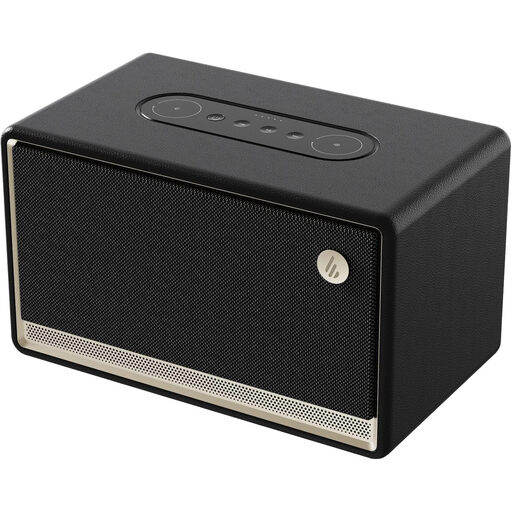
EDIFIER ES300 Tabletop Wireless Speaker, Black
Consider this tabletop model if Bluetooth playback suits the office, but confirm the Wi-Fi and AirPlay 2 setup, music-service requirements and shared-control method before relying on it for a group playlist.
Its product title states Bluetooth 5.3 and up to 12 hours of playtime. Check how that playtime applies to the connection and volume you intend to use.
View on Joybuy
Common questions
Can everyone in the home office control the same playlist?
They can share control only through the access and playback methods supported by their chosen speaker and music service. Apple lets a HomePod owner set who may control playback, while Google’s Voice Match can give household members access to their own linked music services and libraries. Check which accounts and devices can actually change the queue.
Will a voice request play the exact shared Spotify playlist?
Spotify compatibility alone does not establish that an exact playlist will play by voice. Google says its speakers require Spotify Premium for specific songs, albums and personal playlists; without the relevant access, a request can return a related station. Sonos supports Spotify Free and Premium, but check the account and intended control method for the speaker you choose.
Do all devices need to use the same Wi-Fi network?
That depends on the playback method: Apple requires compatible AirPlay 2 devices to be on the same Wi-Fi network for multi-device playback. Check the network and account requirements of the particular speaker, service and grouping system before planning shared control across rooms.
What privacy controls matter beside a work desk?
Check who can control playback, what information the speaker and app collect, and how to turn off the microphone when voice pickup is unwanted. The Information Commissioner’s Office advises reviewing smart-product permissions, information sharing and physical privacy controls. Amazon says Echo Pop’s microphone-off button electronically disconnects its microphones.


