Listeners focused on lounge sound
You want music to work across a communal seating area and may consider two speakers if the layout permits it. For Google's compatible stereo pairs, both speakers must be the same model and in the same room.


Choose a speaker that can receive audio from the concert app or device you actually use: Sonos Era 300 offers Wi-Fi, Bluetooth and adapter-based line-in routes; HomePod (2nd generation) suits compatible Apple devices using AirPlay; and Echo Studio suits listeners whose services work with Alexa. For a shared lounge, check the source connection before deciding whether one speaker meets your needs or you have space for a compatible stereo pair.
You want music to work across a communal seating area and may consider two speakers if the layout permits it. For Google's compatible stereo pairs, both speakers must be the same model and in the same room.
You already play concerts through an Apple device, an Alexa-linked service or another phone or tablet app. The deciding question is how that source sends audio to the speaker, whether through a supported service, AirPlay, Bluetooth or another available connection.
Several people may start or change playback in the lounge, with the possibility of adding sound in other rooms later. Check which controls the household can use and whether any future speakers and services support the intended multi-room setup.
Start with the route from your actual concert source, then consider the lounge layout and how people will control playback.
Choose when: Concert audio may arrive through Wi-Fi playback, Bluetooth or a wired source.
Check: Sonos requires Wi-Fi setup before Bluetooth use, and line-in needs a separate adapter.
Choose when: You normally start concerts on a compatible Apple device and the app can send audio through AirPlay.
Check: Apple specifies device, software and Wi-Fi requirements; an app's AirPlay output should not be assumed.
Choose when: Your regular listening service works with Alexa and voice-led playback matters to the household.
Check: Amazon says service availability varies, and some services need a linked account or subscription.
| Concern | What to check | Who this matters to |
|---|---|---|
| Lounge sound and stereo layout | Check whether stereo pairing is supported and whether two matching speakers will fit. Google recommends placing its compatible pairs 4–8 feet apart on solid, level surfaces. | I want music to work across the shared seating area, but would only plan for a pair if there is room for both speakers. Around 37% of consumers put lounge sound and stereo layout first. |
| Concert-source compatibility | Check the exact app's output options and any service or account requirements; support for a music service does not establish support for a particular event. | If I follow concerts through a particular app, I need its audio to reach the speaker I choose. Around 36% of consumers prioritise source compatibility. |
| Shared control and expansion | Check who can control playback and whether the intended service, Wi-Fi setup and additional speakers support multi-room use. | When several people use the lounge, I want manageable playback now and an option to extend it to other rooms. Roughly 27% of consumers give shared control and expansion priority. |
A speaker's supported music services do not establish that it can play your particular live event. Amazon also notes that some Alexa services require a linked account or subscription.
Check the event in your usual app and confirm whether it can reach the speaker through a supported service, AirPlay, Google Cast, Bluetooth or an available wired input.
Google specifies the same model in the same room for its compatible stereo pairs, so the identity and position of both speakers matter.
Confirm pairing compatibility and identify two suitable positions in the lounge before planning a pair.
Sonos says Era 300 must be set up on Wi-Fi before it can be used as a Bluetooth speaker. Its wired line-in route also requires an adapter.
Check the setup steps and required accessories for the connection you intend to use, particularly if the concert source cannot stream directly to the speaker.
For a speaker intended for use in the UK, the supplied plug, power supply and product information can affect whether the variant is practical for your home.
Confirm the supplied power arrangement, documentation and support route with the seller before ordering an imported variant.
The Era 300 is a Wi-Fi-centred option for a lounge where concerts may come from different types of source.
HomePod (2nd generation) is an AirPlay-centred route for households using compatible Apple devices.
Echo Studio is an Alexa-led route for listeners whose concert source works through a supported service.
Nest Audio is a compact Google speaker option for households considering a matched, same-room stereo pair.
This tabletop speaker offers connection options for a concert source that can use AirPlay 2, Bluetooth or a suitable wired input. Check the exact app and your lounge layout before choosing it; those connections alone do not establish native concert-service or voice-assistant support.
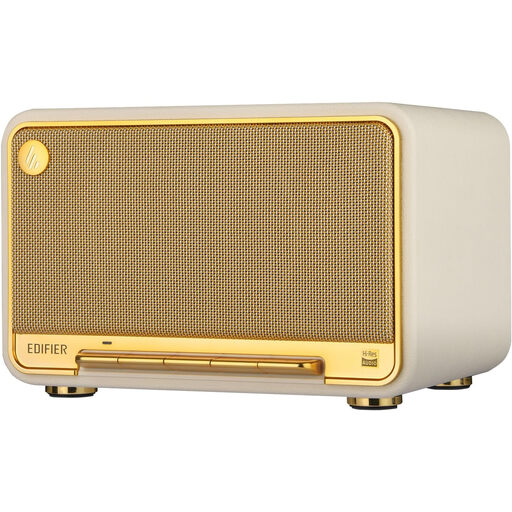 Image unavailable
Consider it if your concert source can send audio through one of its stated connections. The listed features include AirPlay 2, Bluetooth 5.3, USB-C and AUX inputs, a 2.1 acoustic design, 60W (RMS) and 11-hour playtime. Check the exact app's output options, the speaker's suitability for your lounge and whether your intended stereo setup is supported.
Not with every speaker: Sonos says Era 300 requires Wi-Fi setup before Bluetooth use. Check the setup sequence for the model you choose and whether your concert device can send audio by Bluetooth.
Consider a pair when you have suitable positions for two compatible speakers. Google requires the same model in the same room for its compatible pairs and recommends 4–8 feet between them on solid, level surfaces.
HomePod (2nd generation) supports AirPlay from compatible Apple devices, provided the concert app permits that output. Check Apple's device, software and Wi-Fi requirements alongside the app's playback options.
No; the service must be available through Alexa for your account and location. Amazon directs users to the Alexa app for available services and says some require a linked account or subscription.
If you watch the concert as a live TV programme, TV Licensing says you need to be covered by a TV Licence. Check how the particular event is delivered rather than assuming every concert livestream is live television; the rule concerns viewing the programme, not buying a speaker.