What matters when choosing?
Start with the playlist service and who controls its account, then consider sound and possible expansion beyond the hobby room. Finally, check whether everyone can use the chosen controls and connection.
| Concern | What to check | Who this matters to |
|---|
| Playlist control |
Check the chosen service, playlist permissions and controlling account. Confirm whether the intended requests need a particular subscription. |
If several people want to start the same playlist without passing around one phone, a straightforward service and account setup comes first; around 44% of consumers put playlist control first. |
| Room sound and expansion |
Consider placement and listening needs in the hobby room, then check which additional speakers can join the same system. |
When music accompanies group activities, I may want one speaker that suits the room now and a way to add compatible rooms later. Around 33% of consumers prioritise that combination. |
| Everyday controls and connection |
Check Wi-Fi coverage, who manages the account, available physical controls and whether voice activation is wanted. |
If different people use the room, I need controls they can understand and a connection that suits the planned setup; roughly 23% of consumers make everyday use their primary concern. |
Joybuy products for room playback
These options cover tabletop music playback and a soundbar that may suit a hobby room with a TV. Check the shared-playlist workflow for your chosen service and account before buying; a soundbar also calls for different placement from a tabletop speaker.
 No image available
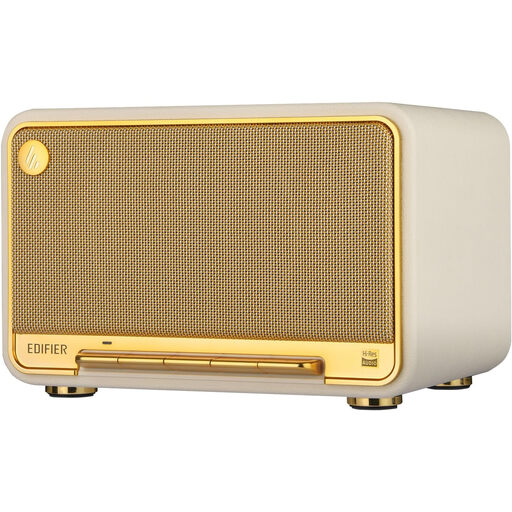
Edifier D32 tabletop wireless speaker
Consider it if the group plans to play music from a compatible Apple device; check how the chosen app and account will handle the shared playlist.
The product name lists AirPlay 2, Bluetooth 5.3, 60W RMS, USB-C and AUX inputs, and 11-hour playtime. Confirm whether it has the voice controls you want.
View on Joybuy
 No image available
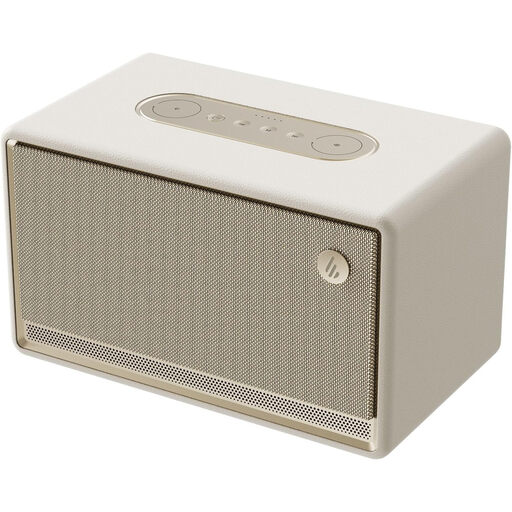
Edifier ES300 tabletop wireless speaker, Ivory
Consider it for tabletop listening where a battery-powered option is useful. Check that its controls work with the group’s playlist service and account.
The product name lists Bluetooth 5.3 and 12-hour playtime. If voice control or playback with speakers in other rooms matters, check those functions for the intended setup.
View on Joybuy
 No image available
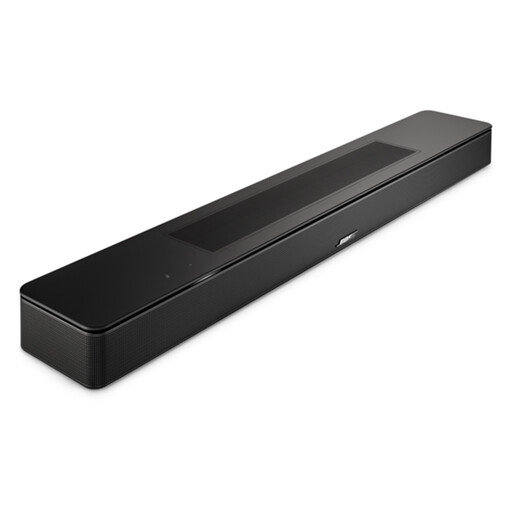
BOSE Smart Compact Sound Bar
Its soundbar format is worth considering if the hobby room also has a TV, rather than only needing a tabletop music speaker.
Check the planned Spotify Connect account and playlist workflow, as well as which Bose devices can join the grouping arrangement you want.
View on Joybuy
Common questions
Can several people use one shared playlist?
Yes, if the streaming service and account allow the playlist-sharing arrangement your group wants. The speaker does not create those permissions: check who can edit the playlist and which account starts playback. Sonos describes Spotify playlist access, while an Echo needs the chosen service linked in Alexa.
Do I need more than one speaker for a hobby room?
No, one speaker can serve a single hobby room. Extra speakers become relevant if you want synchronised playback elsewhere; Amazon and Google describe grouping with compatible devices within their respective systems.
Will a free music account play every song I request?
Not necessarily: Amazon says Spotify Premium is required for on-demand song, album and playlist requests through Echo. Check your provider’s current plan terms against the requests your group expects to make.
What safety information should I check on a smart-speaker listing?
Check for appropriate marking and the manufacturer’s name and address, as UK government consumer guidance advises for these products. Assess the details on the particular electrical product you plan to buy rather than assuming that an online listing establishes its suitability for the UK market.


