Households sharing TV viewing
If several people use the same television, consider how viewer profiles and accounts work, as well as the player’s network and power requirements.


For a shared home, choose a smart speaker for room audio and voice tasks, a streaming player for apps on an existing TV, or neither if you would rather not manage another online account and connected device. For either connected option, check how profiles, subscriptions and permissions work separately, then confirm the exact model’s network fit and published security-support period; a profile does not automatically separate household accounts.
If several people use the same television, consider how viewer profiles and accounts work, as well as the player’s network and power requirements.
If you want room audio or voice assistance, check whose account controls personal results, music and purchasing permissions.
If a device will remain connected to your home network, check its support information and decide which connected features and personal data you are comfortable managing.
Consider when: Your main use is room audio, timers or hands-free requests, and you can set up which household members receive personalised responses. Ofcom’s smart-speaker research describes music and other content as common uses.
Trade-off: Voice recognition does not, by itself, determine who controls an account, purchases or personal results.
Consider when: Your existing TV has a suitable HDMI input and you want to use streaming apps on it.
Trade-off: A player needs power, a network connection and service sign-ins; check the setup at the TV, not just beside the router.
Consider when: Your current TV already provides the services and household controls you need, or you are choosing a replacement screen as well as a streaming interface.
Trade-off: The TV’s built-in software, accounts and support have their own arrangements; adding an external player does not establish that the TV itself is supported.
Consider when: You do not want to maintain another online account or connected device for listening or viewing.
Trade-off: You will not have the connected features that prompted the decision, such as streaming apps or cloud-based voice assistance.
| Concern | What to check | Who this matters to |
|---|---|---|
| Accounts and personal results | Check household or viewer profiles, voice recognition, purchasing permissions and each service’s account terms separately. | If several people share one device, I want to know whose profile controls recommendations and purchases. Around 26% of consumers put separate accounts and personal results first. |
| Security-update support | Match the manufacturer’s published support period to the exact model or generation, including its stated dates and conditions. | For a device that will stay on our home network, I want a support period I can check for its exact generation. Around 21% of consumers prioritise ongoing security updates. |
| Network and screen fit | Check Wi-Fi at the intended location, the TV’s HDMI input and the device’s power requirements; verify Ethernet on the exact model if needed. | When the router is elsewhere or the TV has limited ports, I need the connection, screen and power to work where the device will be used. Around 21% of consumers put network and screen compatibility first. |
| Privacy and shared access | Check what microphone controls disable and whether guest and parental controls apply to the services your household uses. | If voice features or guest access concern me, I want clear controls and to know what switching them off removes. Around 16% of consumers prioritise privacy and control of shared access. |
| Subscriptions and setup extras | Check each service’s current plan and whether the required cables and power arrangements are included. | I want to separate service plans from the device and any setup extras before choosing. Around 16% of consumers put subscriptions and incidental setup costs first. |
Device profiles, voice recognition, purchase permissions and service subscriptions have different rules. A profile may separate some viewing details without separating a service subscription or every personal function.
List the functions and services each household member will use, then check the permissions and terms for each one.
A manufacturer’s minimum support period is not a promise of indefinite updates or hardware life. The NCSC advises avoiding devices that are no longer supported or whose support period will end soon.
Check the exact model and generation against the manufacturer’s current support statement, especially for older or refurbished devices.
If support ends while a device is still working, replacing it may be the safer option than keeping an unsupported device connected.
A player needs a suitable TV connection and power arrangement. Google’s UK specifications say a certified HDMI 2.1 cable is required for Google TV Streamer (4K) and sold separately; Roku warns that some TV USB ports may not supply enough power to a stick.
Check the exact box contents, available HDMI input and nearby power before choosing a player.
A separate HDMI cable or a suitable power arrangement may be needed, depending on the device and your setup.
Roku says its parental controls do not work in Guest Mode and apply only to The Roku Channel and Howdy, rather than other streaming services.
Use Guest Mode for temporary visitor sign-ins where appropriate, and review child controls in each relevant service separately.
Google TV Streamer (4K) is a TV-player option for households considering Google TV and a wired network connection.
Roku’s UK streaming-player range includes sticks for adding apps to a compatible television.
Apple TV 4K profiles and HomePod voice recognition address different parts of a shared-home setup.
Era 100 is a connected-speaker option for households weighing audio use against microphone control.
These options cover TV streaming players and an audio-streaming interface for compatible existing hi-fi equipment. Before connecting any device, check the exact model’s network and power requirements, account controls and published security-support information.
 No image available
A streaming-stick option for a compatible TV; check HDMI, network reception and power at the intended location.
Roku documents Guest Mode for UK users. Its parental controls do not work in Guest Mode and do not cover every streaming service.
 No image available
A streaming-stick option for adding TV apps, provided the television, network and power setup suit the device.
Roku says some TV USB ports may not supply enough power to a streaming player. Its parental controls do not work in Guest Mode or cover every streaming service.
 No image available
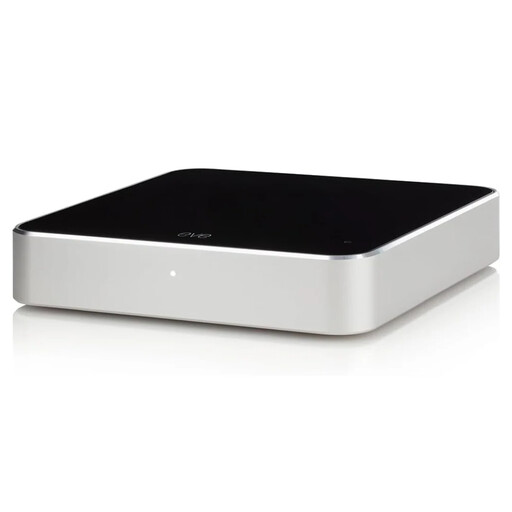
Consider this audio-streaming interface only if your household already has compatible hi-fi equipment; it is not a standalone speaker.
The product name lists Ethernet LAN and Wi-Fi. Check that the connection and existing equipment suit your setup.
For covered consumer connectable products supplied in the UK, the product-security regime took effect on 29 April 2024. The UK Office for Product Safety and Standards and the Department for Science, Innovation and Technology describe requirements that include protection against universal default passwords, a security-issue reporting contact and a stated minimum security-update period. Coverage has exceptions, so the general rule alone does not establish that a particular product complies.
Match the manufacturer’s statement to the exact model and generation, then check its stated period or end date and any purchase conditions. Google’s UK specifications state five years of security updates for Google TV Streamer (4K), but do not give an end date there. The NCSC advises avoiding devices that are no longer supported or whose support period will end soon; an update commitment does not promise that the hardware will last for the whole period.
No, a device profile does not itself establish a separate subscription. Apple Support distinguishes Apple TV profiles from Family Sharing; check the terms of each content service your household intends to use, along with who manages each account.
Check the TV’s HDMI input, the network connection at the TV and the stick’s power instructions. Roku warns that some TV USB ports may not supply enough power, so check whether a suitable power source is available at the intended location.
No. Roku says its own parental controls do not work in Guest Mode and do not govern other streaming services. Review the relevant service’s controls separately.