Piano-recording listeners
You mainly stream solo-piano pieces, concert recordings or playlists and want to weigh music-oriented features and room placement against the convenience of a single speaker.


Choose the playback route before choosing a voice assistant: streaming piano recordings and playing audio from a digital piano require different connections. If you want hands-free playlists, check your music service and household devices; if you want to hear your own instrument, confirm the speaker’s input, any adapter and your piano’s output. For separately placed left and right speakers, check stereo-pair support rather than assuming one speaker will provide that arrangement.
You mainly stream solo-piano pieces, concert recordings or playlists and want to weigh music-oriented features and room placement against the convenience of a single speaker.
You want to play sound from a digital piano, keyboard or audio interface. The instrument’s output and the speaker’s input, adapter and setup requirements matter more than its voice-assistant name.
You want to request piano playlists hands-free and need a speaker that works with your existing devices, accounts and preferred music service.
Decide whether your main source is a music stream or a digital piano’s audio output, then check the listening arrangement and controls you want.
| Concern | What to check | Who this matters to |
|---|---|---|
| Musical detail and placement | Compare the stated speaker design and room features; decide whether one unit or a supported stereo pair fits your intended placement. | When I sit down with piano recordings, the listening arrangement matters more to me than voice commands. Around 36% of consumers put musical detail and placement first. |
| External-source connection | Match the piano’s output to the exact speaker input, including any required adapter and cable. Sonos Support specifies a Line-In Adapter for Era 100. | If I want to hear my digital piano through the speaker, I need an audio path from the instrument, not just access to streamed music. For around 29% of consumers, that connection is the primary concern. |
| Ecosystem and voice control | Check the required phone, app and Wi-Fi setup, plus support for your music service and preferred voice controls. | I want to ask for a piano playlist without changing how the rest of my household controls music. Around 21% of consumers make ecosystem fit and hands-free use their main priority. |
| Size and a simpler setup | Check the speaker’s dimensions and the connection options you would actually use, including any plans for a second speaker. | For casual piano playlists, I would rather accommodate one speaker than plan a larger arrangement. A compact, straightforward choice comes first for around 14% of consumers. |
Streaming wirelessly and accepting a wired instrument source are different capabilities. Sonos Support says Era 100 needs its Line-In Adapter for an external audio source.
Identify your piano’s output, then check the speaker’s input and the adapter and cable needed to join them.
An adapter, a suitable cable or other equipment for the source output may add to what you need to carry and set up.
A single unit does not provide the separate left and right placement of two speakers. Apple lists stereo-pair capability for HomePod (2nd generation), but pairing remains model-specific.
Decide whether separate speaker placement matters to you, then confirm that the two units and your playback method support the arrangement.
A stereo arrangement requires a second compatible speaker and space to place both units.
Sonos Support says Era 100 must first be set up on Wi-Fi before it can be used as a Bluetooth speaker.
If you expect to use a speaker where Wi-Fi setup is impractical, check that model’s first-time setup and offline behaviour before buying.
GOV.UK says playing recorded music in public or at a business usually requires a licence. A speaker and a personal music account do not settle that requirement.
For a UK café, studio, school or other public setting, check the licensing requirements for your venue and intended use before playing recordings.
An Alexa-based route for voice-requested piano playlists and music listening through an Echo speaker.
A music-system route for streaming and, with Era 100’s specified adapter, an external audio source.
An Apple-device-centred route for listeners using Siri and AirPlay with piano recordings.
A Google Home route for households interested in hands-free requests for streamed music.
These Edifier tabletop wireless speakers are choices to consider for playing piano recordings. Before choosing one as a smart speaker, check its voice-assistant and music-service support; for a digital piano, confirm the required audio connection.
 No image available
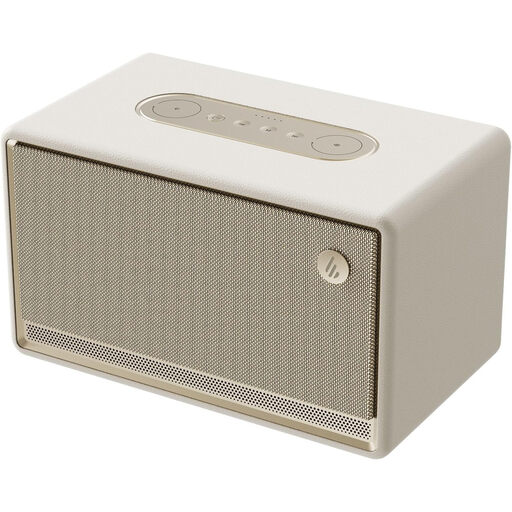
Consider this tabletop model for piano recordings if its playback options suit your source; confirm voice-assistant and music-service support if you want hands-free requests.
The product name specifies Bluetooth 5.3 and 12-hour playtime.
 No image available
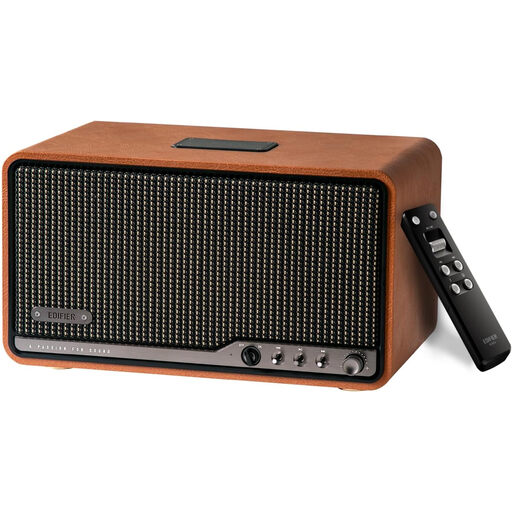
Consider this model if multi-room piano-music playback is part of your plan; check that your intended source and controls work with the arrangement.
The product name identifies it as a wireless multi-room tabletop speaker. If you plan to connect a piano or use voice requests, confirm the required input, accessories and assistant support.
 No image available
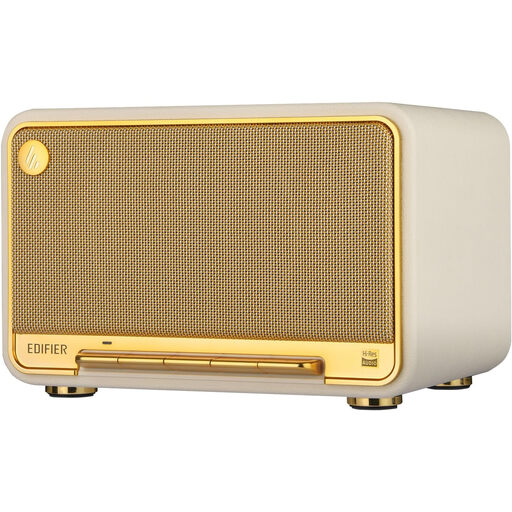
For piano recordings from an AirPlay 2 source, or audio from an external device, check that your chosen source and any required cable suit this model.
The product name specifies a 2.1 acoustic arrangement, Bluetooth 5.3, AirPlay 2, USB-C and AUX inputs, and 11-hour playtime. Confirm voice-assistant support separately if hands-free requests matter.
Only if the speaker has a suitable audio-input path for your piano’s output. Sonos Support says Era 100 needs its Line-In Adapter for an external source; check the output, adapter and cable requirements for your exact combination before buying.
Not on every model. Sonos Support says Era 100 must first be set up on a Wi-Fi network before Bluetooth use, so check the setup sequence if you expect to use a speaker away from your usual network.
Some models support a stereo pair, but you need a compatible two-speaker arrangement. Apple lists stereo-pair capability for HomePod (2nd generation); check the compatibility of both units and your intended playback method.
Usually, yes: GOV.UK says playing recorded music in public or at a business usually requires a licence. Check the requirements for the actual venue and use before relying on a personal playback setup.
Do not assume identical controls across services. Sonos Support describes basic Alexa playback commands; confirm support for your particular music service and UK account before making voice control the deciding factor.