
24/7 Customer Support

Free returns

Same-day & Next-day Delivery

Quality Guaranteed
Download the APP
Categories
Navigating the world of new televisions can feel overwhelming. With a sea of technical terms like 4K, Neo QLED and various operating systems, it’s easy to get lost. You might be wondering which size is right for your living room, or if you really need all the latest features for your bedroom TV.
As a Joybuy Product Recommendation Officer, my role is to help you cut through the clutter. This guide is designed to provide clear, practical advice to help you find a smart TV that fits your space, your needs and your budget, without the confusing jargon. We will look at key features to consider and highlight a few standout models.
Before you start browsing, focusing on a few core aspects will significantly narrow down your options and ensure you make a choice you'll be happy with for years to come.
The first step is to match the TV to your room. A massive 75 inch TV can create a cinematic experience in a large living room, but it would be overpowering in a smaller space. For main viewing areas, a 65 inch TV is often a popular choice, offering an immersive picture without dominating the room. For bedrooms, kitchens or home offices, a small smart TV (around 24 to 32 inches) provides all the smart functionality in a compact form.
Resolution is equally important. While HD Ready (720p) is perfectly adequate for smaller screens, a 4K smart TV (also known as Ultra HD) has become the standard for screens 43 inches and larger. With four times the pixels of Full HD, it delivers a much sharper, more detailed and lifelike picture. If you're planning to place your television on the wall, check for its VESA standard measurement to ensure you get a compatible wall mount TV bracket.
The operating system (OS) is the software that runs your smart TV, giving you access to apps and features. A good OS should be fast, intuitive and easy to navigate. Tizen OS TV, found on Samsung models, is well-regarded for its clean interface and quick access to a huge library of applications. When choosing, ensure the platform includes the streaming services you use most, such as a built-in TV with Netflix and Disney+, Prime Video and YouTube, for a seamless experience straight out of the box.
If you're a keen gamer, certain features can dramatically improve your experience. A smart TV for gaming should ideally have a high refresh rate (120Hz) for smoother motion, an Auto Low Latency Mode (ALLM) to reduce input lag and support for Variable Refresh Rate (VRR). Some televisions also include a dedicated gaming hub, which consolidates your cloud gaming services and console inputs into one convenient place.
Based on features, user needs and overall value, here are some of our top recommendations.
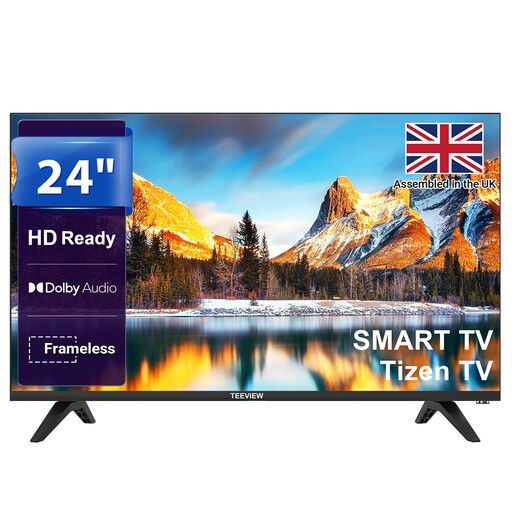
Why It Stands Out: This TeeView model proves that you don't need a huge screen to enjoy smart features. Powered by the reliable Tizen OS, it brings a world of streaming and gaming content to a compact, 24-inch display. Its sleek, bezel-less design and HD Ready picture make it a stylish and functional addition to any smaller room.
Pros:
Who is it for? This TV is an excellent choice for anyone seeking a small smart TV for a secondary space. It’s perfect for students, children's rooms (thanks to parental controls) or as a convenient screen in the kitchen.
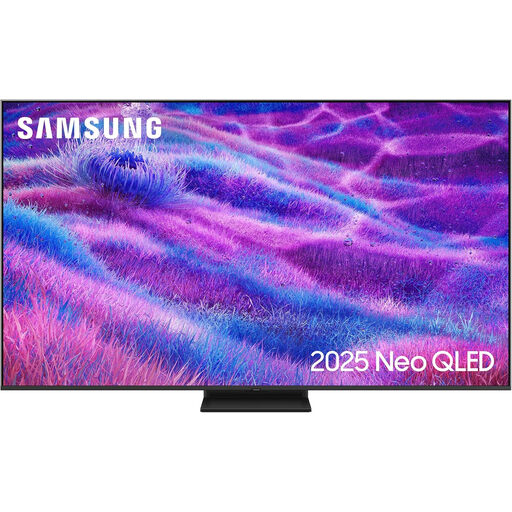
Why It Stands Out: For those who want a truly premium home cinema experience, this 75 inch TV from Samsung delivers. Its Neo QLED display uses Quantum Matrix Technology with thousands of Mini LEDs for incredibly precise light control. This results in deep blacks, brilliant highlights and outstanding contrast. The NQ4 AI Gen2 Processor also works to upscale all content to stunning 4K quality.
Pros:
Who is it for? This is a television for home entertainment enthusiasts and serious gamers who want a large, high-performance screen for their main living area. It’s built for those who appreciate cinematic picture and sound quality.
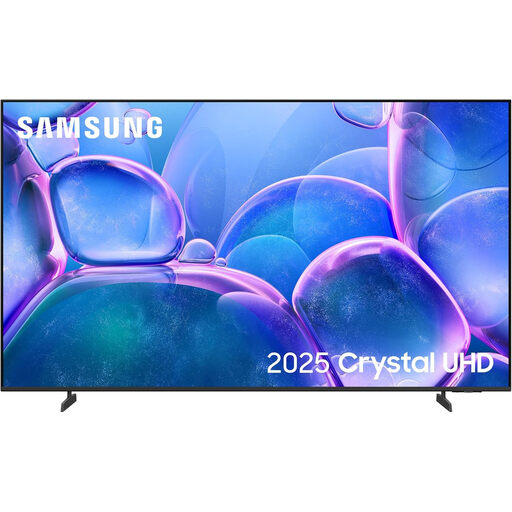
Why It Stands Out: This Samsung smart TV offers a fantastic large-screen experience with its vibrant 65-inch Crystal UHD display. The Crystal Processor 4K excels at upscaling content and optimising colour, while PurColour technology reveals a wider spectrum of shades for a more natural picture. It packages these strong visual features into an impressively slim design.
Pros:
Who is it for? This 65 inch TV is a superb all-rounder for families and individuals who want a large, high-quality 4K screen for movies, streaming and casual gaming without moving into the premium price bracket of Neo QLED models.
If these recommendations aren't quite what you're looking for, or if you'd like to compare other sizes and technologies, there are many more models to discover.
Explore our full range of smart screen models to find the ideal fit for your home.
A smart TV has built-in internet connectivity (via Wi-Fi or Ethernet) and an operating system that lets you run apps like Netflix, YouTube and BBC iPlayer directly on the television. A regular, or non-smart, TV lacks these features and requires an external device like a streaming stick or set-top box to access online content.
To use the 'smart' features like streaming apps, browsing and voice assistants, a smart TV must be connected to the internet. However, you can still use it as a standard television without an internet connection to watch content from an aerial, satellite box or connected devices like a Blu-ray player or games console via HDMI.
Most modern smart TVs are designed to be compatible with wall mounts. They follow a standardised mounting pattern called the VESA Interface Standard. Before purchasing a wall mount TV bracket, you must check your TV's specifications for its VESA pattern (e.g., 200x200mm) and its weight to ensure the bracket can support it safely. This information is typically found in the user manual or on the manufacturer's website.