
24/7 Customer Support

Free returns

Same-day & Next-day Delivery

Quality Guaranteed

Unlock Your Welcome Offers: FREE Delivery | Up to 80% OFF | Free 30-day JoyPlus trial
Download the APP
Buying one of the many smart TVs available in the UK can feel unnecessarily complicated. Screen size, 4K resolution, QLED, Mini-LED, HDR, Google TV, Tizen smart TV and Freely TV all describe different aspects of a television, but a long feature list does not automatically mean a suitable purchase.
The main challenge is matching the specification to your room, viewing habits and connected devices. A television designed for a bedroom may be a poor fit for a bright open-plan lounge, while a large-screen TV may look impressive but overwhelm a smaller space.
A smart television connects to the internet and provides built-in apps, but operating systems differ. Google TV, Tizen, Roku TV, TiVo OS and VIDAA each have their own interfaces, app stores and voice-control compatibility.
Before buying, check that the services you regularly use are available on the specific platform. Also remember that app availability can change, and some streaming services require a separate subscription. Freely TV is useful for compatible free live and on-demand content over Wi-Fi, but it still requires a reliable broadband connection.
HDR10, HLG, HDR10+ and Dolby Vision describe formats that carry high-dynamic-range picture information. They do not, by themselves, tell you how bright or contrast-rich the panel will look.
A television with modest brightness may accept HDR content without showing the same visual impact as a brighter model with local dimming. For a fair comparison, look at the display technology, backlight type, brightness information where available and whether the model supports the HDR formats used by your streaming services or games.
A high refresh rate can improve motion smoothness, but the benefit depends on your console or PC, game settings and connection. Some models advertise a “game accelerator” figure that applies only in particular resolutions or modes.
For a gaming TV, check for HDMI 2.1, VRR (Variable Refresh Rate), ALLM (Auto Low Latency Mode), supported refresh rates and the number of compatible HDMI ports. A 50Hz or 60Hz television may be perfectly adequate for broadcast TV and films, while frequent console or PC gamers may prefer a 120Hz, 144Hz or higher-rated display.
Measure the cabinet or wall area first, including the stand width and depth. A 43-inch TV can suit a bedroom or compact lounge, while a 55-inch TV is a common choice for a main living room. A 65-inch TV or 75-inch TV needs more wall width and a suitable viewing distance.
Do not judge size from the diagonal measurement alone. Check the full dimensions, VESA mounting pattern and stand position. If wall mounting, use a compatible bracket and secure it to a suitable structure. For safety, televisions should not be placed on unstable furniture, particularly in homes with children or pets.
A 4K smart TV has a resolution of 3840 × 2160 pixels, providing four times the pixel count of Full HD. It is useful for larger screens, 4K streaming and modern games. HD Ready models, such as compact 32-inch televisions, can still be practical for bedrooms, kitchens and occasional viewing.
A QLED TV uses quantum-dot technology to enhance colour reproduction, usually alongside an LED backlight. A Mini-LED TV uses smaller LEDs and, on suitable models, local dimming zones to control bright and dark areas more precisely. These technologies can improve picture performance, but compare the full specification rather than relying on the panel label alone.
Thin televisions often have limited space for speakers. If you watch films regularly, check audio output, eARC support and compatibility with a soundbar or AV system. A Dolby Atmos TV may support Atmos decoding, but the final effect depends on the built-in speakers, room and audio source.
Count the HDMI and USB ports you need for consoles, set-top boxes, Blu-ray players, storage devices and sound systems. Wi-Fi and Ethernet are both useful: Wi-Fi keeps installation simple, while Ethernet can provide a more consistent connection for streaming.
The following options are matched to different UK household needs rather than treated as interchangeable products.
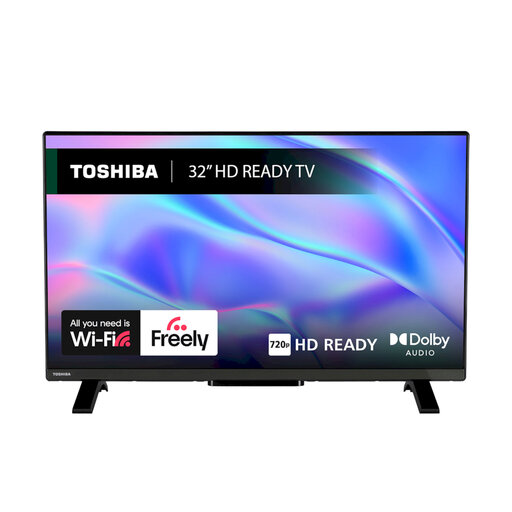
Why This Fits Their Persona: Its compact 32-inch size suits bedrooms, student rooms and secondary spaces where a larger 4K screen would be unnecessary.
The listing specifies HD Ready resolution rather than implying 4K performance, making expectations clearer for a smaller screen.
VIDAA OS, Freely access, HDR10 and HLG support, plus two HDMI and one USB port.
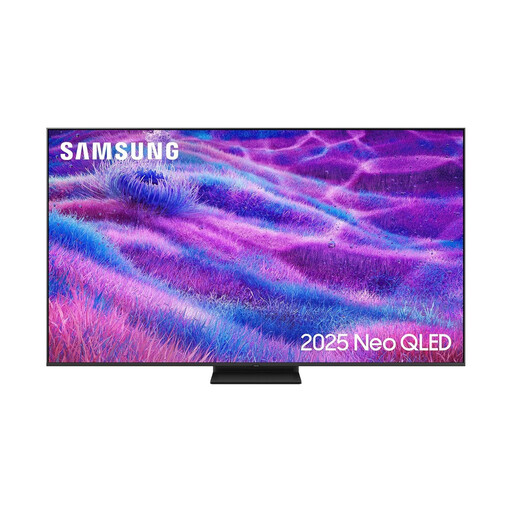
Why This Fits Their Persona: The 75-inch display is intended for a spacious lounge or dedicated home cinema arrangement where a large image is central to the room.
Its specification identifies Neo QLED with Mini LED backlighting and a 100Hz native rate, rather than relying only on a generic smart TV label.
Tizen OS, four HDMI ports, Dolby Atmos decoding, VRR and support for refresh rates up to 144Hz.

Why This Fits Their Persona: It is suited to gamers, sports viewers and film fans who want a 55-inch screen with advanced motion and picture controls.
The listing separates native refresh rate, VRR and HDMI 2.1 connectivity, helping buyers distinguish genuine gaming specifications from vague motion claims.
165Hz native refresh rate, local dimming, four HDMI 2.1 inputs and a 2.1.2-channel Dolby Atmos system.
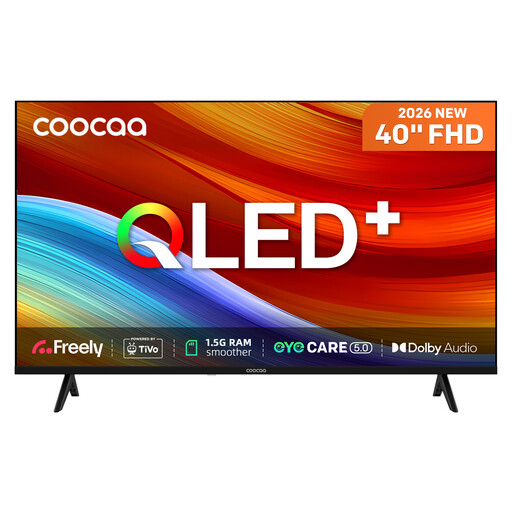
Why This Fits Their Persona: The 40-inch format works well in a bedroom, studio or smaller lounge, while built-in Freely supports internet-delivered live and on-demand viewing.
The listing clearly states Full HD resolution, 230 cd/m² brightness and a direct-LED panel, so buyers can compare it realistically with larger 4K models.
QLED colour technology, HDR10 and HLG, Dolby Audio, TiVo OS, two HDMI inputs and two USB ports.
We have compiled a complete, real-time list of products that fully satisfy these strict selection criteria and UK safety regulations.
Not always. Streaming services work through Wi-Fi or Ethernet, and selected Freely TV models can provide compatible live and on-demand content through broadband. If you want traditional terrestrial channels, Freeview reception or a built-in tuner, check the individual television specification and your home’s signal arrangement.
Running costs depend on screen size, brightness, picture mode and daily usage. Check the UK energy label, including SDR and HDR consumption where shown. A larger screen generally uses more electricity than a smaller one, and HDR viewing may consume more than standard content. Standby consumption is usually low, but switching off connected accessories can also reduce household usage.
There is no single guaranteed lifespan. Longevity depends on usage, ventilation, software support and component quality. Keep ventilation gaps clear, install the television securely, update its software when prompted and avoid placing it near moisture or excessive heat. Before purchase, review the warranty, returns information and availability of the apps you expect to use.