
24/7 Customer Support

Free returns

Same-day & Next-day Delivery

Quality Guaranteed

Unlock Your Welcome Offers: FREE Delivery | Up to 80% OFF | Free 30-day JoyPlus trial
Download the APP
Buying a television can look straightforward until you compare screen sizes, resolution, display technology, smart platforms and gaming features. Marketing terms such as “HDR”, “QLED” and “AI processor” can sound impressive, but they do not all deliver the same practical value in every room.
Before choosing among smart TVs, watch for three common pitfalls:
A Full HD TV displays 1,920 × 1,080 pixels. This remains a practical choice for many 32-inch or 40-inch televisions in bedrooms, kitchens and home offices. At smaller sizes and typical viewing distances, Full HD can provide clear everyday viewing without the cost of 4K processing.
A 4K smart TV displays 3,840 × 2,160 pixels. The extra detail is more noticeable on 50-inch, 55-inch, 65-inch and 75-inch screens, particularly when sitting relatively close to the television or watching native 4K films and games.
Measure the available width, depth and viewing distance before buying. Remember to account for the stand, wall brackets, cables and ventilation space. A 43-inch TV can suit a modest living room, while a 55-inch or 65-inch model may be more appropriate as the main family screen.
Standard Direct LED models use LEDs behind the panel and can offer a sensible balance between price, brightness and power consumption. QLED TV models add a quantum-dot layer to produce a wider range of visible colours, although overall picture quality also depends on contrast, processing and panel type.
Mini LED TV models use much smaller backlight elements, often with more precise dimming zones. This can support stronger contrast and brighter highlights, but the specification alone does not guarantee identical performance between models.
HDR TV support includes formats such as HDR10, HLG, HDR10+ and Dolby Vision. HDR content is required to see the intended benefit, and the panel must have sufficient brightness and contrast to display it effectively. Treat the supported format list as a compatibility guide rather than a guarantee of a particular viewing result.
The operating system affects navigation, app support and recommendations:
For sound, built-in speakers are convenient, but check the output rating and connections if you plan to add a soundbar. A television described as a Dolby Atmos TV may support Atmos-compatible content, but the built-in speaker arrangement and room layout affect the result.
For a gaming TV, look beyond the advertised refresh rate. Check for HDMI 2.1, ALLM, VRR, input-lag information and the number of suitable HDMI ports. A 120Hz or higher panel can be useful for compatible consoles and PCs, while casual players may prefer to prioritise resolution and price.
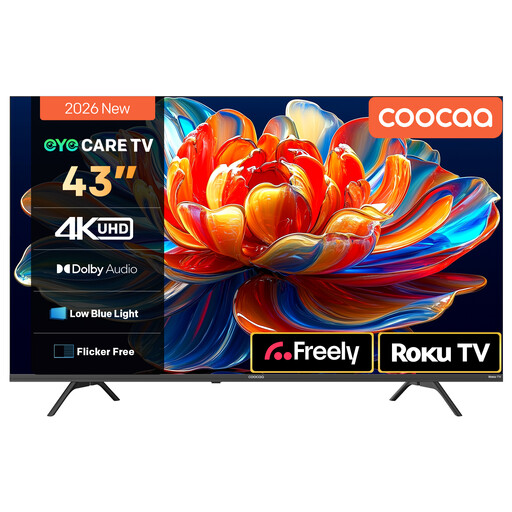
Why This Fits Their Persona: A 43-inch screen offers a practical step up for a first living-room television, with Roku TV and Freely support for everyday streaming and live television over Wi-Fi.
Its 4K resolution, HDR10 and HLG support are clearly specified, while the Roku interface keeps streaming access in one place.
4K HDR display, MEMC motion processing, Dolby Audio and voice-assistant compatibility.
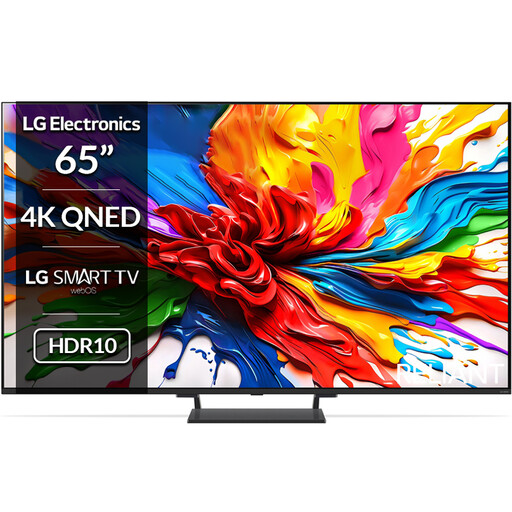
Why This Fits Their Persona: Suitable for a larger living room where 4K detail, advanced backlighting and a sizeable screen are priorities.
The specification lists Mini LED Full Array backlighting, multiple HDR formats and four HDMI 2.1 ports instead of relying only on broad picture claims.
65-inch 4K QNED display, webOS, 40W audio, Dolby Atmos, VRR and up to 144Hz support.
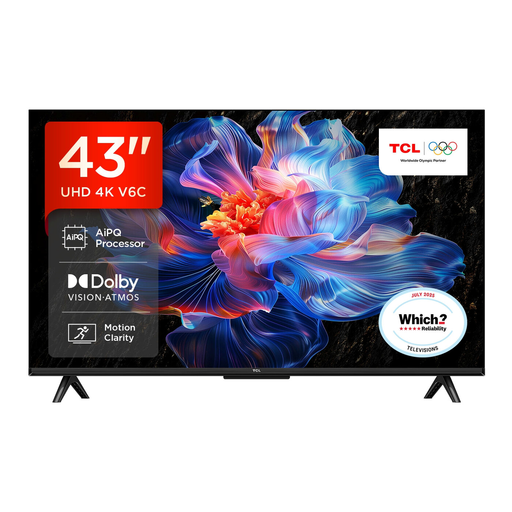
Why This Fits Their Persona: A flexible option for viewers who stream, watch sport or connect a console, without moving to a very large screen.
Its gaming specification identifies HDMI 2.1, ALLM and VRR, making the connectivity easier to assess before purchase.
4K HDR, Google TV, Dolby Atmos support, Game Master features and Motion Clarity.
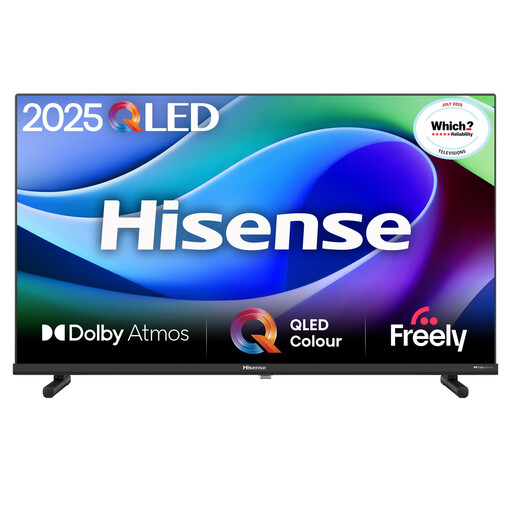
Why This Fits Their Persona: Its 32-inch format suits bedrooms, kitchens, student accommodation and home offices where space is limited.
The Full HD resolution is clearly stated, helping buyers avoid paying for 4K features that may be difficult to appreciate on a compact screen.
Full HD resolution, VIDAA OS, built-in Wi-Fi and Ethernet, plus Game and Sports modes.
We have compiled a complete, real-time list of products that fully satisfy these strict selection criteria and UK safety regulations.
Running cost depends on screen size, brightness settings, usage hours and energy efficiency. Larger screens generally use more electricity than compact models. Check the product’s energy label and switch off rather than leaving the television in standby for long periods when practical.
Not always. Streaming apps use broadband, while Freely-compatible televisions can provide supported live and on-demand content through Wi-Fi. Freeview services commonly use an aerial, so check the tuner and reception method listed for the model.
There is no single guaranteed lifespan. Panel use, operating conditions, software support and component reliability all matter. Keep ventilation clear, install software updates, avoid moisture and confirm warranty coverage. A model with the right ports and current apps is also less likely to become inconvenient as your setup changes.