
24/7 Customer Support

Free returns

Same-day & Next-day Delivery

Quality Guaranteed

Unlock Your Welcome Offers: FREE Delivery | Up to 80% OFF | Free 30-day JoyPlus trial
Download the APP
Buying a new television can seem straightforward until you compare screen sizes, resolutions, operating systems, tuners and gaming features. Marketing terms such as “HDR”, “QLED” and “smart” do not always tell you how a television will perform in your room or whether it includes the services you actually use.
For UK households, the most common buying mistakes are:
A 32-inch smart TV is practical for bedrooms, kitchens, student accommodation and home offices. A 24-inch smart TV can work well on a worktop, offering a small footprint, while a 40-inch smart TV or 43-inch smart TV gives a more cinema-like presence in a compact living room.
Measure the available width, including space for the stand, and check the television’s depth if it will sit on a narrow cabinet. For wall mounting, confirm the VESA mounting pattern and ensure the wall and bracket can safely support the set.
A small Full HD screen can be a sensible choice where you mainly watch broadcast channels and catch-up services. On larger screens, 4K upscaling can help lower-resolution programmes appear cleaner, but it cannot create the same detail as native 4K content.
The operating system determines how you browse apps and recommendations. Google TV supports Google Assistant and a broad app ecosystem, while Roku TV is designed around straightforward streaming access. A VIDAA smart TV provides its own app interface and may include voice-assistant compatibility.
For UK viewing, check whether the model includes Freeview HD, Freeview Play or Freely TV. Freely can provide compatible live and on-demand UK content over Wi-Fi, while Freeview services may use an aerial depending on the model and setup.
Also count the connections. Two HDMI ports may be enough for basic use, but console gamers and soundbar owners may prefer additional HDMI inputs, eARC, USB, optical audio output, Ethernet and Bluetooth.
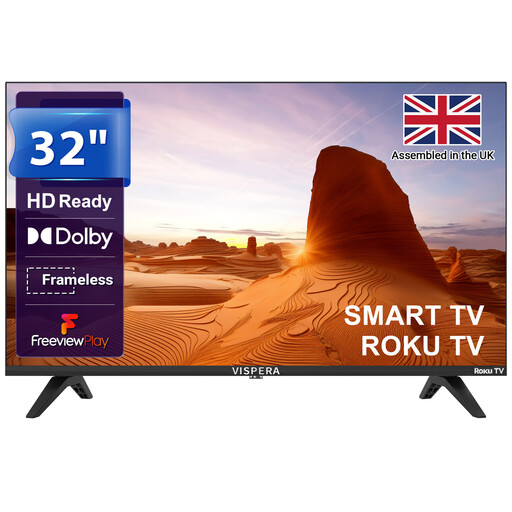
Why This Fits Their Persona: Its 32-inch size suits a bedroom, kitchen or student room, with Roku access to streaming apps and Freeview Play for familiar UK viewing.
The listing clearly identifies its HD Ready resolution, helping buyers avoid paying for unused 4K capability in a compact space.
Roku platform, Freeview Play, Dolby Audio, two HDMI ports and two USB ports.
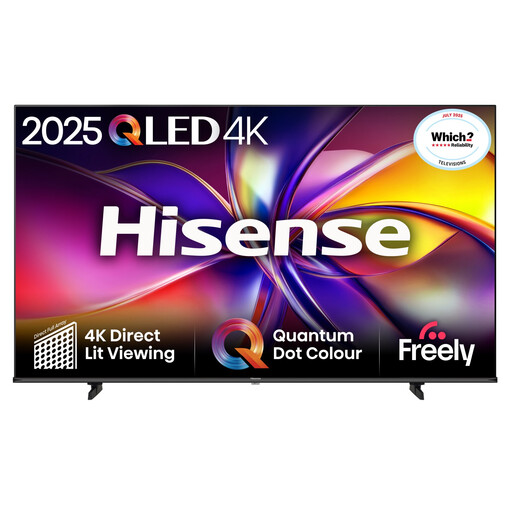
Why This Fits Their Persona: A 43-inch QLED smart TV offers 4K resolution for a living room, with a feature set suited to films, sport and everyday streaming.
The specification lists 4K resolution, QLED display technology, 60Hz native refresh rate and HDR formats separately, making the feature mix easier to assess.
Dolby Vision, HDR10+, VIDAA OS, Freely compatibility, Dolby Audio and ALLM Game Mode.
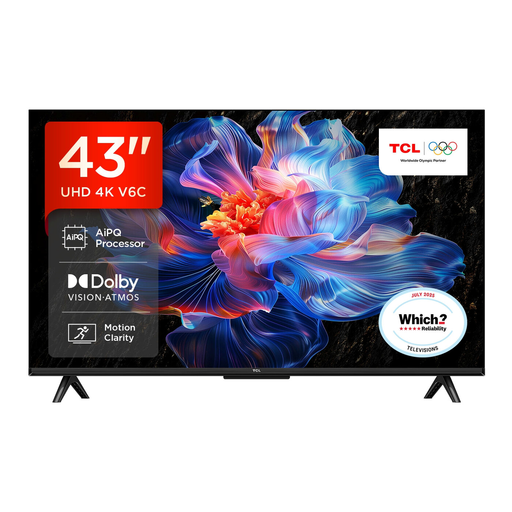
Why This Fits Their Persona: This option suits households that combine streaming, films and console gaming, with Google TV and gaming-focused HDMI features.
The listing separates its 120Hz Game Accelerator claim from the native display details, while also specifying HDMI 2.1, ALLM and VRR support.
4K HDR, Dolby Vision, Google Assistant, Dolby Atmos, VRR and Auto Low Latency Mode.
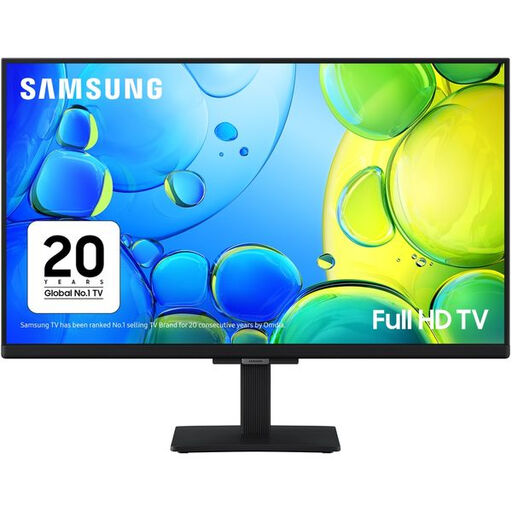
Why This Fits Their Persona: Its compact footprint is suitable for a kitchen, home office or bedroom where Full HD detail and built-in streaming are more important than a large screen.
Its 1080p Full HD resolution and stated 24-inch dimensions make it easier to match the television to a restricted surface area.
Built-in Wi-Fi, Samsung Smart Hub, Freeview HD, two HDMI ports and two USB ports.
We have compiled a complete, real-time list of products that fully satisfy these strict selection criteria and UK safety regulations.
After delivery, place the television on a stable surface with ventilation around the rear panel. If wall mounting, use the correct VESA hardware and secure the set to a suitable wall structure. Connect to home Wi-Fi, install software updates and check the privacy and voice-control settings before signing into streaming accounts.
Energy use varies by screen size, brightness, picture mode and viewing hours. Check the product’s energy label, typical wattage and standby consumption rather than assuming that a smaller television always uses less electricity. Turning off quick-start features and using an energy-saving picture mode may reduce standby or operating consumption.
Many models include Freeview HD, Freeview Play or Freely TV, but these services work differently. Check whether the television requires an aerial, supports internet-delivered channels or needs a separate app. Availability can also depend on software updates and regional service support.
It can be worthwhile if you sit relatively close, stream 4K content or plan to connect a modern console. For a 24-inch or 32-inch screen viewed from several metres away, Full HD may provide a sensible balance between clarity and price.
Lifespan depends on usage, ventilation, power conditions, software support and physical care. Keep the set away from moisture and heat, avoid blocking vents, use surge protection where appropriate and check that the operating system continues receiving updates. Before buying, also review the warranty, returns policy and availability of the services you rely on.