
24/7 Customer Support

Free returns

Same-day & Next-day Delivery

Quality Guaranteed

Unlock Your Welcome Offers: FREE Delivery | Up to 80% OFF | Free 30-day JoyPlus trial
Download the APP
Buying a television now involves more than choosing a screen size. Smart TVs differ in resolution, operating systems, HDR support, sound formats, gaming features and connectivity. A low-priced model may appear attractive, but the wrong combination of specifications can lead to soft pictures, slow menus or extra spending on streaming devices and soundbars.
This guide explains the practical details to check before you buy, with recommendations matched to different UK households and viewing habits.
A 4K smart TV has a resolution of 3,840 × 2,160 pixels, but resolution alone does not determine picture quality. Backlight type, contrast, processing and the quality of the source content also matter. A basic Direct LED panel may display sharp 4K content, while a more advanced Mini LED TV can offer more precise backlight control.
Also check whether the television supports the HDR formats you use. HDR10, HLG, HDR10+ and Dolby Vision are not interchangeable in every situation. A screen may list HDR support but have limited brightness, so the visible effect can vary by content and room lighting.
A television with a 120Hz panel, HDMI 2.1 and VRR may suit a gaming setup, but these features may not be useful for someone mainly watching broadcast television and films. Conversely, a value model with only two HDMI ports can become inconvenient if you connect a games console, soundbar, streaming stick and set-top box.
Think about your equipment before ordering. Count the required ports and check whether the TV supports eARC, Bluetooth and optical audio if you plan to add external speakers.
The smart platform controls app availability, navigation and software support. Google TV, Roku TV, webOS TV, VIDAA smart TV and TiVo-based systems each organise content differently. Some models also include Freely, which brings compatible live and on-demand television together over Wi-Fi.
Check the apps you actually use, rather than relying only on the platform name. Built-in apps can also reduce the need for an additional streaming box, but availability and features may change over time.
Measure the furniture, wall space and viewing position before choosing between a 32-inch smart TV, 43-inch smart TV, 55-inch smart TV, 65-inch smart TV or 75-inch smart TV.
Remember to measure the stand width as well as the screen diagonal. If wall mounting, verify the VESA mounting pattern, bracket capacity and wall construction.
A Full HD smart TV uses 1,920 × 1,080 pixels and can be a sensible choice for smaller screens or ordinary broadcast viewing. HD Ready models, such as some compact 32-inch televisions, may be adequate for bedrooms but show less fine detail.
For larger screens, 4K generally provides more visible detail. QLED TV models use quantum-dot technology to enhance colour reproduction, while Mini LED uses smaller backlight zones to improve brightness and contrast control. These technologies do not remove the need to check viewing angles, brightness and panel specifications.
Slim televisions have limited cabinet space for speakers. Look for stated audio output, dialogue modes and support for Dolby Audio TV or Dolby Atmos TV formats. These formats can improve compatibility with suitable content and sound equipment, but built-in speakers will not create the same result as a dedicated soundbar or surround system.
For a gaming TV, check:
A quoted “120Hz accelerator” may apply only to particular resolutions or modes, so read the full product specification carefully.
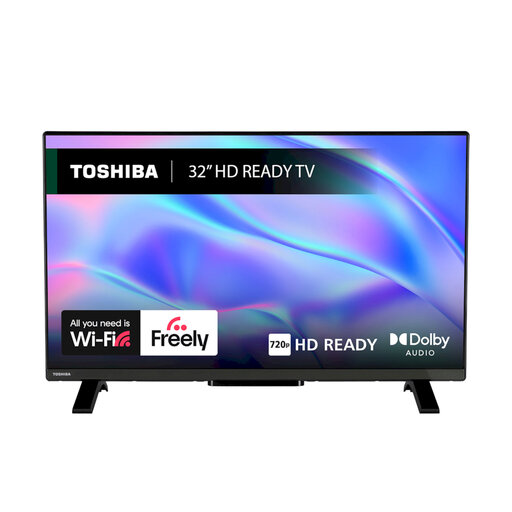
Why This Fits Their Persona: Its compact 32-inch format suits bedrooms, kitchens and student rooms where space and price are important. VIDAA OS, Wi-Fi and Ethernet provide built-in smart access without requiring a separate streaming device.
The product specification clearly states its HD Ready resolution, helping buyers avoid paying for unused 4K features in a small secondary room.
HDR10 and HLG support, two HDMI ports, one USB port and built-in Freely functionality.
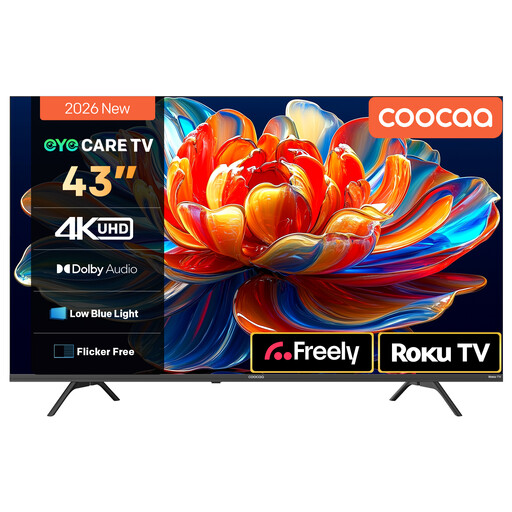
Why This Fits Their Persona: A 43-inch 4K screen works well in a smaller living room, while Roku TV and Freely bring streaming and compatible live television into one interface.
It combines 4K resolution with stated HDR10 and HLG support, rather than relying on resolution alone as the main selling point.
Direct LED display, MEMC motion processing, two 10W speakers with Dolby Audio and voice-assistant compatibility.
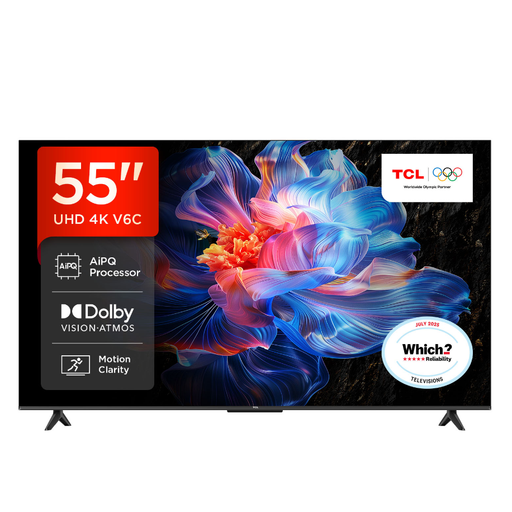
Why This Fits Their Persona: This 55-inch model targets main living rooms where 4K films, sport and console gaming share the same screen.
The listing identifies Game Master, HDMI 2.1, ALLM and VRR, making the gaming specification easier to assess than a general “gaming mode” label.
Google TV, Dolby Atmos support, multiple HDR formats and a 4K Direct LED display.
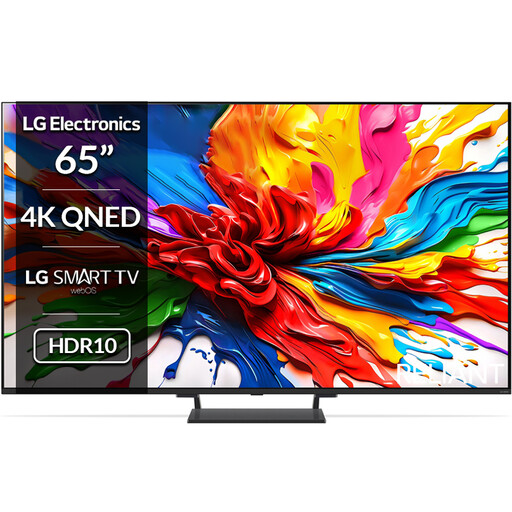
Why This Fits Their Persona: The 65-inch QNED Mini LED format is aimed at larger rooms and buyers who prioritise advanced picture control, HDR compatibility and console performance.
Its specification separates the QNED and Mini LED technologies, HDR formats, refresh-rate options and HDMI 2.1 inputs instead of presenting them as one vague picture-quality claim.
Mini LED backlighting, Dolby Vision, Dolby Atmos, four HDMI 2.1 ports and VRR support up to 144Hz.
We have compiled a complete, real-time list of products that fully satisfy these strict selection criteria and UK safety regulations.
It can be, particularly if you sit relatively close to the screen or watch high-resolution films and games. For a compact bedroom or kitchen, a Full HD or HD Ready model may provide sufficient detail at a lower cost. Screen size, viewing distance and content source should guide the decision.
Not always. Streaming services work through Wi-Fi or Ethernet, and models with Freely may provide compatible live and on-demand content through an internet connection. If you want traditional broadcast channels, check the tuner specifications and local reception requirements before removing an aerial.
Running costs depend on screen size, brightness, picture mode and daily viewing time. Larger screens generally use more electricity than compact models. Check the product’s energy label and stated consumption, then compare it with your expected hours of use. Switching off rather than leaving the television in standby can also reduce unnecessary consumption.