
24/7 Customer Support

Free returns

Same-day & Next-day Delivery

Quality Guaranteed

Unlock Your Welcome Offers: FREE Delivery | Up to 80% OFF | Free 30-day JoyPlus trial
Download the APP
Buying a smart television involves more than choosing the largest screen or the lowest price. A model may advertise 4K, HDR, QLED or gaming features, yet still be unsuitable for your room, viewing habits or connected devices.
The most useful approach is to compare the specifications that affect everyday use: screen size, picture technology, operating system, audio, connectivity and energy consumption.
A 75-inch TV can create an impressive cinema-style image, but size alone does not guarantee good contrast, motion handling or colour performance. A basic LED screen may look different from a QLED or Mini LED model, particularly when watching HDR films or playing games.
Large screens also need suitable viewing distance and wall space. Measure the television width, stand depth and mounting position before ordering. Remember that a product listed as a 75-inch TV refers to the diagonal measurement, not its width.
Smart TV platforms differ in app selection, menus, voice controls and live television features. Google TV combines streaming apps and personalised recommendations, while Samsung smart TV models use Tizen. TiVo smart TV models can provide a straightforward interface for live and on-demand services, including Freely on compatible products.
Check that your preferred services are supported in the UK before buying. Also consider how quickly the interface responds, particularly if several family members will use the television.
A television may mention 120Hz, HDMI 2.1 or Dolby Atmos, but you should check how these features work together. Some higher refresh-rate claims apply only to selected resolutions or game modes. Similarly, Dolby Atmos support does not necessarily mean the built-in speakers will deliver the same impact as a separate soundbar.
Look for the number of HDMI inputs, eARC support, VRR and ALLM if you use a console, PC or sound system.
For most living rooms, a 4K smart TV with a 3,840 × 2,160 resolution offers a practical balance of detail and screen size. It is particularly suitable for 55-inch, 65-inch and 75-inch displays.
HDR TV specifications indicate support for a wider range of brightness and colour than standard dynamic range content. However, HDR results depend on the panel, brightness, backlight and the source material. Check which formats are supported, such as HDR10, HLG, HDR10+ and Dolby Vision.
Viewing position matters as well. Vertical alignment panels can offer strong native contrast, while your room layout may favour a television with wider viewing angles.
For everyday television and films, a standard refresh rate may be sufficient. Sports viewers and gamers should pay closer attention to motion processing and the panel’s native refresh rate. Features such as VRR, ALLM and HDMI 2.1 can help compatible consoles respond smoothly, but verify the specification at the resolution you intend to use.
For sound, a Dolby Atmos TV can process compatible audio, but speaker power and configuration still matter. A 2.1-channel system with a dedicated bass speaker may provide a fuller result than basic stereo speakers. Check for eARC if you plan to connect a soundbar.
The following selection covers different room sizes, budgets and use cases. Product specifications should be checked on the product page before purchase, as availability and included accessories can change.
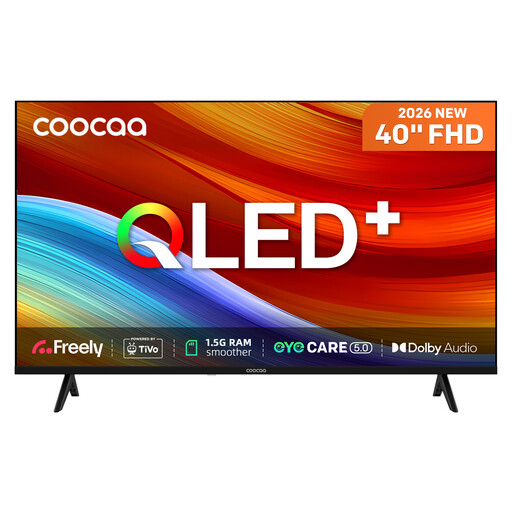
Why This Fits Their Persona: A practical choice for a bedroom, studio or smaller lounge where a 40-inch screen and Full HD resolution are appropriate.
Its specification clearly states Full HD rather than implying that every compact television is 4K. Built-in Freely works over Wi-Fi, reducing the need for an aerial or external box where compatible.
QLED display, HDR10 and HLG support, TiVo OS, two HDMI inputs and Dolby Audio.
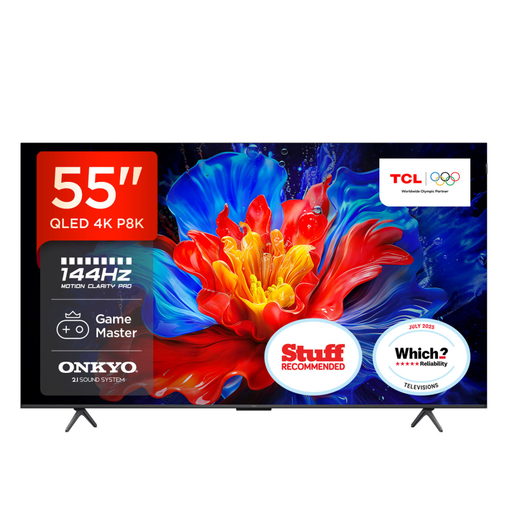
Why This Fits Their Persona: The 55-inch format suits many UK living rooms, while Google TV provides a central interface for streaming and voice search.
The listing identifies the native refresh-rate specification separately from its gaming capability, helping buyers distinguish film viewing from high-frame-rate console use.
QLED 4K HDR PRO, four HDMI 2.1 inputs, VRR, ALLM and a 35W 2.1-channel Onkyo audio system with Dolby Atmos.
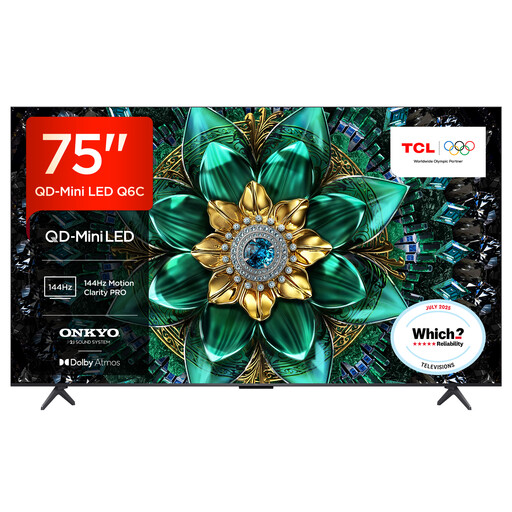
Why This Fits Their Persona: Designed for viewers wanting a large-screen home cinema experience with advanced backlight control, HDR compatibility and integrated smart features.
QD-Mini LED and up to 512 local dimming zones are stated as specific display features, rather than relying only on general claims about contrast or cinematic quality.
144Hz native display, HDR10+, Dolby Vision IQ, VRR, FreeSync Premium Pro and Google Assistant.
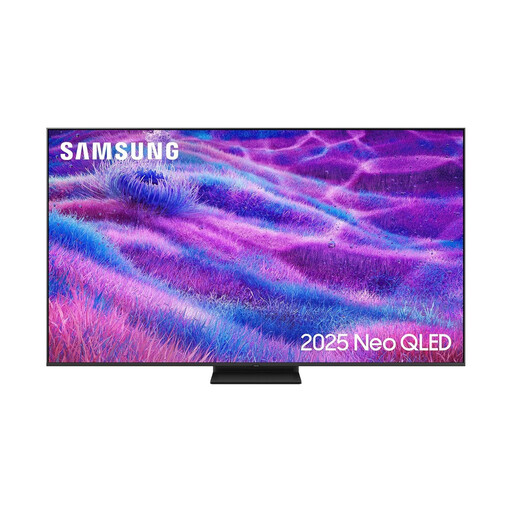
Why This Fits Their Persona: A large-screen option for sports, console gaming and multi-device households that need broad connectivity and a high refresh-rate panel.
The specification lists a 100Hz native refresh rate and supported refresh rates up to 144Hz, making the distinction clearer for gaming and fast-moving content.
Mini LED backlighting, four HDMI inputs, VRR, FreeSync Premium Pro, Tizen OS and 30W audio with Dolby Atmos decoding.
We have compiled a complete, real-time list of products that fully satisfy these strict selection criteria and UK safety regulations.
Measure the distance between your main seating position and the screen. A 55-inch TV is a flexible choice for many living rooms, while a 65-inch or 75-inch model generally benefits from a larger viewing distance. Check the complete product dimensions, including the stand, before delivery.
Not always. Streaming services work through broadband, and selected models with Freely can provide compatible live and on-demand channels over Wi-Fi. Aerial, satellite and cable requirements vary by model, so check the tuner specification if you watch broadcast television.
Running costs depend on screen size, brightness, viewing hours and energy efficiency rating. Larger and brighter panels generally use more electricity. Check the product’s energy label and stated consumption per 1,000 hours, then compare it with your expected weekly viewing time. Using an automatic brightness or energy-saving mode can also reduce consumption.