
24/7 Customer Support

Free returns

Same-day & Next-day Delivery

Quality Guaranteed

Unlock Your Welcome Offers: FREE Delivery | Up to 80% OFF | Free 30-day JoyPlus trial
Download the APP
Buying one of the many smart TVs available in the UK can feel straightforward until technical terms, screen sizes and streaming features start competing for attention. A low-priced model may lack the ports needed for a games console, while a large television may overwhelm a small lounge. Some displays also include features that sound impressive but make little difference to your everyday viewing.
This guide explains the specifications that matter, highlights common buying traps and matches selected models to different household needs.
A 4K smart TV has a resolution of 3840 × 2160 pixels, but resolution is only one part of picture quality. Brightness, contrast, backlighting, HDR compatibility and image processing also affect what you see.
A basic Direct LED model can display a sharp image, but it may not produce the same black levels or highlight detail as an OLED TV or Mini-LED TV. Check the full specification rather than choosing based on the 4K label alone.
A television may advertise motion processing or a “game accelerator”, but that does not always mean the panel accepts a high-refresh-rate signal from a console. For TVs for PlayStation 5, check for:
The PlayStation 5 supports up to 4K at 120Hz in compatible games, so a suitable gaming TV should clearly state the relevant input and gaming features.
Dolby Atmos support does not automatically mean a television has room-filling surround sound. Built-in speakers remain limited by their size and placement. Compare the audio output, number of channels and whether the TV includes eARC for a compatible soundbar or AV system.
A model described as a Dolby Atmos TV may process compatible audio formats, while the actual effect depends on the built-in speakers, room layout and content source.
The main display types have different characteristics:
For HDR TV viewing, look for format compatibility such as HDR10, HLG, HDR10+ or Dolby Vision. Compatibility means the television can accept the format; the visible result also depends on brightness, contrast and the quality of the programme or game.
Measure the wall, stand or media unit before ordering. Remember to account for the stand width, depth and ventilation space. A 75-inch television can be immersive in a large lounge but impractical for a narrow room.
As a general guide, 43 to 50 inches may suit bedrooms, studies and compact lounges, while 55 to 65 inches often works for a main living room. Larger screens such as 75 inches need enough viewing distance to prevent the image feeling overwhelming.
Also check the VESA mounting pattern if you plan to wall-mount the TV. The bracket must support the television’s weight and dimensions.
Smart platforms differ in interface, app selection and voice-control support. Google TV brings streaming services, recommendations, Google Cast and Google Assistant together. Samsung TV models use Tizen, while Hisense televisions commonly use VIDAA. App availability can change, so check the services you use most, including Netflix, YouTube, Disney+ and UK catch-up platforms.
The Coocaa CTQH38 includes Freely built in, allowing compatible live and on-demand television over Wi-Fi without an aerial, dish or external box. This may appeal to renters or cord-cutters, but check your broadband reliability and the channels available in your area.
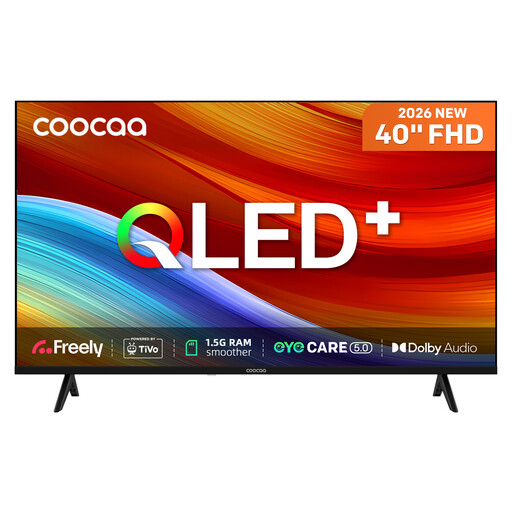
Why This Fits Their Persona: A compact option for a bedroom, studio flat or smaller lounge where 4K resolution is not the main priority. Freely and TiVo OS provide an integrated route to streaming and live television.
Its Full HD resolution is clearly specified, so shoppers are less likely to pay for an unsuitable 4K claim. The product also states its 230 cd/m² brightness and two HDMI ports.
40-inch QLED display, HDR10 and HLG support, Dolby Audio, Bluetooth and built-in Freely.
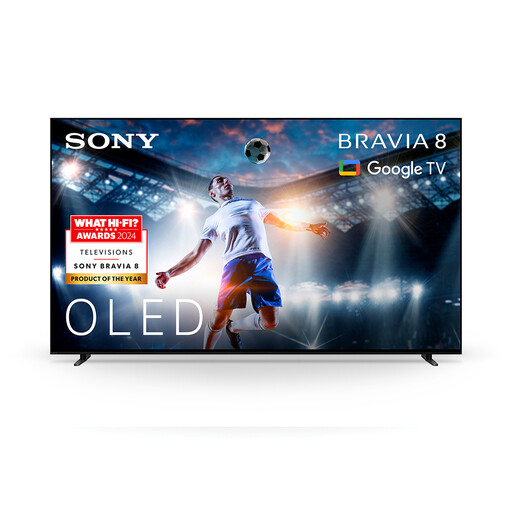
Why This Fits Their Persona: Suits film enthusiasts who want a large 4K OLED screen with Google TV access and integrated audio features for evening viewing.
The listing identifies the OLED panel, 4K resolution, Dolby Vision and Dolby Atmos rather than relying on a general “cinematic” description.
OLED display, XR processing, Google TV, Dolby Vision and Acoustic Surface Audio+.
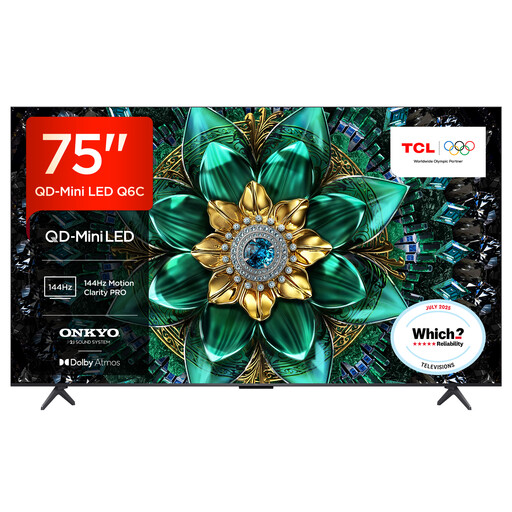
Why This Fits Their Persona: Designed for households with enough viewing distance for a 75-inch screen, including sports viewers, console players and film fans.
The specification lists HDMI 2.1, VRR, ALLM and a 144Hz native display, making its gaming credentials easier to verify.
QD-Mini LED backlighting, up to 512 local dimming zones, Google TV and Dolby Atmos support.

Why This Fits Their Persona: A 55-inch option for users who split their time between streaming, live sport and fast-paced console gaming.
Its specification separates native refresh rate, VRR and HDMI 2.1 support, rather than presenting motion interpolation as the same thing as gaming input.
Mini-LED and QLED display, native 165Hz refresh rate, four HDMI 2.1 ports and 2.1.2-channel Dolby Atmos audio.
We have compiled a complete, real-time list of products that fully satisfy these strict selection criteria and UK safety regulations.
Running costs depend on screen size, brightness settings, usage and energy efficiency. Check the energy label and the stated consumption for SDR and HDR modes. A larger or brighter screen generally uses more electricity than a smaller model. Standby consumption is usually low, but switching off at the plug can avoid standby use when the TV is not needed.
Not always. Streaming services work through broadband, while some televisions include internet-based live TV services such as Freely. Traditional broadcast reception still requires a compatible tuner and aerial connection. Check the product specification if you want access to Freeview or satellite channels.
There is no single guaranteed lifespan for every model. Longevity depends on usage, ventilation, software support and component reliability. Keep the ventilation areas clear, install software updates, avoid placing the screen near heat or moisture and use a suitable wall bracket if mounting. Select a brand and retailer with clear warranty and returns information, then compare the specifications that match your actual viewing habits rather than paying for features you will not use.