
24/7 Customer Support

Free returns

Same-day & Next-day Delivery

Quality Guaranteed

Unlock Your Welcome Offers: FREE Delivery | Up to 80% OFF | Free 30-day JoyPlus trial
Download the APP
Buying a television in the UK is no longer simply a choice between screen size and price. Smart TVs now differ significantly in resolution, backlighting, operating systems, gaming support and audio formats. A model that looks suitable on a product page may still be inconvenient in a small bedroom, slow with apps or poorly matched to your viewing distance.
This guide from the Joybuy Product Recommendation Officer explains which specifications deserve attention and highlights suitable options for different households.
A 4K smart TV has a resolution of 3840 × 2160 pixels, but resolution is only one part of picture quality. Panel type, brightness, contrast and backlighting also affect the image.
A standard Direct LED television may be practical for everyday streaming, while a QLED TV uses quantum-dot technology to produce a wider range of colours. Mini LED TV models use smaller backlight elements and local dimming to improve control over bright and dark areas. However, a technology label alone does not tell you how a screen will perform in your room, so check the complete specification.
HDR smart TV branding indicates support for high dynamic range formats such as HDR10, HLG, HDR10+ or Dolby Vision. It does not necessarily mean the panel reaches a high brightness level or provides strong contrast.
For useful comparisons, check:
A television with several HDR formats may offer wider source compatibility, but the visible improvement depends on the content and the display hardware.
Smart interfaces vary in layout, app availability and voice-control compatibility. Google TV groups apps and recommendations around your viewing habits, while Roku TV provides a straightforward home screen for streaming services and connected devices. Tizen smart TV models offer Samsung’s app ecosystem, and other televisions may use VIDAA, TiVo OS or webOS.
UK buyers should also check how live television is accessed. Some models include Freely TV, allowing compatible live and on-demand services through Wi-Fi. Confirm the exact app support, tuner type and aerial requirements before assuming a separate box will not be needed.
Measure the available width, stand depth and wall space rather than relying only on the advertised diagonal measurement. Allow ventilation around the set and check the VESA mounting pattern if you plan to wall-mount it.
Full HD can remain sensible for a 32 inch or 40 inch television used for broadcast channels and casual streaming. At 43 inches and above, 4K UHD provides four times the pixel count of Full HD and is widely available across streaming, console and film content.
Do not pay for 4K solely because of the label if your room is small, your internet connection is limited or most of your viewing is standard-definition broadcast content.
For a gaming TV, look for HDMI 2.1, Auto Low Latency Mode (ALLM), Variable Refresh Rate (VRR) and a suitable refresh rate. A 120Hz or 144Hz panel can display compatible fast-moving content more smoothly, but your console or PC must also support the relevant output.
For sound, Dolby Atmos TV models can create a broader sense of space from compatible content. Built-in speakers still vary considerably, so check the wattage, eARC support and whether the television can connect to a soundbar or AV system.
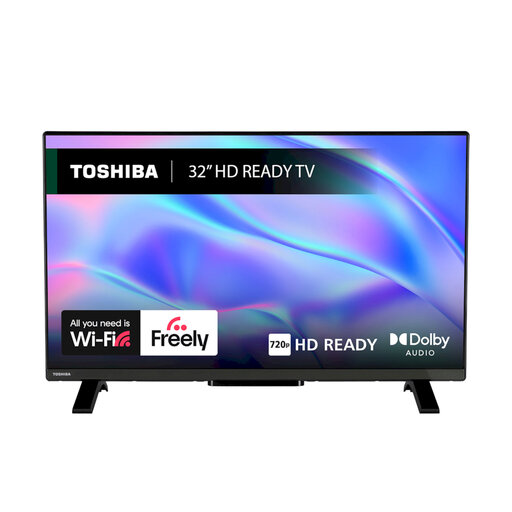
Why This Fits Their Persona: Its compact 32-inch format suits bedrooms, kitchens, student rooms and secondary viewing spaces where a large 4K panel would be unnecessary.
The HD Ready resolution is clearly specified, helping buyers avoid paying for unused features in a smaller room. It also includes Freely access, Wi-Fi and Ethernet networking.
VIDAA OS, HDR10 and HLG support, two HDMI ports, one USB port and Dolby Audio processing.
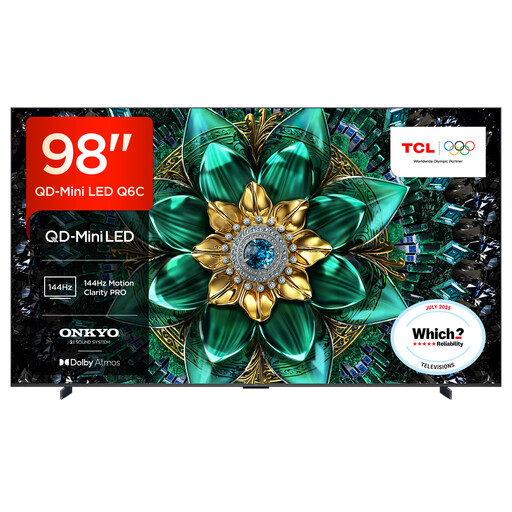
Why This Fits Their Persona: Designed for a spacious lounge or dedicated home cinema, this 98-inch television provides a large-format viewing experience with substantial built-in audio.
QD-Mini LED backlighting, QLED colour technology and 4K resolution are specified together rather than relying on a single generic “premium” label.
Google TV, 144Hz VRR support, four HDMI 2.1 inputs and a 40W 2.1-channel Onkyo system with Dolby Atmos and DTS Virtual:X.
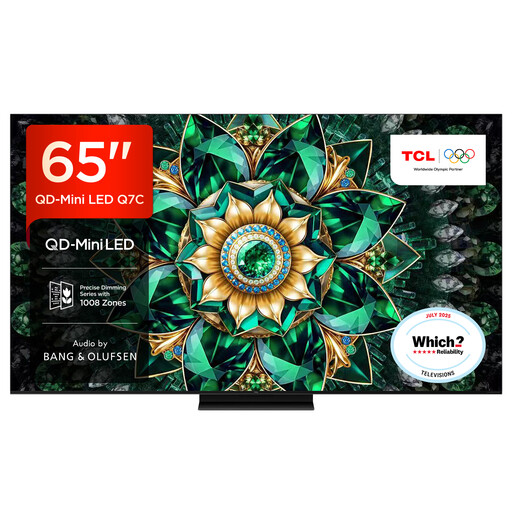
Why This Fits Their Persona: Its 65-inch display, high refresh-rate features and gaming connections suit households that move between films, sport, console gaming and streaming.
The specification lists HDMI 2.1, ALLM, VRR and refresh-rate support, making it easier to assess gaming suitability beyond general “smooth motion” wording.
QD-Mini LED and QLED display technology, Dolby Vision support, Google TV and Game Master features with up to 144Hz native refresh rate.
We have compiled a complete, real-time list of products that fully satisfy these strict selection criteria and UK safety regulations.
Not always. Streaming services work through Wi-Fi or Ethernet, while models with Freely TV may provide compatible live and on-demand content over the internet. If you want traditional Freeview or satellite channels, check whether the television has the required tuner and whether your property has a suitable aerial or dish connection.
The practical lifespan depends on usage, ventilation, software support and component reliability. Keep ventilation areas clear, avoid unstable furniture and install firmware updates when offered. Before buying, check the warranty, operating system and whether the apps you use are supported on that platform.
Running costs depend on screen size, brightness, viewing hours and energy efficiency. Larger screens generally consume more power than compact models. Compare the energy label and stated consumption, use automatic brightness or energy-saving settings where suitable, and switch the television fully off rather than leaving connected accessories running unnecessarily.