What matters when choosing
Start with the problem the household needs to solve: broadcaster access, ageing apps, the television itself or its connections. The checks then point towards a device, a replacement TV or an accessory without assuming that one route suits every room.
| Concern | What to check | Who this matters to |
|---|
| Broadcaster access |
Check the exact model and software generation for the BBC iPlayer, ITVX, Channel 4 and 5 services you use, including any live-TV or accessibility features you need. |
If our shared screen is mainly for live and catch-up programmes, I need the household’s services to work on the device we choose. Around 31% of consumers put broadcaster access first. |
| Keeping the current screen |
Confirm a working HDMI input, suitable power and network access, and the TV’s resolution and HDR capabilities. |
My television still looks and sounds fine, but its apps are frustrating or unsupported; for around 31% of consumers, keeping that screen is the primary need. |
| Replacing the TV |
Assess the screen size, physical fit, HDMI inputs, audio connections and exact built-in platform. |
If the panel or connections no longer suit the room, a new streaming interface alone will not help. Replacing the TV is the main concern for around 23% of consumers. |
| Ports and sound |
Count the HDMI sources and check switching, audio routing and the video formats required across connected equipment. |
Our apps already meet our needs, but changing sources or hearing the TV clearly is awkward; around 15% of consumers chiefly want to resolve connections or sound. |
Joybuy products for these routes
These products cover replacement smart TVs and a streaming stick for retaining a usable screen. Compare the TV’s size and platform with your room and services; choose the stick only if the existing television’s hardware still meets your needs.
 No image available
Haier H50S80GUF 50″ 4K QLED TV with Freely and Fire TV
Consider this model when replacing both the screen and streaming interface; check that a 50″ screen fits the shared viewing space.
The product name specifies 4K Ultra HD QLED, HDR10+ and Dolby Audio. Check the exact broadcaster services and live features you need on this model.
View on Joybuy
 No image available
Haier H50K85GUF 50″ 4K LED TV with Freely and Fire TV
This is another replacement-screen option for a room that suits a 50″ TV and a built-in streaming platform.
The product name specifies 4K Ultra HD LED and HDR10. Confirm the broadcaster apps and features needed by everyone using the screen.
View on Joybuy
 No image available
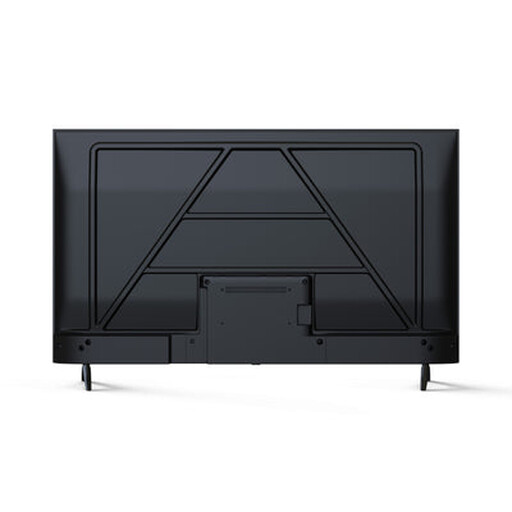
Haier H43K85GUF 43″ 4K LED TV with Freely and Fire TV
Consider the 43″ version if that screen size suits the room better than a 50″ replacement.
The product name specifies 4K Ultra HD LED and HDR10. Check its physical fit and exact broadcaster-app support before buying.
View on Joybuy
 No image available
Roku Streaming Stick 4K
This stick is for adding a streaming interface when the existing television still has a suitable working HDMI input and satisfactory picture and sound.
Its name specifies 4K output; the TV and content must also support the formats you intend to watch. Check the required broadcaster apps on this device generation.
View on Joybuy
 No image available
Toshiba 32WV2553DB 32″ HD Ready VIDAA TV with Freely
Consider this smaller replacement TV where a 32″ screen suits the room and built-in broadcaster viewing is a priority.
The product name specifies HD Ready rather than 4K, plus VIDAA OS and Freely. Confirm the exact apps and features your household requires.
View on Joybuy
Frequently asked questions
Should I add a streaming device or replace the TV?
Add a streaming device if the screen, sound and HDMI connection still meet your needs but the apps do not. Replace the TV if the display, reliability or physical connections also need changing; a streamer cannot repair those parts.
Which broadcaster services should I check?
Check the exact device for the BBC iPlayer, ITVX, Channel 4 and 5 services your household uses, including any live or accessibility features that matter to you. ITV and Channel 4 publish device-support information that can differ by model or generation.
Does a Freely streaming device need an aerial?
Freely says its streaming devices can stream live channels over Wi-Fi using a TV with HDMI, without an aerial for that setup. It also says an aerial can top up available channels, so check the channels you want at your postcode and the connections required by the chosen device.
What if a broadcaster app stops working on my older TV?
Check the broadcaster’s supported-device information and install a TV software update if one is offered. If that hardware is no longer supported but the screen still meets your needs, consider a currently supported HDMI streaming device instead of replacing the whole TV.
What should I arrange for an old TV?
Arrange an appropriate electrical take-back or recycling route when replacing a television. Ask the seller how its take-back service works before ordering; GOV.UK notes that home collection can involve a transport charge even where an applicable in-store take-back service is free.


