What should you check before choosing?
New smart TV
Choose when: You need another or a replacement screen as well as streaming access.
Trade-off: Built-in app support can differ by exact model and software version, even within one TV brand.
External streaming player
Choose when: Your existing HDMI display is satisfactory but its streaming interface or app access is not.
Trade-off: It adds a device and may add another remote; check its connection, accessories and software requirements.
Existing set-top-box platform
Choose when: Your household already uses a compatible TV-service box and wants catch-up viewing within that arrangement.
Trade-off: App support does not establish that every live or regional feature works on that box. ITV distinguishes these features by platform.
Start with the programmes and apps your household actually uses, then test how each viewer would reach them on the proposed setup.
| Priority |
What to check |
Your needs |
| Essential apps |
Check each service’s supported-device list against the exact model and software. ITV specifies model-year and firmware conditions for some ITVX platforms; check live features separately if they matter. |
I want everyone’s regular catch-up and streaming apps on the main screen, not just a general promise of app access. |
| Shared navigation |
Try reaching favourite apps, searching and changing subtitles with the remote. Check whether separate accounts or profiles are available if different viewers want them. |
Several people use this screen, so finding a programme should not depend on one person’s phone or account. |
| Advertising and privacy |
Read each service tier’s advert terms, including live-viewing exceptions. Review device and app permissions, data sharing and personalisation during setup, as the Information Commissioner’s Office advises for smart products. |
I want to know which viewing still carries adverts and what information the household’s accounts share. |
| Accessible viewing |
Check spoken navigation, caption controls and audio-description discovery on the device and in the specific apps. Amazon says Fire TV feature availability and language support vary by device; Ofcom notes inconsistencies in finding accessible on-demand content. |
Subtitles or audio description need to be easy to find for the programmes we watch, not merely listed as device features. |
| Existing equipment |
For an external player, check the TV’s HDMI input, the player’s internet requirement and what comes in the box. Apple says Apple TV 4K works with HD and 4K HDR TVs using HDMI, but its HDMI cable is sold separately. |
If our current display still works for us, I would rather check whether a player meets our needs before replacing the screen. |
Platform and brand references
These platform examples help frame app and control checks; they do not establish support for every model or indicate which brands appear in the product selection below.
Samsung
A smart-TV option when the household also needs a new screen.
- ITV lists Samsung Smart TVs from 2017 onwards for ITVX, while describing more limited viewing on 2016 models.
- Check the exact TV’s apps, software, privacy choices and accessible controls rather than assuming they are shared across Samsung models.
LG
A smart-TV option using LG’s webOS platform.
- LG lists BBC iPlayer, ITVX and Channel 4 as webOS app examples; ITV lists LG Smart TVs from 2016 onwards for ITVX.
- LG says app availability can vary by country, product and region. Confirm the required services on the exact UK model.
Amazon Fire TV
An external-player or Fire TV set route for households considering ITVX and accessible navigation.
- ITV lists Amazon Fire devices for ITVX, and Amazon documents Fire TV features including VoiceView, captions and audio descriptions.
- Amazon says feature and language availability vary by device. Check access services within each streaming app as well.
Apple TV
An external-player route for an existing HDMI display.
- ITV lists Apple TV with tvOS 18 or later for ITVX. Apple says Apple TV 4K connects to HD and 4K HDR televisions through HDMI.
- Apple says an HDMI cable is sold separately. Check the standalone apps and their current support rather than relying only on services surfaced in the Apple TV app.
Roku
An external-player route for a household retaining its display.
- The UK Roku Channel Store lists BBC iPlayer and ITVX.
- ITV specifies firmware conditions for Roku. Check the particular player, its software and the services your household needs.
Joybuy options for a new screen or player
These options cover one streaming player for an existing HDMI TV and smart TVs for households adding or replacing a screen. Compare their exact app support and controls before deciding which setup fits your viewers.
 No image available
Roku Streaming Stick 4K
Consider this player if the household wants to keep a TV with a compatible HDMI input. Roku has UK catch-up app listings, but confirm that this exact stick and its firmware meet the current requirements for every essential service, including ITVX.
View on Joybuy
 No image available
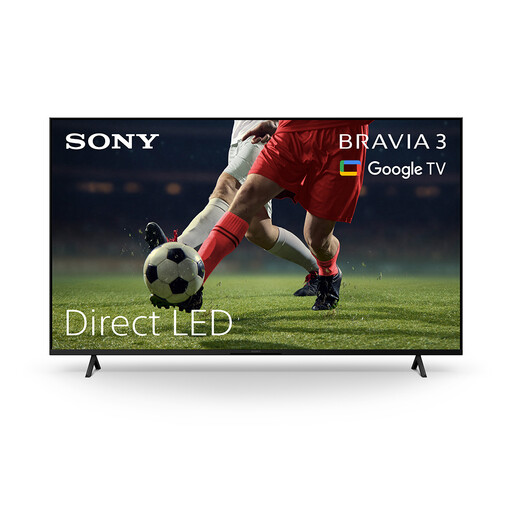
Sony 55-inch BRAVIA 3 TV-K55S35BP
This is a new-screen option for a household seeking a 55-inch smart Google TV. Its title specifies 4K HDR, Direct LED, Google Cast and Dolby Vision/Atmos; confirm the exact model’s required UK apps, privacy choices and accessibility controls.
View on Joybuy
No image available
Sony 50-inch BRAVIA 3 TV-K50S35BP
This 50-inch smart Google TV is another option when the household needs a screen rather than only a player. Its title specifies 4K HDR, Direct LED, Google Cast and Dolby Vision/Atmos; check app support and accessible controls for this model rather than assuming they match another screen size.
View on Joybuy
 No image available
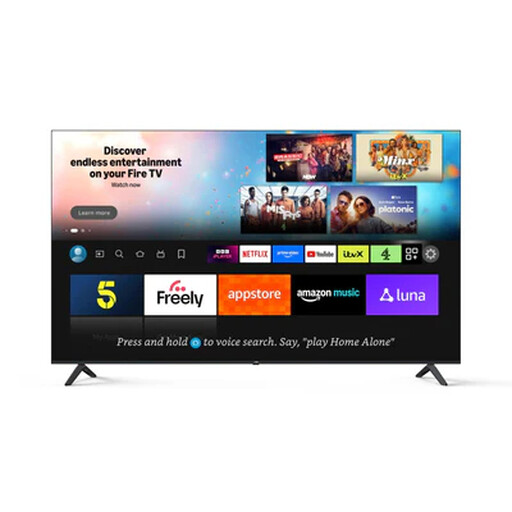
Haier H50S80GUF 50-inch 4K QLED Smart TV
This is a 50-inch screen option for a household replacing or adding a TV; its product name specifies 4K Ultra HD, QLED and Wi-Fi. Confirm its operating system and required UK apps, and secure the TV to a wall or sturdy stand as the product information advises.
View on Joybuy
 No image available
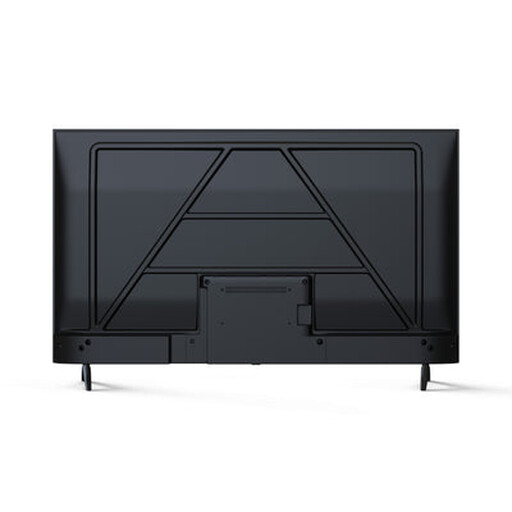
Haier H50K85GUF K85 36200181 50-inch Smart TV
Consider this model when adding or replacing a 50-inch household screen. Its product name specifies 4K Ultra HD, Direct-LED, 60 Hz, HDR10 and Wi-Fi; check the exact app catalogue and controls, and secure it to a wall or sturdy stand as advised in the product information.
View on Joybuy
Common questions
How do I check whether a TV or player runs our catch-up apps?
Check each service’s current supported-device information against the exact model and software version. ITV, for example, specifies model-year conditions for some LG and Samsung TVs, tvOS 18 or later for Apple TV, and firmware conditions for Roku; a supported brand name does not establish support for every device.
Can a streaming player keep an older TV useful for shared viewing?
Yes, if the existing TV has a compatible HDMI input and a player supports the household’s required services. Check the TV’s connections, the player’s internet and software requirements, and included accessories; Apple says Apple TV 4K requires HDMI and internet access, with its HDMI cable sold separately.
Will subtitles and audio description work throughout a streaming setup?
Do not assume they will work in every app or programme just because the device lists accessibility features. Amazon documents Fire TV controls including VoiceView and captions but says availability varies by device and language; check the services and titles your household watches as well.
Which privacy settings should we review during setup?
Review what the TV or player and its apps collect, what they share, and the permissions and personalisation choices selected for household accounts. The Information Commissioner’s Office advises checking these choices when setting up a smart product and reviewing them later in its settings.
Does a paid catch-up tier remove adverts from live TV?
Not necessarily. The Roku Channel Store’s ITVX listing says its ad-free treatment applies to the on-demand library, not live TV; Channel 4 describes live-viewing and programme exceptions for its paid option. Check the current terms of the specific service and tier you intend to use.


