What matters when choosing?
For a household choosing hardware for its main TV, decide whether the screen needs changing, then identify the apps and live-TV functions it must provide.
Smart TV
Choose when: The display needs replacing as well as the TV interface.
Trade-off: App availability depends on the chosen TV platform and model year; check the exact model rather than assuming all smart TVs offer the same services.
Streaming stick
Choose when: A working HDMI TV needs an additional streaming-app platform.
Trade-off: A stick does not replace the display or add a terrestrial or satellite tuner.
Media-player box
Choose when: An HDMI TV is staying and features such as built-in Ethernet or casting are important. Apple lists an Ethernet version of Apple TV 4K; Google lists Ethernet on Google TV Streamer.
Trade-off: The box still relies on a compatible screen and service-specific app support.
Set-top box
Choose when: Live-channel integration or recording is central; Freesat offers recordable boxes for compatible satellite setups.
Trade-off: Confirm the satellite equipment required by the selected box, and check its current on-demand players.
| Concern | What to check | Who this matters to |
|---|
| UK app access |
Check must-have broadcaster and subscription apps against the exact UK model and its current service support. |
If my main TV needs particular broadcaster players alongside subscriptions, I want those services to work on the device I choose; around 33% of consumers put app access first. |
| Keeping or replacing the screen |
Check the existing display and its free HDMI inputs. For 4K viewing, the TV and available content must also support 4K. |
A working screen makes me reluctant to replace the whole television just to change its streaming interface; roughly 27% of consumers make the screen decision their primary concern. |
| Live TV and recording |
Decide whether a channel guide or recording is essential; a Freesat box requires a compatible satellite setup. |
If I regularly watch live channels or need to record programmes, apps alone may not cover how I watch TV; around 20% of consumers prioritise live-TV integration and recording. |
| Connection and controls |
Check for built-in Ethernet or an adapter approved for the exact device, and assess the remote and accessibility functions you need. |
When Wi-Fi or the remote makes viewing difficult, dependable access and usable controls take priority for me; about 20% of consumers place those needs first. |
Joybuy products for these routes
These TVs are options when the screen itself needs replacing; the Roku stick is an add-on for keeping an existing HDMI television. Compare the exact model's current apps and controls with your household's needs.
 No image available
Haier H50S80GUF 50″ 4K QLED Smart TV
Consider this model if you are replacing the display and want Freely and Fire TV on the television itself.
The listed variant has a 50″ 4K QLED screen, HDR10+, Dolby Audio and an Alexa Voice Remote. Confirm current support for your essential apps on this exact model.
View on Joybuy
 No image available
Haier H50K85GUF 50″ 4K LED Smart TV
This is another screen-replacement option with Freely and Fire TV named in the product listing.
Its listed features include a 50″ 4K LED screen, HDR10, Dolby Audio and an Alexa Voice Remote. Check the exact model's current app support before choosing it.
View on Joybuy
 No image available
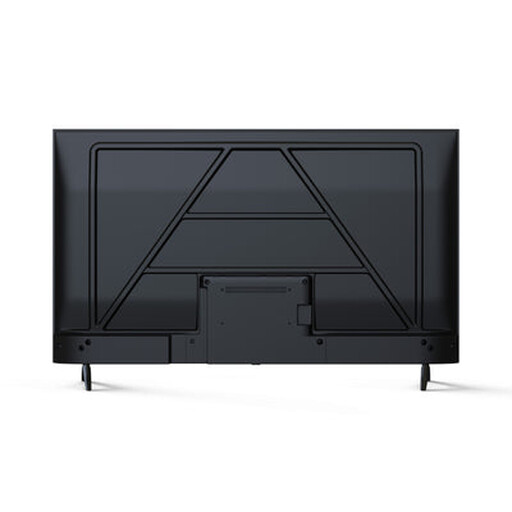
Haier H43K85GUF 43″ 4K LED Smart TV
If you need a 43″ replacement screen rather than a stick for your existing TV, this model lists Freely and Fire TV.
The listed variant has 4K resolution, HDR10, Dolby Audio and an Alexa Voice Remote. Verify the services and accessibility controls important to your household.
View on Joybuy
 No image available
Toshiba TV-32WV2553DB 32″ HD Ready Smart TV
Consider this smaller replacement screen if HD Ready resolution meets your needs and you want Freely on the TV.
The title identifies a VIDAA OS model with HDR10. Check its current broadcaster-app support rather than assuming it matches another Freely television.
View on Joybuy
 No image available
Roku Streaming Stick 4K
This stick is the add-on route if your current television has a usable HDMI input and its screen still suits you.
The product is listed as a 4K streaming stick. Check the exact model's current UK apps; using 4K or HDR also requires compatible TV equipment and content.
View on Joybuy
Common questions
Which apps should I check before buying?
Check the current UK support information for every broadcaster and subscription app your household needs on the exact device model. ITVX and Channel 4 list supported platforms, but availability can also depend on the TV generation or model.
Should I replace my TV or add a streaming device?
Add a stick or media player if your current screen meets your needs and has a usable HDMI input; replace the TV if the display itself needs changing. In either case, check app support for the platform you will actually use.
When does a set-top box make more sense than a stick?
Consider a set-top box when live-channel integration or recording is a priority, rather than assuming a streaming stick supplies those functions. Freesat's recordable 4K box requires a compatible satellite setup and, according to Freesat, can record up to four programmes at once.
How can I assess accessibility before choosing?
Check both the device controls and the apps your household uses most. Google documents a TalkBack shortcut for Google TV, while Ofcom identifies subtitles, signing and audio description as access services; their availability and controls within individual apps may differ.
Do I need a TV Licence for a streaming device?
TV Licensing says you need to be covered by a TV Licence to watch live TV on any channel or service, or to use BBC iPlayer, regardless of the device. Watching other services on demand does not by itself create that requirement, provided you are not watching live TV or using BBC iPlayer.


