Households checking essential apps
You rely on particular UK catch-up apps or a specific live feature. ITV’s guidance distinguishes general ITVX access from regional live viewing, so check the exact platform and feature.


If your existing TV still suits you and has a usable HDMI input, a streaming stick or player is a direct way to add app-based viewing; replace the TV when its screen or connections also need changing. Check the exact model, software and viewing feature: ITV distinguishes regional live viewing from general ITVX access, and Channel 4 publishes device-specific support guidance. A soundbar is an audio addition, not a way to add streaming apps.
You rely on particular UK catch-up apps or a specific live feature. ITV’s guidance distinguishes general ITVX access from regional live viewing, so check the exact platform and feature.
If your TV still suits you but its app options do not, an HDMI-connected stick or player may add another viewing platform without replacing the display. Check the TV’s HDMI input and the device’s power needs.
Subtitles, audio description, usable controls or a compatible separate sound system may shape your choice. Ofcom’s accessibility research covers access services across broadcast TV and video on demand; check the feature in the specific service and content you use.
Choose when: You need a different screen as well as built-in app access.
Trade-off: The display and app platform come as one purchase, and support can vary by exact model.
Choose when: Your TV is worth keeping and you want a separate interface or a wired-network option such as Ethernet on the Google TV Streamer (4K).
Trade-off: It needs an HDMI connection; Google says a certified HDMI cable is sold separately for its Streamer.
Choose when: You want a compact add-on for a TV with a usable HDMI input.
Trade-off: App support may depend on software: ITV says Roku sticks need firmware v15.1 for ITVX following its 1 October update. Some TV USB ports may not provide enough power for a Roku stick.
Choose when: Improving sound is a separate need alongside your TV or streaming setup.
Trade-off: A soundbar does not add viewing apps, and the functions available depend on the TV, speaker and connection.
For UK consumers weighing a replacement TV against an add-on viewing device, start with what needs to change: app access, the screen, accessibility and privacy, or the connections.
| Concern | What to check when buying | Who this matters to |
|---|---|---|
| Essential apps and viewing features | Check the provider’s current device guidance against the exact model and software; distinguish general ITVX access from regional live content. | I want the exact catch-up apps and viewing features I use to work on the device I choose. Around 36% of consumers put essential app and feature access first. |
| Whether to replace the screen | Consider whether the display or available inputs need changing; check for a usable HDMI input if keeping the TV. | If my screen still suits me, I would rather consider an add-on; if it does not, a streamer cannot change the display. Around 29% of consumers make the keep-or-replace decision their first concern. |
| Accessibility, accounts and privacy | Check the required access feature in the specific app and content, and review account and privacy settings during setup. | I need the services and programmes I use to provide the access features I rely on, and I want to review connected-device permissions. Around 21% of consumers put accessibility, accounts or privacy first. |
| Power, network and audio connections | Check HDMI access, power arrangements, Wi-Fi or Ethernet needs, supplied cables and the TV’s audio outputs. | I want to know the stick can be powered and the TV can connect to the network or audio equipment as intended. Around 14% of consumers prioritise power, network or audio connections. |
ITV publishes separate guidance for the live regional feature, so an app being available does not by itself establish that this feature works on your platform.
Check ITV’s current live-regional platform guidance for the exact device before choosing it for that purpose.
Channel 4 says support ended for specified older devices in April and May 2026. An earlier app listing is not a promise of continued support.
Check the service’s current supported-device list for the model and software you plan to use.
Keeping an unsupported device for app viewing may mean adding a compatible external device or replacing it.
Roku says some TV USB ports may not provide enough power for its devices. Google says a certified HDMI cable for the Google TV Streamer (4K) is sold separately.
Compare the device’s power instructions and box contents with your TV’s ports before buying.
Depending on the setup, you may need a suitable power adaptor or HDMI cable.
Sonos documents connection-dependent behaviour: supported Atmos playback requires HDMI ARC or eARC, while control features can differ with an optical connection.
Check the specific TV output, speaker model and audio or control function you want to use.
A built-in smart-TV route when you also need to replace the display.
A streaming-stick option for a TV with a usable HDMI input.
A separate streaming player to consider when you want another interface or a wired-network option.
Separate audio equipment to consider alongside, not instead of, an app-capable TV or streamer.
These Joybuy choices are smart TVs for households replacing a screen while adding app-based home viewing.
 Image unavailable
For replacing the screen while adding app-based viewing; the product name identifies Google TV.
50-inch; 4K HDR; 144Hz native refresh rate; precise dimming up to 512 zones; ONKYO 2.1 Hi-Fi System.
 Image unavailable
For replacing the screen while adding app-based viewing; the product name identifies Google TV.
50-inch; 4K HDR; Dolby Atmos; 120Hz Game Accelerator (FHD).
 Image unavailable
For replacing the screen while adding app-based viewing; the product name identifies Google TV.
65-inch; 4K HDR; Dolby Atmos; 120Hz Game Accelerator (FHD).
 Image unavailable
For replacing the screen while adding app-based viewing; the product name identifies Google TV.
43-inch; 4K HDR; Dolby Atmos; 120Hz Game Accelerator (FHD).
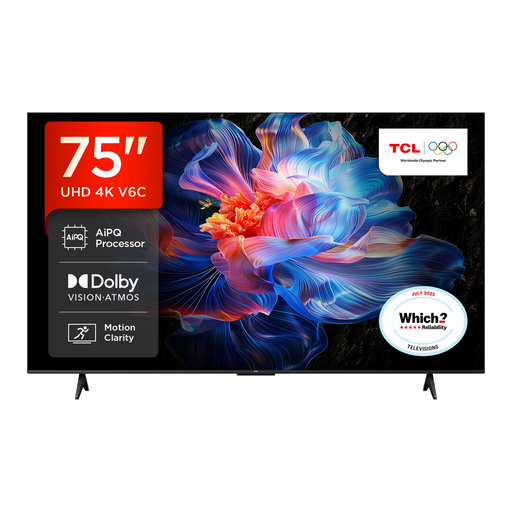 Image unavailable
For replacing the screen while adding app-based viewing; the product name identifies Google TV.
75-inch; 4K HDR; Dolby Atmos; 120Hz Game Accelerator (FHD).
No; ITV publishes separate guidance for its live regional feature. Check that list for your exact platform rather than relying on general ITVX availability.
Do not assume so from the range name. Samsung Support UK’s September 2026 notice names selected model codes, so match the full code and follow its current app-installation instructions.
Check the TV’s HDMI input and the stick’s power instructions. Roku Support UK says some TV USB ports cannot supply enough power and describes a wall-adaptor alternative for affected devices.
No; a soundbar addresses audio, not app access. For a Sonos home-theatre setup, check the TV connection required for the particular control or audio function you want.
No; buying the device alone does not determine whether you need a licence. TV Licensing says you need to be covered to watch or record live TV, including qualifying live streams, or to watch BBC iPlayer live or on demand.
There is no stated support lifetime for every new model. Channel 4 says it ended support for specified older devices in April and May 2026 because they could not support necessary app updates; check the service’s current device list when choosing.