Who is each setup for?
Start with whether the current screen still works for your household, then identify the services and features people actually use.
Households keeping a working HDMI TV
If the picture and screen size still suit you but built-in apps have stopped working or lack a required service, an HDMI streaming device offers another app platform without replacing the display. Check the TV input and the device’s power requirements first.
UK live-TV and catch-up viewers
If BBC, ITV, Channel 4 and 5 programmes matter more than any one subscription app, compare the broadcaster apps on each device with Freely’s integrated live-and-on-demand route. Freely says its streaming devices bring those broadcasters to an HDMI TV over Wi-Fi.
Households using accessibility features
Check subtitles, audio description and navigation on the particular app and device combination you plan to use. ITVX and Channel 4 describe different audio-description support across platforms, so a service being available does not establish that every feature is available there.
What should you check before choosing?
Decide whether you need a new screen at all, then check the apps, connection and viewing features on the exact TV, streamer or set-top box.
| Priority | What to check | Your needs |
|---|
| Keep or replace the screen |
Check whether the current TV still meets your size and picture needs and has a usable HDMI input. For an external device, check its power and cable requirements. |
My TV still looks right for the room; it is the built-in apps I want to change. Alternatively, I need a different screen as well as a connected-TV platform. |
| Broadcaster apps and live TV |
Match each required app to the exact model, model year and software version. Compare an existing supported set-top box with a separate streamer; for an integrated UK broadcaster guide, check a Freely TV or device. |
I want the BBC, ITV, Channel 4 or 5 services I use to work on the main TV. If my current box already runs them adequately, another device may add little. |
| Internet connection |
Test the connection where the TV sits and check whether the device uses Wi-Fi or supports Ethernet. Freely recommends at least 10 Mbps for its live internet channels and on-demand programmes; Netflix recommends 3 Mbps for HD, 5 Mbps for Full HD and 15 Mbps for 4K. |
Wi-Fi beside the television may differ from Wi-Fi beside the router. I need a connection that can sustain the services and picture quality I intend to use. |
| Picture format |
Check the TV, streamer, HDMI connection, any equipment in between and the content for the desired 4K or HDR format. Netflix says the devices in the viewing chain must support the quality you want. |
A 4K-labelled streamer will not make my HD television display 4K. If I am replacing the screen for picture quality, its display specifications matter too. |
| Accessibility |
Check the specific service’s subtitles and audio description on the intended platform, plus any navigation settings you need. ITVX lists audio description on selected platforms; Channel 4 lists its own supported platforms separately. |
Someone in my household relies on a feature that needs to work for the programmes they watch, not just appear in a platform’s general description. |
Which platforms are worth checking?
These platform references help narrow the route; app and feature support still needs checking on the exact product.
Roku
Roku offers streaming devices for existing TVs and Roku TVs. Roku’s UK information names BBC iPlayer, ITVX, Channel 4 and Channel 5 among available channels.
- An HDMI streaming device is a route to a different app platform while retaining a suitable screen.
- Roku Support says Freely is available only on certain supported Roku TVs; do not assume it comes with every Roku device.
Amazon Fire TV
Fire TV devices offer another platform for an HDMI-equipped display. ITVX and Channel 4 both list Amazon Fire among supported platform families.
- ITVX lists audio description on Amazon Fire, making exact app and device support worth checking for that need.
- Amazon says 4K streaming on Fire TV Stick 4K Max requires a compatible 4K TV and available 4K content.
Google TV
Google TV is a streaming-platform route; Google TV Streamer (4K) has HDMI output and an Ethernet port, according to Google’s UK specifications.
- The Streamer’s Ethernet port offers a wired-connection option at the TV.
- Google specifies a certified HDMI 2.1 cable, sold separately, for that Streamer. ITVX also cautions that some Android TV models are unsupported, so check the exact device.
Freely
Freely is a UK broadcaster-focused platform available in compatible TVs and streaming devices. Freely says its devices bring BBC, ITV, Channel 4 and 5 live and on demand to an HDMI TV over Wi-Fi.
- A household focused on those broadcasters can compare a Freely-built-in TV with a Freely device for an existing screen.
- Freely recommends at least 10 Mbps and notes that some players, content, services and features may not be available. Check separate apps and accessibility needs individually.
Samsung
Samsung smart TVs are a route to consider when replacing the screen. ITVX lists Samsung Smart TVs from 2017 onwards, with a stated on-demand limitation for 2016 models.
- An eligible model can provide supported apps through the TV’s built-in platform without a separate streamer.
- Support depends on the model and year. In its August 2026 guidance, Freely said it was not built into Samsung TVs, though a Freely device could be connected by HDMI.
Joybuy options for your setup
These options include smart TVs for replacing a screen and a Roku streaming stick for keeping an HDMI-equipped TV. Choose the route first, then check the exact product against your required services and features.
 No image available
Coocaa 40CTQH38ZUK 40-inch Freely smart TV
For replacing the screen with a TV that states Freely is built in. The listed 40-inch display is Full HD, with Wi-Fi, HDR10 and Dolby Audio; check the accessibility features and any additional apps your household needs. Freely recommends at least 10 Mbps for its live internet channels and on-demand programmes.
View on Joybuy
 No image available
TCL 55V6C 55-inch 4K Google TV
For a household replacing its screen and wanting a built-in Google TV platform. The listed features include 4K UHD, Wi-Fi and HDMI 2.1; its stated 120Hz Game Accelerator is limited to FHD. Check required UK broadcaster apps and accessibility features on this exact model, and remember that 4K or HDR viewing also requires compatible content and equipment.
View on Joybuy
 No image available
Roku Streaming Stick 4K
For adding streaming apps to a TV with a usable HDMI input. The product information lists Wi-Fi, a voice remote, BBC iPlayer, Dolby Vision and HDR10+; the TV and viewing chain must support the picture format you want. Check ITVX, Channel 4, 5 and any accessibility features on this exact stick before buying.
View on Joybuy
 No image available
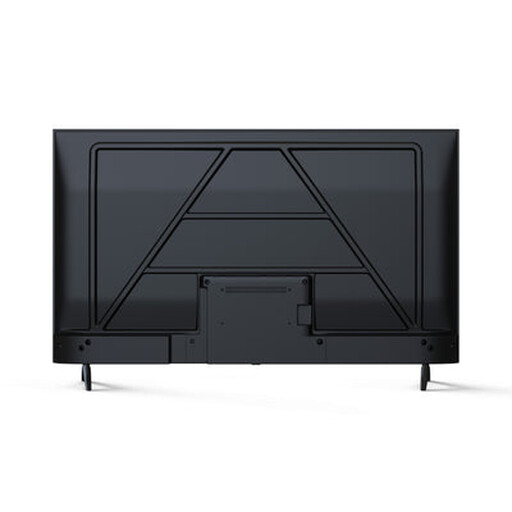
Haier H50K85GUF 50-inch 4K smart TV
For replacing the main display with a Wi-Fi smart TV. This 50-inch model is listed with 4K Ultra HD, Direct-LED, 60 Hz and HDR10. Confirm its operating system, required broadcaster apps and accessibility features for the exact model before choosing it as your streaming setup.
View on Joybuy
 No image available
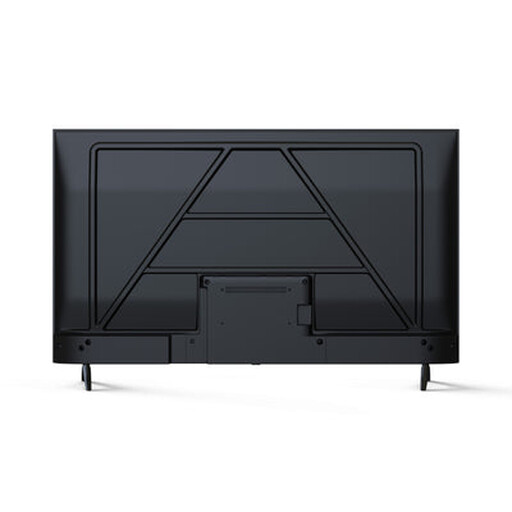
Haier H43K85GUF 43-inch 4K smart TV
For replacing a screen with a 43-inch Wi-Fi smart TV. The listed display resolution is 4K Ultra HD. Check this model’s operating system and the availability of your broadcaster apps and accessibility features before relying on its built-in platform.
View on Joybuy
Connected-TV questions
Can I add streaming to an older television?
Yes, if the TV has a compatible free HDMI input and you can meet the chosen device’s power and connection requirements. Freely says its streaming devices need an HDMI TV and Wi-Fi; Google says its Google TV Streamer also needs an HDMI cable, which is sold separately.
Will every smart TV or streamer run the UK broadcaster apps?
No. ITVX and Channel 4 publish device support and exclusions that vary by platform and model. Freely describes access to BBC, ITV, Channel 4 and 5 through its platform, but check each service you need on the exact TV, streaming device or set-top box before buying.
How fast does my internet connection need to be?
The requirement depends on the service and picture quality. Freely recommends at least 10 Mbps for live internet channels and on-demand programmes; Netflix recommends 3 Mbps for HD, 5 Mbps for Full HD and 15 Mbps for 4K. Check connection quality where the main TV sits.
How do I check subtitles and audio description?
Check the broadcaster’s guidance for the exact platform and the programmes you watch. ITVX says subtitles are available for well over 90% of its on-demand and catch-up programmes across platforms, but lists audio description for selected platforms; Channel 4 has its own platform-specific audio-description list.
Do I need a TV Licence for a smart TV or streaming device?
In the UK, GOV.UK says you need a TV Licence to watch or record programmes as they are broadcast, or to watch on-demand BBC programmes on iPlayer. Choose based on the household’s viewing, not whether the signal reaches the screen through an aerial, app or streaming box.


