What matters when choosing?
Decide whether the screen itself needs replacing first; if it does not, compare an HDMI player with a broadcast-oriented box only if live TV or recording is central to your setup.
| Concern |
What to check when buying |
Who this matters to |
| Essential services |
Check each must-have service against the exact UK model and software version; ITVX lists model qualifications. |
If everyone needs particular UK apps, check each one before choosing; around 31% of consumers put access to essential services first. |
| Shared navigation |
Check whether the device supports the household’s preferred accounts or profiles, and whether its remote controls the TV. |
If several people share the screen, consider how they find programmes and manage accounts; around 25% of consumers prioritise shared navigation and remote controls. |
| Keeping the existing TV |
Check available HDMI inputs, power and internet requirements, plus whether the TV supports advertised picture formats. |
If the screen still works for your household, check whether an add-on fits its connections; around 25% of consumers put keeping the existing TV first. |
| Live TV and catch-up |
Check whether the chosen route needs an aerial or broadband and whether the exact device supports the recording features you want. Freely states a 10 Mbps minimum for live internet channels and on-demand viewing. |
If live channels or recording are part of your shared routine, verify the exact box or TV’s tuner and service requirements; around 13% of consumers prioritise their live-TV arrangement. |
| Updates and app support |
Read the exact model’s update terms and check each service’s supported-device list separately. Samsung’s up-to-seven-year OS upgrade statement applies to eligible TVs, not as a guarantee for third-party apps. |
If you want to keep using the setup as services change, check both device support and app compatibility; around 6% of consumers put support longevity first. |
Joybuy products for shared viewing
These Joybuy options include smart TVs with built-in viewing platforms and an HDMI streaming player for a suitable existing screen.
 Image unavailable
TCL 65V6C 4K HDR Smart Google TV
A smart TV option for replacing the main screen with a built-in connected platform.
The product description lists Google TV, streaming apps and built-in Google Assistant voice control, alongside 4K UHD HDR and Dolby Atmos.
Shop on Joybuy
 Image unavailable
Coocaa 40CTQH38 Freely and TiVo Smart TV
Consider this built-in TV setup if you want to compare internet-delivered viewing with broadcast reception on one screen.
The product description lists Freely, TiVo OS, a triple tuner, USB recording and time-shift, Wi-Fi and two HDMI inputs. It identifies a 40-inch Direct-LED FHD HDR10 QLED screen with Dolby Audio.
Shop on Joybuy
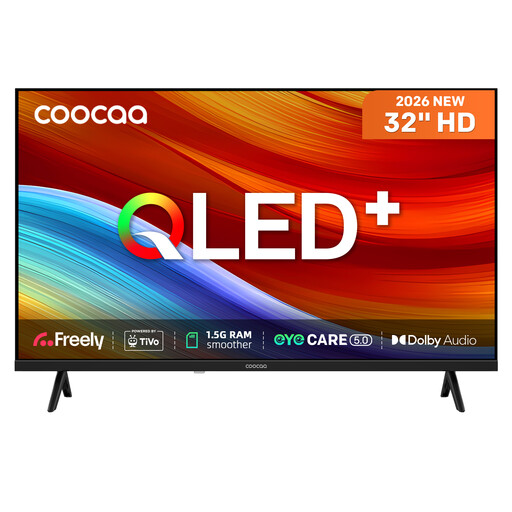 Image unavailable
Coocaa 32CTQH38 Freely and TiVo Smart TV
This is another built-in TV option for comparing internet viewing with broadcast and recording features.
The product description lists Freely, TiVo OS, a triple tuner, USB recording and time-shift, and two HDMI inputs. It identifies a 32-inch Direct-LED HD HDR10 QLED screen with Dolby Audio.
Shop on Joybuy
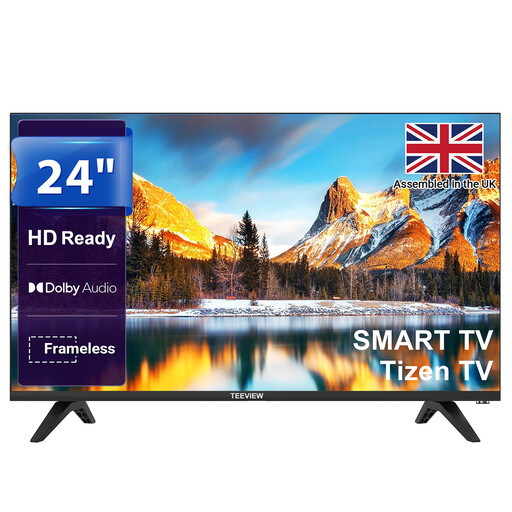 Image unavailable
TeeView 24NFT0UK Smart Tizen TV with Freeview Play
A compact smart-TV option to consider when built-in services and live-TV features are part of the same-screen setup.
The product description lists a 24-inch HD Ready screen, Tizen OS, Freeview Play, USB recording, playback and parental controls.
Shop on Joybuy
 Image unavailable
Roku Streaming Stick 4K
Consider this separate player if your existing TV has an available HDMI input and you want to add a streaming interface.
The product description lists 4K, Dolby Vision, HDR10+, long-range Wi-Fi, BBC iPlayer and a voice remote with TV power and volume controls. The advertised picture formats depend on compatible TV hardware and content.
Shop on Joybuy
Frequently asked questions
If several people use the TV, should we choose by app count?
No; list the household’s essential services and check their current support for the exact device, then consider whether its accounts, home screen and remote suit shared use. LG says its app availability varies by country, product and region, while ITVX lists model and software qualifications.
What should we check before adding a streaming player?
Check that the TV has an available HDMI input, then confirm the player’s power, internet and account requirements. Requirements can differ by model, so check the particular device’s setup information.
Will a smart TV or streaming player keep today’s apps?
Not necessarily. Check the device maker’s update terms for the exact model and each essential service’s current supported-device list. An operating-system upgrade commitment is not a guarantee of third-party app availability.
Do we need an aerial for Freeview or Freely?
Freeview says its broadcast live-TV route needs a working aerial. Freely is an internet-delivered route on enabled equipment; Freely states a minimum broadband speed of 10 Mbps for live internet channels and on-demand viewing. Check the requirements for the specific TV or device.
Does a connected TV or streaming device remove the need for a UK TV Licence?
No; the device does not determine the requirement. GOV.UK says a TV Licence is needed to watch or record live TV on any channel or service, or to use BBC iPlayer. It is not needed solely for other listed on-demand services; check the rules against what your household watches.


