Choose a new smart TV if the household also needs a new screen; add a streaming player if the existing television still works well but its apps no longer meet your needs. If supported devices struggle in the same spot, check the connection before replacing either one. Whichever route you take, check the exact device against your services and accessibility needs, then review both device-level privacy controls and individual streaming-app accounts.
Who is this for?
People managing a shared screen
If housemates, family members or guests use one television, consider who can see recommendations, open signed-in apps or make purchases. Roku documents a UK Guest Mode for temporary users; Apple TV 4K and Google TV document profiles, though each separates different parts of the viewing experience.
Households keeping their current TV
If the screen is still suitable but a built-in app has lost support, a separate player may refresh streaming access without replacing the display. ITVX sets device and software conditions, while Netflix identifies an HDMI-connected device as one possible alternative when its app is no longer available on an older device.
Viewers concerned about personal data
A connected living-room screen can involve viewing, location or device-usage data. The Information Commissioner's Office has highlighted the importance of genuine consent and meaningful control for smart TVs; the settings available to a household depend on its device and apps.
What matters when choosing?
Decide whether the screen itself needs replacing before choosing a streaming platform. A separate player can address ageing TV apps, but a connection problem affecting otherwise-supported devices calls for troubleshooting first.
New smart TV
Choose it when: The current display no longer suits the room or the household needs different screen or broadcast features.
Bear in mind: The screen and built-in app platform come together; an external player may still be useful later if an app stops supporting the TV.
Existing TV with a streaming player
Choose it when: The picture still suits the household and the TV has a compatible HDMI input, but its streaming apps or interface do not.
Bear in mind: The player brings its own remote, power connection, software and account settings; it does not remove the TV's existing settings.
| Concern |
What to check |
Who this matters to |
| Apps and accessibility |
Check each required service against the exact model and software version. Confirm needed features such as audio description on that device. |
If a service or accessibility feature is essential to watching together, I need it to work on the device I actually buy. Around 33% of consumers put that continuity first. |
| Shared accounts and privacy |
Look at guest sign-out, profiles and purchase controls, then check sign-in and privacy settings within each app. |
When other people use the same remote, I want to limit access to my accounts and viewing history. For around 27% of consumers, that separation is the primary need. |
| Keeping the current screen |
Confirm an available compatible HDMI input and check that the proposed player runs the app missing from the TV. |
If my television still gives me the picture I want, I would rather change its streaming device than the screen. Keeping the display is the main concern for around 20% of consumers. |
| Connection reliability |
Test the connection where the TV sits; check the device's Wi-Fi or Ethernet options and whether updates complete. |
Buffering across otherwise-supported devices makes me question the connection before the hardware. Around 20% of consumers would make reliability their first concern. |
Buying mistakes to avoid
-
Assuming a platform name guarantees every app
ITVX lists support conditions that vary by platform, model year and software; its audio-description availability also varies across devices.
Check each essential service's device guidance against the exact TV or player and its required software before choosing.
-
Expecting TV profiles to separate every subscription
A device profile may change platform recommendations without switching the account signed into each streaming app. Apple describes profile-specific TV and Music content on Apple TV 4K, while streaming services manage their own sign-ins.
Set up the available profiles or guest controls, then review app logins, purchase controls and sign-out behaviour separately.
-
Skipping privacy settings during setup
Apple TV 4K, Fire TV and Google TV document different controls for information such as tracking, device usage or location; one setting should not be assumed to cover every app.
Review device settings during setup and check the privacy options inside the household's streaming apps.
-
Replacing the screen before testing the connection
An unstable connection can disrupt streaming and normal software updates. Samsung describes a USB update route for applicable TVs when the internet connection is unsuitable.
Test supported devices at the intended viewing spot. If several have the same problem, investigate Wi-Fi coverage or a suitable wired connection before replacing the TV.
Relevant brands and platforms
Roku
A streaming-player platform to consider when temporary guests will use an existing television.
- Roku says its UK Guest Mode keeps guests out of host apps and recommendations and can clear guest credentials, viewing history and added apps at sign-out or on a selected date.
- Check Guest Mode, required UK apps and accessibility features on the particular player and software version.
Apple
Apple TV 4K is relevant where platform profiles and detailed privacy permissions are priorities.
- Apple documents profile switching for TV and Music recommendations and controls for app access to data including location and tracking.
- Apple says feature availability varies, and switching profiles does not change Photos or other settings associated with the default Apple Account.
Amazon Fire TV
A TV and streaming-device platform for households assessing Fire TV profiles and device-usage controls.
- Amazon documents a Device Usage Data opt-out in Fire TV privacy settings.
- That opt-out does not stop all processing needed for device features or all interest-based advertising; inspect other device and app controls too.
Google TV
A platform to examine when household members want separate Google profiles on a TV or streaming device.
- Google documents multiple profiles, profile-specific streaming-service selection and a Location control.
- Google says turning Location off does not prevent general location being inferred from the internet connection's IP address.
Samsung
A smart-TV option for households replacing the display and checking how a shortlisted model receives updates.
- Samsung UK describes TV-menu and USB software-update methods for applicable models.
- Update steps vary by model and menu version; check the exact TV's app compatibility and published support information.
Joybuy product choices
These choices cover two ways to set up shared streaming: Roku players for a television you want to keep, followed by smart TVs for replacing the screen. Compare each exact model with your required apps, household controls and connection before deciding.
 No image available
Roku Streaming Stick 4KPlus
Consider this streaming stick if you want to keep a TV with a compatible HDMI input. The product name identifies a 4KPlus variant; check the exact model's UK apps, Guest Mode and software-support information before relying on those features.
View on Joybuy
 No image available
Roku Streaming Stick 4K Doly Vision
This is another streaming-stick choice for retaining a TV with a compatible HDMI input. Its name identifies a 4K variant; check the exact player and software against your UK services, accessibility needs and guest-access requirements.
View on Joybuy
 No image available
Haier H50K85GUF 50-inch 4K LED Smart TV with Freely and Fire TV
Consider this model when replacing both the living-room screen and its built-in streaming platform. Its product name specifies a 50-inch 4K LED TV with Freely and Fire TV; confirm the services, accessibility features and household controls you need on this exact model.
View on Joybuy
 No image available
TCL 98Q6C-UK 4K QD-Mini LED Google TV
This smart TV is a screen-replacement choice where Google TV is of interest to the household. The product name specifies 4K QD-Mini LED and HDR; check room and mounting fit, required apps and the exact supported refresh-rate modes before buying.
View on Joybuy
 No image available
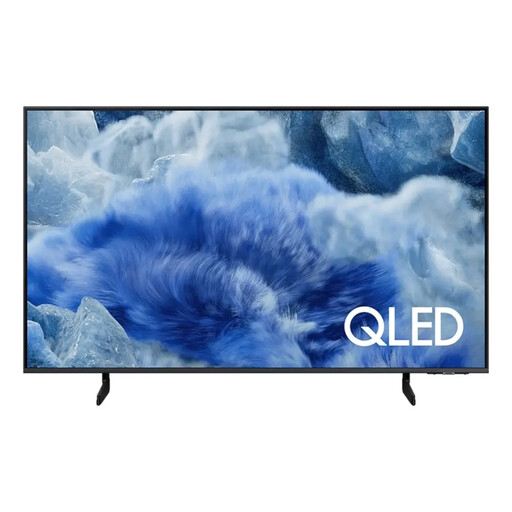
Samsung Q8F QE55Q8FAAU 55-inch 4K Smart TV
Consider this model if the household needs a replacement smart-TV screen rather than only a new streaming player. Its product name specifies a 55-inch, 4K TV with Wi-Fi; check the exact model and software for your services, accessibility features and account controls.
View on Joybuy
Common questions
Will TV profiles sign everyone into their own streaming accounts?
Not necessarily: device profiles and individual streaming-service accounts are separate controls. Apple says switching Apple TV 4K profiles refreshes TV and Music watchlists and recommendations; check sign-in and profile behaviour within each app your household uses.
What should I look for if guests use the TV?
Look for a guest option that lets visitors use their accounts without opening yours. Roku says its UK Guest Mode prevents access to host apps and recommendations and clears guest credentials, viewing history and added apps at sign-out or on the selected date; check the feature on the particular player.
How do I check whether ITVX will work?
Compare the exact device and its software with ITVX's current supported-device guidance. ITVX lists conditions including tvOS 18 or later for Apple TV and model-year requirements for some smart TVs; check accessibility features separately if the household depends on them.
Which privacy controls should I review during setup?
Review the device's tracking, location and usage-data options, then inspect settings in each streaming app. Apple documents per-app permissions on Apple TV 4K, Amazon documents a Fire TV Device Usage Data opt-out, and Google says Google TV may still infer general location from an IP address when its Location setting is off.


