Who these setups suit

Households keeping their TV

If the screen still suits you but you need streaming or broadcaster apps, check its available HDMI inputs and consider an external player before replacing the TV. Freely says its streaming device can connect to older TVs through HDMI.

Households replacing the screen

If you want a different display as well as a viewing platform, compare the exact UK TV models for their screen, connections and built-in services. Freely lists the Hisense 43-inch A7QTUK as a Freely television.

Live-TV and catch-up households

If you want live broadcaster channels, catch-up or recordings, decide whether broadband-delivered channels or an aerial-based setup fits your home. Freeview explains the aerial requirement for its live-channel guide, and Manhattan distinguishes its T4 pause function from the recording-capable T4•R.

What to check before choosing

Concern What to check when buying Who this matters to
Keeping essential apps usable Check each required UK service against the exact model and software version, plus the device maker’s update information. Channel 4 has identified specified older devices on which its app stopped working in April/May 2026. If I rely on particular services, I want to know they work on the device I am considering rather than assume every model supports them. Around 25% of consumers put continued access to essential apps first.
Using the existing display Check for a free, compatible HDMI input and the player’s power requirements. Match the TV’s supported picture formats to the player’s output. If my current screen still suits me, I would rather add a player than replace the TV, provided the connections work. Around 25% of consumers prioritise keeping their existing display.
Live channels, catch-up and recording Decide which functions matter and check the exact device’s delivery route. Freely live internet channels require suitable broadband; Freeview Play’s live-channel guide uses an aerial, and recording depends on the box model. If I want live channels, a guide or saved programmes, I need to know which features the particular box provides and what connection it needs. Around 19% of consumers put broadcaster functions first.
Replacing an inadequate screen Compare the exact TV’s screen and connections as well as its UK service availability; smart-TV branding alone does not confirm a particular app. If the screen itself needs changing, a separate player would not solve that part of the problem. Around 19% of consumers prioritise replacing the display.
Connection and ongoing support Check the connection available at the TV and whether the exact device supports the wired or wireless setup you plan to use. Freely states a minimum broadband speed of 10 Mbps for its live internet channels and on-demand programmes. If the router is not near the TV, I need a workable connection there and a way to keep the device updated. Around 12% of consumers put connection and support planning first.

Common buying pitfalls

  • Assuming every device will keep supporting the apps you use

    An app available on one model or software version may not be available on every generation. Channel 4 says its app stopped working on specified older devices in April/May 2026 because they could not support necessary updates.

    Check current support for each must-have app on the exact model, and treat a manufacturer’s update policy as useful information rather than a guarantee of future app support.

    If an essential app becomes unsupported, you may need another device to keep using that service.

  • Treating all live-TV boxes as interchangeable

    Broadband-delivered channels, an aerial-fed TV guide and programme recording are different functions. Manhattan says its T4 can pause live TV, while recording is a feature of the T4•R.

    List whether you need live channels, catch-up, a guide or recordings, then check the delivery method and functions of the exact model.

    Depending on the route, you may need an aerial connection or suitable broadband at the TV.

  • Choosing a player by its 4K label alone

    A player’s output capability and the television’s supported picture formats are separate checks; the player’s label does not establish what the screen can display.

    Check the player and TV together, and consider a replacement TV if the screen itself is the limitation.

  • Reading “free TV” as meaning every feature is free

    The Freely listing for the PLEIO Puck distinguishes access to Freely from the optional PLEIO subscription. UK TV licensing requirements also depend on what the household watches, not on whether the device has a subscription.

    Separate the channels and features you intend to use from optional extras, and check whether your viewing requires a TV Licence using GOV.UK guidance.

    Optional subscriptions and a TV Licence, where required for your viewing, are separate from the equipment itself.

Relevant brands to consider

Hisense

A TV route to consider when you also want to replace the screen.

  • Freely lists the UK Hisense 43-inch A7QTUK as a Freely television and describes it as a 4K TV.
  • Those details apply to the listed model; check its exact services and connections rather than assuming they apply to every Hisense TV.

Roku

An external HDMI player option for a household keeping a suitable TV.

  • Roku specifies HD and 4K streaming and HDR formats for its Streaming Stick 4K.
  • The screen must support the picture format you want; check UK app availability and ongoing support for the exact player.

Manhattan

A model-specific Freeview Play option for households considering aerial-fed viewing and recording.

  • Manhattan says the T4 can pause live TV and identifies the T4•R as its recording model.
  • The T4•R setup guide specifies an aerial and a TV with an HDMI input; these requirements apply to that model.

Netgem

The Freely-listed PLEIO 4K Puck is an external HDMI option for viewing Freely on an existing TV.

  • The Freely listing separates access to Freely from the optional PLEIO subscription and its additional features.
  • Check the exact features and terms you intend to use; broad app descriptions do not confirm that every requested service works.

Joybuy smart TV choices

The choices below are smart TVs for households replacing a screen while choosing how to watch online or broadcaster video. Check the exact model’s services and connection requirements against your setup.
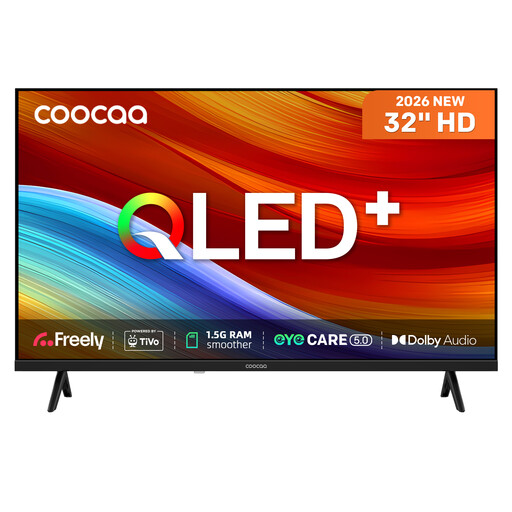
Coocaa 32CTQH38ZUK 32-inch QLED Smart TV

Coocaa 32CTQH38ZUK 32-inch QLED Smart TV

A screen-replacement option described as including Freely viewing. Freely says its live internet channels and on-demand programmes require broadband of at least 10 Mbps.

Named features: 32-inch screen, HD, HDR10 and Dolby Audio.

Buy on Joybuy
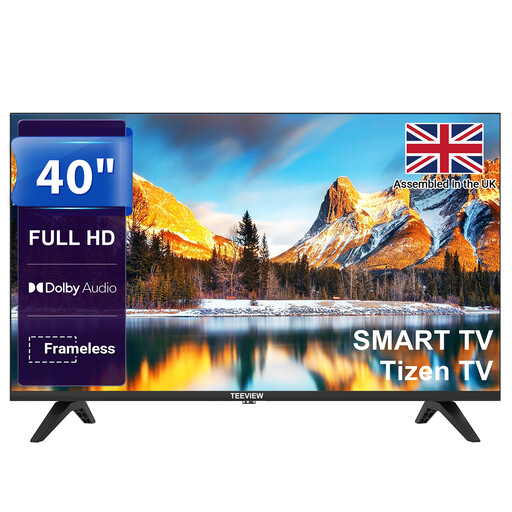
TeeView 40NFT0UK 40-inch Full HD Smart TV with Freeview Play

TeeView 40NFT0UK 40-inch Full HD Smart TV (Freeview Play)

A screen-replacement option for households considering built-in apps and Freeview Play. Freeview’s live channels through its TV guide require an aerial.

Named features: 40-inch screen, Full HD and Tizen OS.

Buy on Joybuy
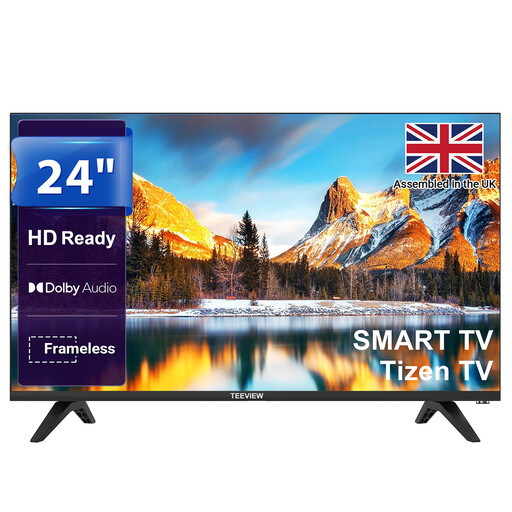
TeeView 24NFT0UK 24-inch HD Ready Smart TV with Freeview Play

TeeView 24NFT0UK 24-inch HD Ready Smart TV (Freeview Play)

A compact-screen option with smart viewing and Freeview Play described in the listing. Freeview’s live channels through its TV guide require an aerial.

Named features: 24-inch screen and HD Ready resolution.

Buy on Joybuy
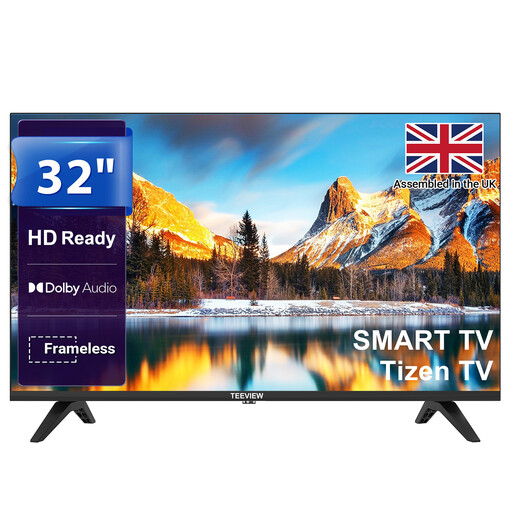
TeeView 32NFT0UK 32-inch HD Ready Smart TV with Freeview Play

TeeView 32NFT0UK 32-inch HD Ready Smart TV (Freeview Play)

A screen-replacement option combining smart viewing and Freeview Play as described in the listing. Freeview’s live channels through its TV guide require an aerial.

Named features: 32-inch screen and HD Ready resolution.

Buy on Joybuy

LG 32LQ63006LA 32-inch HD Ready Smart TV

LG 32LQ63006LA 32-inch HD Ready Smart TV

A screen-replacement option with smart viewing features described in the listing. Freeview live channels through the TV guide require an aerial.

Named features: 32-inch screen, HD Ready and Freeview HD.

Buy on Joybuy

Frequently asked questions

Do you need to replace a working TV to add online viewing?

Not necessarily. If the screen still meets your needs and has a suitable HDMI input, an external player can add another viewing platform; check the exact player’s apps and connection requirements.

Can you receive live UK broadcaster channels without an aerial?

Yes, a Freely-enabled TV or streaming device can use broadband for Freely’s internet-delivered channels. Freely states that live internet channels and on-demand programmes need a minimum broadband speed of 10 Mbps; the live channels in a Freeview Play TV guide require an aerial.

How should you check app and software support?

Check each essential service against the exact device and software version, and review how its maker provides updates. Channel 4 says its app stopped working on specified older devices in April/May 2026 because they could not support required updates; an operating-system update policy alone does not guarantee that third-party apps will remain available.

Will a set-top box record programmes?

Only if the particular model has a recording function. Manhattan distinguishes the T4, which can pause live TV, from the T4•R recorder; its T4•R setup guide specifies an aerial and a TV with an HDMI input.

What subscription and TV Licence checks should you make?

Check whether any extra platform features require an optional subscription, and check your household’s viewing against GOV.UK TV Licence guidance. GOV.UK says a licence is required to watch or record live TV on any channel or service, or to use BBC iPlayer; TV Licensing says a licence is not needed solely for on-demand programmes on other services, provided the household does not also do viewing that requires one.