What to check before buying
Start with the apps and connections you already need, then separate a display problem from a network problem before choosing a replacement TV, streaming device or Wi-Fi upgrade.
| Priority |
What to check |
Your needs |
| Required apps |
Check every essential service on the exact UK model and platform; confirm regional availability and whether the app is still supported on older TV software. |
I want the services my household actually watches, rather than relying on a generic “smart TV” label. |
| TV and HDMI compatibility |
Look for a free HDMI input, nearby power and the TV’s maximum resolution and HDR support. Check whether a suitable HDMI cable is required separately. |
The current screen is acceptable, but I need to know whether an external player can connect and deliver the picture quality I expect. |
| Shared connection |
Test playback on more than one device and in more than one room. Consider Ethernet only where there is a practical cable route; Wi-Fi 6 features need a compatible router. |
Streaming should remain reliable while other people are gaming, working or using video calls. Ofcom says ultrafast broadband of 300 Mbit/s or more is better suited to several people being online at once or heavy video streaming. |
| Accounts and viewing rules |
Check each service’s household definition and simultaneous-screen allowance. Consider whether planned viewing includes live TV or BBC iPlayer. |
Adding another device should not be confused with adding account-sharing or simultaneous-stream rights. GOV.UK states that a TV Licence is required for live TV and BBC iPlayer, whatever device is used. |
Joybuy product options
Joybuy options for adding an external streaming platform to an HDMI-equipped TV or improving household Wi-Fi where playback problems affect more than one device or room.
 No image available
TP-Link Deco BE22 BE3600 Mesh Wi-Fi 7 System, 3-Pack
Consider this three-node mesh system where weak Wi-Fi or dead zones affect streaming across the home, rather than only one television app.
The listing states dual-band Wi-Fi 7, two 1 Gbps Ethernet ports per unit, MLO and claimed coverage of up to 6,500 sq ft.
Check that Wi-Fi coverage is the bottleneck first, and verify UK plug, power-adapter and warranty suitability for this EU V1 model.
Joybuy
 No image available
Roku Streaming Stick 4K Doly Vision
A compact HDMI streaming-stick option for an older television whose screen is still suitable but whose built-in apps are inconvenient.
The listing states 4K Ultra HD, Dolby Vision, HDR10+, long-range Wi-Fi, a voice remote and HDMI connection.
Verify the required UK apps, a free HDMI input, nearby power and whether the television supports the picture formats you expect.
Joybuy
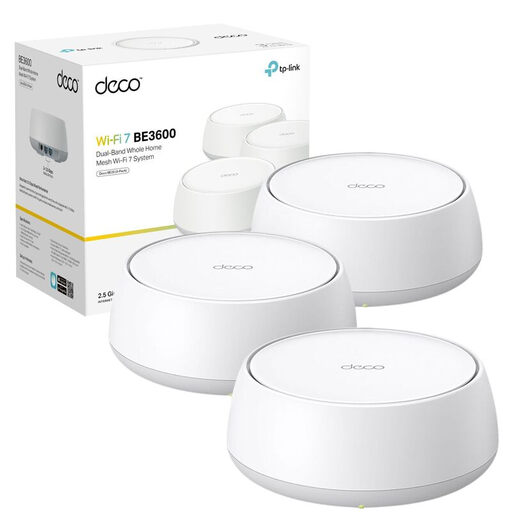 No image available
TP-Link Deco BE25 Mesh Wi-Fi 7 System, 3-Pack
This mesh route is relevant when streaming instability occurs across several rooms or devices and extra nodes can be placed around the home.
The listing states Wi-Fi 7, claimed BE3600 combined speed, 2.5 Gbps Ethernet ports, USB, WPA3 and Deco-app management.
Actual coverage depends on layout, construction, broadband service and node placement; verify the Ethernet-port count and UK power-adapter suitability.
Joybuy
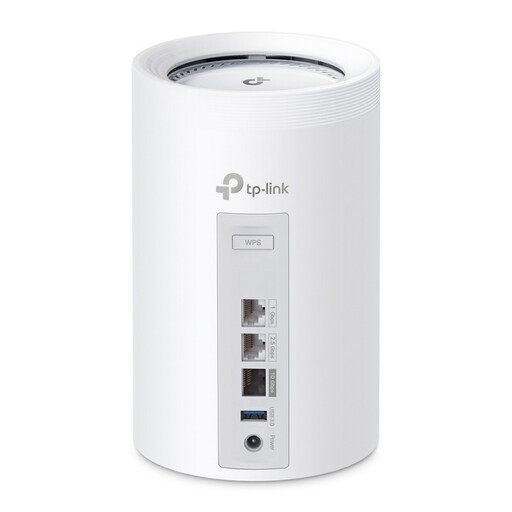 No image available
TP-Link Deco BE65 BE9300 Tri-Band Mesh Wi-Fi 7 System, 3-Pack
Consider this three-unit mesh system for household-wide Wi-Fi issues where several people stream, game or work online.
The listing states Wi-Fi 7, tri-band operation, a dedicated backhaul band, 320 MHz support, roaming and app management.
Check whether the issue needs a mesh system rather than an address-specific broadband or single-room Wi-Fi fix, and confirm package-specific Ethernet and power details.
Joybuy
 No image available
Roku Streaming Stick 4K Plus
An HDMI-stick option for a working television that needs a separate streaming interface without replacing the display.
The listing states 4K streaming, long-range wireless reception, Voice Remote Pro, remote finding, a rechargeable battery and private listening.
Check essential UK app availability, a free HDMI input and suitable power access; this record does not establish a wired-Ethernet option.
Joybuy
Frequently asked questions
Should I replace an old smart TV if one streaming app no longer works?
Not necessarily. Check whether the exact TV model still supports the app and whether an update is available; if the TV has HDMI and its picture remains suitable, an external player can provide a newer streaming platform without replacing the display.
What should I check before buying a streaming stick or media player?
Check for a free HDMI input, nearby power, the TV’s maximum resolution, required UK apps and cable requirements. Google says Google TV Streamer needs a separately sold certified HDMI 2.1 cable, while Apple TV 4K also requires an HDMI cable.
Will a 4K streaming device make every TV and programme look 4K?
No. Google and Apple state that 4K or HDR streaming needs a compatible television, suitable content and an adequate connection. A device can still add apps to a 1080p TV, but it cannot create 4K detail on that display.
When should a household consider Ethernet or a Wi-Fi upgrade?
Consider it when streaming is unreliable across several devices or rooms. Ofcom says 300 Mbit/s or more is better suited to several people being online at once or heavy video streaming, but availability must be checked by address and Ethernet needs a practical cable route.
Can everyone in a shared household watch Netflix at the same time after adding another device?
Not automatically. Netflix says devices can be added without a device-count limit, but simultaneous screens are limited by the membership plan, stated as one to four screens. Netflix also defines a Netflix Household as devices connected at the main viewing location.


