
24/7 Customer Support

Free returns

Same-day & Next-day Delivery

Quality Guaranteed
Download the APP
Categories
Navigating the world of televisions can feel overwhelming. With a sea of acronyms like QLED, HDR and 4K, and a vast range of sizes and operating systems, choosing the right Smart TV is more complex than ever. The goal is simple: find a screen that fits your space, budget and viewing habits, without paying for features you don't need.
As a Joybuy Product Recommendation Officer, my role is to help you cut through the clutter. This guide will walk you through the key considerations for buying a new smart TV in the UK and present a few carefully selected options that cater to different needs, from a compact kitchen screen to a living room centrepiece.
Before looking at specific models, it helps to understand the core features that will impact your daily viewing experience.
The first step is matching the TV to your room. A massive screen can overwhelm a small space, while a small TV will be lost in a large living room.
The technology behind the screen affects colour, brightness and contrast.
The operating system (OS) is the brain of your smart TV, controlling the interface and app availability.
Here are a few smart TV options that offer a strong combination of features, performance and value for different use cases.
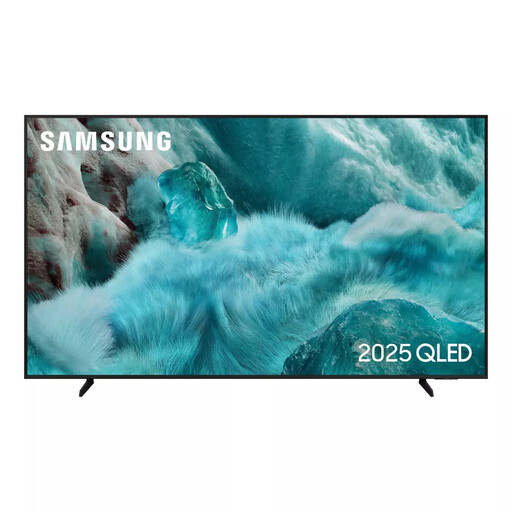
Why It Stands Out: This 55 inch TV from Samsung is built for the main living area. The 4K QLED display, powered by Quantum Dot technology, delivers exceptional colour volume and vibrancy. Quantum HDR further enhances the picture by improving contrast, making details pop in both the brightest and darkest scenes. The Tizen OS TV platform is responsive and easy to navigate, giving you quick access to all your favourite streaming services. For those interested in a smart TV for gaming, its dedicated Game Mode and Auto Low Latency Mode (ALLM) ensure a smooth and responsive experience by automatically reducing input lag.
Pros:
Who is it for? Households looking for a high-performance primary TV for their living room that excels at movies, streaming and casual gaming.
View Details for the Samsung 55" QLED 4K TV
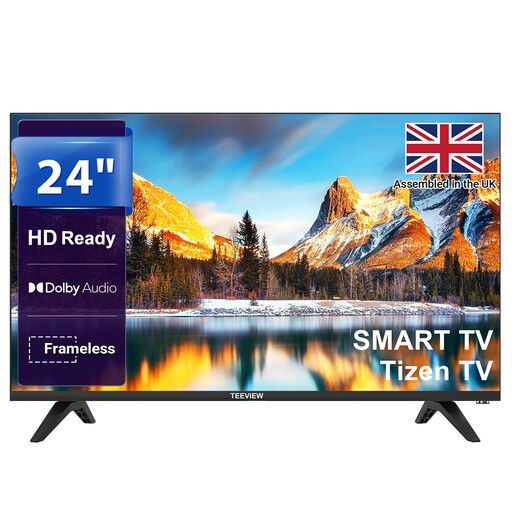
Why It Stands Out: The TeeView 24 inch TV is a practical and affordable small smart TV perfect for a second room. Whether for a bedroom, kitchen or study, its compact, bezel-less design fits neatly into any space. Despite its size, it runs the full Tizen OS, giving you the same smart experience as larger models, including Netflix, Disney+ and a dedicated Gaming Hub. The HD Ready (720p) resolution is perfectly suited for a 24-inch screen, delivering a clear and crisp picture for everyday viewing. Dolby Audio and versatile connectivity options round out a very capable package.
Pros:
Who is it for? Anyone needing a functional and affordable smart TV for a smaller room where a large screen isn't necessary or practical.
View Details for the TeeView 24" Smart TV
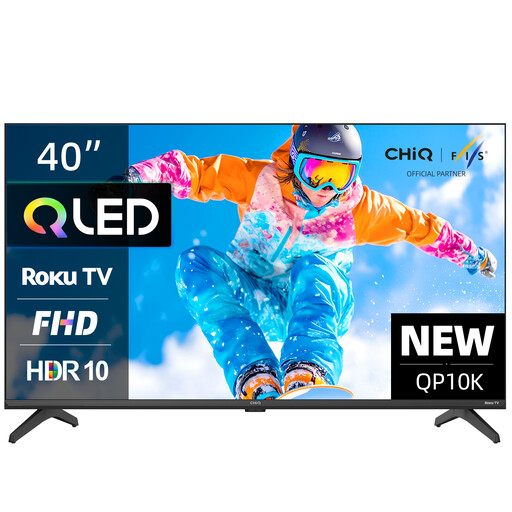
Why It Stands Out: This 40 inch TV from CHiQ brings premium display technology to a more modest size. It's one of the few models in this category to feature a QLED panel, which produces noticeably richer and more lifelike colours than a standard LED screen. Paired with a Full HD resolution and HDR10 support, the picture quality is impressive for its class. The Google TV platform excels at organising your content, offering personalised recommendations and hands-free voice control with Google Assistant. Its frameless metal design gives it a modern look that fits well in smaller living rooms or large bedrooms.
Pros:
Who is it for? Users who want enhanced picture quality in a mid-sized TV without committing to a large 4K screen. It's an excellent choice for smaller lounges, home offices or anyone who values the Google ecosystem.
View Details for the CHiQ 40" QLED Google TV
A smart TV is often the central hub of a modern home's entertainment and automation. If the models above aren't quite what you're looking for, or if you're interested in exploring other connected devices, our broader collection has much more to offer.
Discover a wider range of televisions and other connected devices in our Smart Home category.
1. Do I need a 4K smart TV for a smaller screen? For screens under 40 inches, the difference between Full HD (1080p) and 4K resolution is often difficult to notice from a normal viewing distance. Full HD or even HD Ready (720p) on a 24 inch TV provides a perfectly sharp image. 4K resolution becomes a more valuable feature on screens of 50 inches and larger, where the extra pixel density makes a clear difference.
2. Can I use a smart TV without an internet connection? Yes, you can. A smart TV will function like a standard television without an internet connection. You can still watch content through connected devices like a Blu-ray player, a games console or a set-top box via the HDMI ports, and use the built-in tuner to watch live Freeview channels. However, you will not be able to use any of the built-in streaming apps or smart features.
3. What is the difference between Tizen OS and Google TV? Both are excellent smart platforms. The main difference is in their design philosophy. Tizen OS TV (Samsung) uses a minimalist bar at the bottom of the screen for quick app launching and is known for its speed. Google TV focuses on content discovery, using the entire home screen to recommend shows and movies from across all your apps, creating a more integrated but busier interface. The choice often comes down to personal preference.