What to check before buying
Decide whether aerial TV, particular broadcaster apps, the existing screen or accessible controls are the main reason to change your setup. A cable can resolve a connection need, but it cannot add apps, a tuner or display capabilities.
| Concern |
What to check |
Who this matters to |
| Broadcaster apps |
Check your required UK apps and features against the exact device and its supported software version; a platform name alone is not enough. |
When my TV still works but its apps no longer suit what I watch, I need to know that a replacement interface offers my services. Around 31% of consumers put app compatibility first. |
| Aerial TV and catch-up |
For live Freeview through the TV guide, check for compatible Freeview hardware and a working aerial; catch-up also needs internet access. |
I want live channels in the Freeview guide as well as catch-up, so an app-only stick would leave out part of my viewing. About 31% of consumers prioritise aerial TV integration. |
| Picture and connections |
Check the screen and player’s intended picture formats, a suitable HDMI connection and the stick’s power arrangement. |
If I am connecting a player to an existing screen, the picture format and physical setup both need to fit. Roughly 23% of consumers put picture and installation fit first. |
| Accessible controls |
Inspect subtitle and audio-description controls in the apps you use, alongside remote layout and on-screen navigation. |
When someone at home relies on access services, I need controls we can find and use consistently. Around 15% of consumers prioritise accessible operation. |
Joybuy product choices
These choices cover an HDMI stick for an existing TV, two replacement smart TVs and a cable for connecting suitable equipment. Decide which part of your viewing setup needs changing before comparing them.
 Image unavailable
Roku Streaming Stick 4K Doly Vision
Consider this 4K streaming stick if your existing TV has a suitable HDMI input and you want a separate app interface. Confirm your required broadcaster apps and features for the exact device, along with its power setup. It does not replace aerial Freeview reception or recording.
View on Joybuy
 Image unavailable
VISPERA 32-inch LED HD Ready Smart Roku TV-Rx32T1 (Freeview HD)
This 32-inch HD Ready Roku TV is a screen-and-interface choice for a household replacing its television. If live Freeview through the TV guide matters, check your aerial setup; check internet access and the exact model’s current app support for catch-up.
View on Joybuy
 Image unavailable
TeeView TV70UUW 70-inch QLED 4K HDR smart TV
Consider this 70-inch TV if you are replacing the display rather than only adding apps to an existing one. Its product title names Freeview Play, but check the exact tuner and aerial connection if live Freeview matters. Confirm the operating system and broadcaster-app support before choosing an interface, and check the TV’s measurements against its intended position.
View on Joybuy
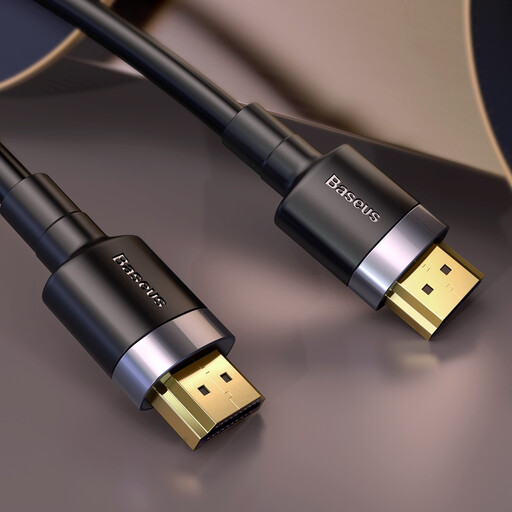 Image unavailable
Baseus Cafule 4KHDMI male-to-male cable, 3m, black
This cable is relevant when a player and TV need a direct HDMI connection; it does not add streaming apps or Freeview reception. Check the supplied length and the cable’s stated capability against the format you intend to use. A cable cannot add 4K or HDR support to a player or screen that lacks it.
View on Joybuy
Frequently asked questions
Does buying a smart TV or streaming stick mean I need a TV Licence?
The device itself does not determine the requirement. TV Licensing says a licence is required to watch or record live television on any channel or streaming service, and to watch BBC iPlayer live or on demand. Watching only on-demand programmes on other services does not, by itself, require one.
Can I use Freeview Play without an aerial?
You can use catch-up and on-demand apps on an internet-connected Freeview Play device without an aerial, but not aerial-delivered live Freeview through the TV guide. Freeview says that reception requires compatible equipment and a working aerial.
Will any smart TV or streaming player run ITVX?
No: ITVX support depends on the platform and sometimes the model or software version. ITVX identifies unsupported models within some platform groups and sets minimum firmware requirements for Roku and NOW devices, so check its current list for the exact device and feature you need.
What should I check if someone at home uses subtitles or audio description?
Check how the exact apps and remote enable those controls, not just whether the apps can be installed. Ofcom identifies subtitles, signing and audio description as access services; navigation and presentation may differ between setups.
When is a different HDMI cable worth considering?
Consider one when the existing connection does not meet the format or installation needs of compatible equipment. HDMI Licensing describes its Premium High Speed cable programme in relation to 4K/Ultra HD features including 4K at 60 Hz, BT.2020 and HDR; changing a cable will not add capabilities absent from the player or display.


