Households keeping a working TV
If the screen still meets your needs, an HDMI streaming player offers a way to add online services. Check that the TV has a free, working HDMI input and that the player supports each app you intend to use.


If your current TV works well and has a usable HDMI input, a streaming stick or set-top box can add online viewing without replacing the screen. Consider a smart TV when you also need a new display or integrated TV features. Whichever route you take, check your essential UK apps and their features on the exact model: an app’s presence does not guarantee the same live, regional or accessibility options on every device.
If the screen still meets your needs, an HDMI streaming player offers a way to add online services. Check that the TV has a free, working HDMI input and that the player supports each app you intend to use.
BBC iPlayer or ITVX may be central to your choice, but an app listing is only the starting point. ITV’s support guidance distinguishes ordinary ITVX access from live regional content and audio description, which vary by platform.
A 4K-capable player is one part of the setup. The TV, HDMI connection, service plan and home internet connection must also meet the requirements of the content you want to watch.
Start with the TV you have and the programmes you actually watch. That helps separate a need for a new screen from a need for a different streaming platform.
| Priority | What to check | Your needs |
|---|---|---|
| Keep or replace the screen | Check for a free, working HDMI input and whether the current picture and sound still suit you. Roku says its external players connect through HDMI; its Roku TVs have the platform built in. | My TV still works for me, so adding a player makes more sense than buying another screen. If the display or its ports need replacing too, I can compare smart TVs instead. |
| Apps and programme features | Check each essential service on the exact device and software version. ITV lists ITVX platform exceptions; its guidance also distinguishes live TV, regional live content and accessibility features. | I need more than an ITVX logo if regional ITV programmes or audio description matter to me. I’ll check those features for the device I’m considering. |
| Internet and setup | Confirm the device’s internet connection and account requirements. Roku requires internet access and a Roku account; Apple says Apple TV 4K needs broadband, an Apple Account, an HDMI display and an HDMI cable. | A connection and account I can set up at home matter more to me than the shape of the device. If I want Ethernet, I’ll check the exact model rather than assume every box has it. |
| 4K playback | Match the screen, HDMI path, service plan and connection to the intended service. For 4K Netflix through Apple TV, Netflix specifies an HDCP 2.2-or-later HDMI port, a qualifying plan, High quality and a steady connection of at least 15 Mbps. | I only need to prioritise 4K playback if my TV and the services I use can deliver it. A 4K label on a stick or box will not change my TV’s display resolution. |
| Integrated television | If aerial TV matters, check the exact TV model’s tuner and service requirements. Roku says Freeview Play on eligible older Roku TVs requires an aerial, internet connection, a Roku account and a completed channel scan. | I want aerial channels and catch-up in one television, so I’ll check the model’s integrated features as well as its streaming apps. |
App and feature support can differ by model, software version and platform. ITV’s ITVX guidance includes device exceptions, while its regional live-TV and accessibility guidance identifies further differences.
List the services and features you use, then check the exact model against each service’s current supported-device guidance before buying.
A 4K player cannot make a lower-resolution screen display 4K. Service-specific HDMI, plan, quality-setting and connection requirements can also affect playback.
For Netflix in 4K through Apple TV, check Netflix’s stated TV, HDCP 2.2-or-later HDMI, plan, High-quality setting and steady 15 Mbps connection requirements together.
An external HDMI player can add a connected platform while leaving a suitable screen in place. Replacing the television becomes a separate display decision.
Inspect the existing HDMI input and decide whether the screen and sound still meet your needs before comparing replacement TVs.
A replacement also involves accommodating and handling another television.
UK TV Licensing says a TV Licence covers live TV on streaming services and everything on BBC iPlayer, regardless of device. It distinguishes these uses from watching only on-demand programmes on services such as Netflix or ITVX.
Check whether anyone in the household watches live TV or uses BBC iPlayer when assessing the licence requirement; the choice of stick, box or smart TV does not decide it.
Platform names help narrow the checks, but support for a particular service still needs confirming on the device and version you intend to buy.
An HDMI streaming-stick route for adding apps to an existing TV.
External HDMI players and streaming sticks for adding the Roku platform to a TV.
An HDMI set-top-box route with Apple Account setup; the Apple TV 4K Wi-Fi + Ethernet variant offers a wired-network option.
A connected-TV interface found on compatible streaming devices and televisions.
The Roku streaming platform built into a television rather than added through an external HDMI player.
These options cover a Roku stick for keeping an HDMI-equipped TV and smart TVs for households considering a replacement screen. Choose the route first, then check essential apps and features on the exact model.
 No image available
For adding streaming to a working TV with a usable HDMI input and internet access. The product description specifies 4K Ultra HD, Dolby Vision, HDR10+, HDMI and Wi-Fi, and names BBC iPlayer. Check each other essential app and feature for this exact stick; ITV says ITVX updates on Roku sticks require firmware version 15.1.
 No image available
For replacing a screen while adding connected viewing. The listing specifies WebOS, Wi-Fi, Ethernet and three HDMI connections, and names BBC iPlayer among its apps. Confirm current app support and the title’s Freeview Play feature for this exact model; check its dimensions and weight if placement or mounting matters.
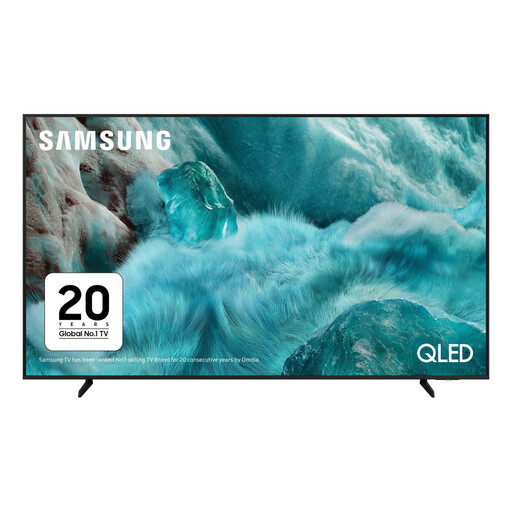 No image available
A replacement-TV option if you want a 75-inch screen and connected viewing. The listed specifications include a 4K QLED display, Tizen, Wi-Fi, Ethernet and three HDMI ports. Check that the screen fits your intended space and that this exact model supports your required UK apps and accessibility features.
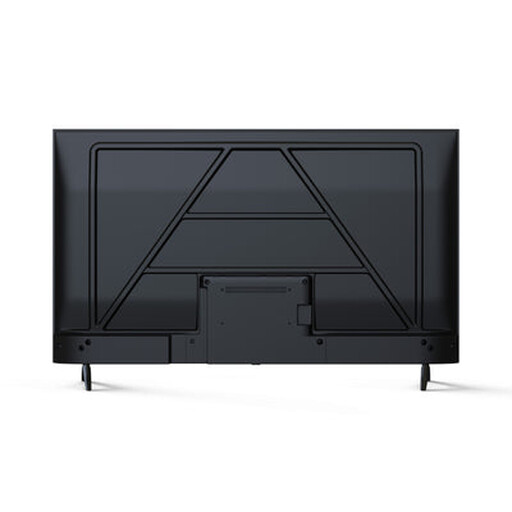 No image available
A replacement-TV option where a 43-inch screen suits the space. The listing specifies a 4K Ultra HD LED display, Wi-Fi and three HDMI ports. Confirm the operating system, setup requirements and current UK app support for this exact model before relying on it for a particular service.
Not if it still suits you and has a usable HDMI input for an external player. Roku says its players and sticks connect through HDMI. Consider replacing the TV if the screen or ports no longer meet your needs, or if you also want integrated television features on a new model.
No. ITV lists supported ITVX platforms alongside model and software-version exceptions. Check each essential app on the exact device and against the service provider’s current support guidance, particularly if live viewing or accessibility features matter.
No. ITV says some live events may not be available on every supported device. Its guidance currently lists regional ITV live content on Amazon Fire TV and Roku streaming players, but not on tvOS or Android TV.
Netflix specifies a compatible 4K TV connected through an HDMI port supporting HDCP 2.2 or later, a 4K-capable Netflix plan, High streaming quality and a steady connection of at least 15 Mbps. Apple also specifies compatible TV and cable requirements for 4K/HDR use.
The device type does not determine the requirement. UK TV Licensing says you need a TV Licence to watch live TV on a streaming service or use BBC iPlayer on any device; it distinguishes those uses from watching only on-demand programmes on services such as Netflix or ITVX.