
24/7 Customer Support

Free returns

Same-day & Next-day Delivery

Quality Guaranteed

Unlock Your Welcome Offers: FREE Delivery | Up to 80% OFF | Free 30-day JoyPlus trial
Download the APP
Buying a television for a UK home is no longer just about choosing the largest screen within budget. Smart TVs differ in resolution, operating system, streaming access, audio, gaming support and energy consumption. A model that suits a student bedroom may be unsuitable for a bright open-plan lounge, while a large screen can overwhelm a small room.
The main challenge is separating useful specifications from marketing language. Here are the common pitfalls to avoid before you buy.
A larger screen does not automatically produce a sharper or more detailed image. A 32-inch Full HD smart TV can look clearer at close range than a low-resolution large television. Equally, a 4K smart TV needs suitable 4K content to show its full detail.
Check the native resolution rather than relying on phrases such as “ultra-clear” or “cinematic”. The key figures are:
A smart TV operating system controls the interface, app store and voice features. Roku TV, Google TV, VIDAA OS TV, TiVo smart TV and webOS models can differ in app availability, recommendations and support.
If you regularly use BBC iPlayer, ITVX, Channel 4, Netflix, Prime Video, Disney+ or YouTube, check that the apps are available on the exact model. Built-in Freely TV access can also be useful for streaming live and on-demand UK television over Wi-Fi, particularly in rooms without a convenient aerial connection. App availability may change, so confirm the current listing before purchase.
HDR TV support means the television can accept compatible high-dynamic-range content. It does not necessarily mean the panel has high brightness or advanced local dimming. Look at the supported formats, such as HDR10, HLG, HDR10+ or Dolby Vision, alongside the display technology.
Similarly, a Dolby Atmos TV may support Atmos processing while using compact built-in speakers. For more spacious sound, check speaker output and whether the TV has eARC or optical audio connectivity for a soundbar.
Measure the available width, stand depth and wall area before ordering. Remember that advertised screen size is measured diagonally, and the frame and stand add to the overall dimensions.
For wall mounting, confirm the VESA pattern, bracket capacity and wall strength. Secure the television properly, leave ventilation space around the rear and keep it away from heat sources.
A Full HD model remains practical for a smaller screen or secondary room. For larger screens, 4K provides a higher pixel count and can show finer detail from compatible streaming services, consoles and UHD players.
A QLED smart TV uses a quantum-dot layer with LED backlighting. This can support a wider colour range, but QLED is not the same as OLED. Direct LED models place LEDs behind the panel, while edge-lit models position them around the screen. These design differences affect brightness consistency, contrast and cabinet depth.
Casual players may only need a dedicated Game Mode. More demanding users should look for:
A television marketed as a gaming TV may still have a 60Hz native panel. That can be suitable for many games, but it is different from a model with a native 120Hz or 144Hz refresh rate.
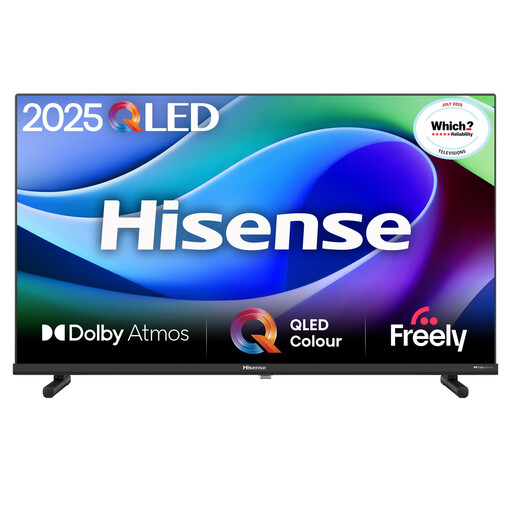
Why This Fits Their Persona: A compact Full HD screen for bedrooms, kitchens, rented rooms or secondary viewing areas where space and budget matter.
The listed 1920 × 1080 resolution is clear and specific, avoiding vague high-definition descriptions. VIDAA OS and Wi-Fi support reduce the need for an additional streaming box.
Full HD display, built-in Wi-Fi and Ethernet, plus Game Mode and Sports Mode features.
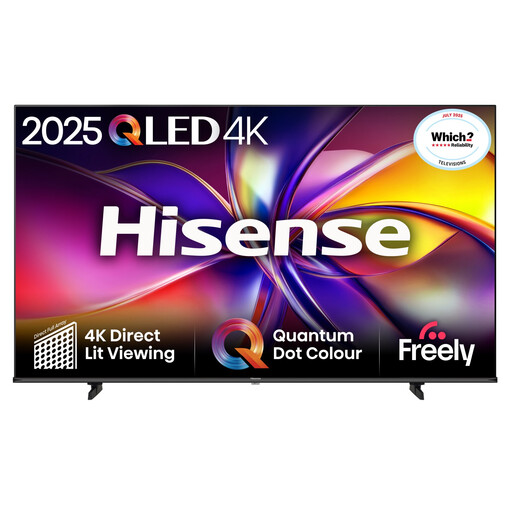
Why This Fits Their Persona: A 43-inch format for shoppers wanting QLED colour technology and 4K detail without moving to a very large living-room screen.
The specification identifies QLED, 4K resolution and a native 60Hz refresh rate separately, making it easier to distinguish panel technology from motion processing.
QLED Direct Lit display, Dolby Vision support, Game Mode and Auto Low Latency Mode.
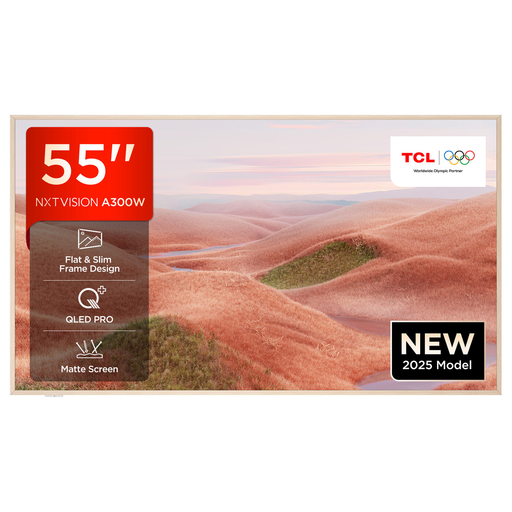
Why This Fits Their Persona: A 55-inch choice for film watchers, console players and households seeking a larger screen with advanced connectivity and a slim lifestyle design.
Its listed 144Hz capability, HDMI 2.1, VRR and ALLM are identifiable gaming specifications rather than a general “gaming-ready” label.
QLED 4K panel, Google TV, Dolby Vision support and gaming connectivity including VRR.
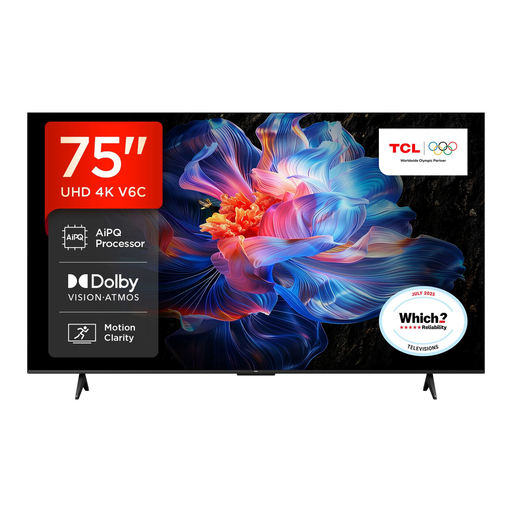
Why This Fits Their Persona: A large-format option for spacious UK lounges, group viewing and home cinema-style setups where viewers sit further from the screen.
The 75-inch size is paired with 4K resolution, HDR format support and a stated Direct LED design. Measure the room and mounting position before ordering.
Google TV, Dolby Atmos audio support, Game Master features, HDMI 2.1, ALLM and VRR.
We have compiled a complete, real-time list of products that fully satisfy these strict selection criteria and UK safety regulations.
Usually, yes, if you want streaming apps without connecting a separate device. A 32-inch smart TV with Full HD resolution can suit close viewing, while built-in Freely or a recognised streaming platform may reduce cable clutter.
Consumption varies by screen size, brightness, display technology and usage. Check the UK energy label, particularly the kWh per 1,000 hours figures for SDR and HDR. Larger screens generally require more electricity, so choose a size that matches the room rather than buying excess screen area.
Lifespan depends on usage, ventilation, software support and component reliability. Keep ventilation openings clear, avoid pressing the panel, use a stable stand or suitable wall bracket, and install available software updates. Before purchase, also check the warranty, returns policy and whether the operating system supports the services you use.