What matters when choosing?
Decide how the calendar will reach the screen before comparing connections and stand adjustment. The three concerns below describe different primary needs among consumers choosing a monitor for this shared desk.
| Concern |
What to check |
Who this matters to |
| Schedule access and sharing |
Confirm how your calendar opens on the exact model and whether household devices support its sharing method. |
If I do not want one laptop left at the desk, I need a way for the family to bring the schedule onto the screen. Around 42% of consumers put independent access or sharing first. |
| Laptop connections |
Check USB-C video support, power delivery against your laptop’s needs and the inputs for other devices. |
When the calendar lives on my laptop, I want to connect it without repeatedly rearranging the desk. For around 33% of consumers, laptop connectivity is the primary concern. |
| Screen positioning |
Check stand adjustment, desk footprint and where room lighting may cause reflections. |
Sharing the desk means the screen position that suits one person may not suit the next. Positioning is the leading concern for around 25% of consumers. |
Joybuy monitor choices
These monitors offer different ways to show a family schedule: smart-screen options and displays that rely on a connected device. The choices include a smaller Full HD model as well as 4K screens, so check each model against your calendar, devices and desk layout.
 No image available
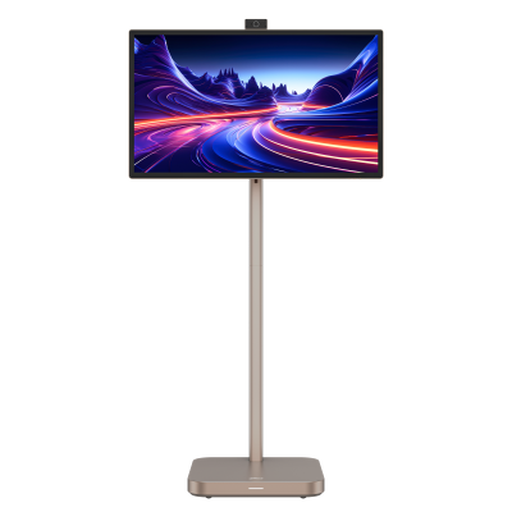
Dahua 31.5-inch 4K Explorer portable smart monitor, Android 11, 8GB+128GB
Consider this for a shared schedule screen if its Android 11 setup works with your calendar and household devices. Check the intended sharing method before relying on it without a connected computer.
The product title lists a 31.5-inch 4K display and a built-in battery. Confirm the panel type if it matters to your choice, as the title and technical description differ.
View on Joybuy
 No image available
BenQ MA320UP 32-inch 4K USB-C Mac monitor, adjustable stand
This Mac-focused monitor suits a laptop-led calendar desk if it works with the household’s exact computer. The connected device must provide the calendar.
The product title lists a Nano Glossy IPS panel, USB-C and a height-adjustable stand. Confirm the laptop’s video and charging compatibility before planning a one-cable setup.
View on Joybuy
 No image available
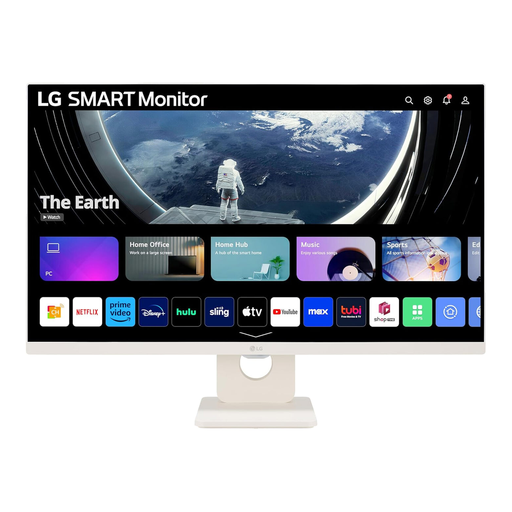
LG 27U511SA-W 27-inch Full HD webOS smart monitor
Consider this smaller smart screen if its calendar access and wireless sharing work with your household’s accounts and devices. Confirm the Google Calendar workflow before relying on it without a PC.
The product title lists a 27-inch 1080p IPS display, Wi-Fi, Bluetooth and built-in speakers. It is not the 32-inch 4K format discussed for the larger shared-desk options; check the stand adjustment if several people will use it seated.
View on Joybuy
 No image available
ASUS ProArt Display PA32UCG-K 32-inch 4K monitor
This is a connected-device option for a shared desk: the calendar must run on a computer or another compatible source. Check that its connections and screen positioning suit the people who will use it.
The product title lists an IPS Mini LED panel, HDMI 2.1 and Thunderbolt 3. Confirm the port functions and laptop-charging requirements rather than assuming the connection will replace a separate charger.
View on Joybuy
Frequently asked questions
Do I need a smart monitor to display a family calendar?
No. A conventional monitor can display a calendar opened on a connected laptop. Choose a smart-monitor route if you want to use its supported platform or sharing features without keeping that laptop connected, and confirm how your particular calendar will work on the model.
Can one USB-C cable connect the screen, charge a laptop and run desk accessories?
Yes, on a suitable docking monitor paired with a laptop that supports the required USB-C video, data and charging functions. Philips describes those functions for its 32B1U3900/01; check the exact laptop, monitor power-delivery rating and cable before expecting the same setup at home.
What should change when different people use the same monitor?
Adjust the screen and desk setup for the person currently using them, paying attention to reflections from windows and lighting. The Health and Safety Executive advises arranging screens and lighting to avoid glare during display-screen work; a movable stand can help with positioning but does not replace a suitable desk layout.
When are UK Display Screen Equipment rules relevant at a shared desk?
The Health and Safety Executive says the rules apply to workers who use display screen equipment daily for continuous periods of an hour or more. A monitor used only to show a household schedule does not, by itself, establish that pattern of work use.
What should I do with a monitor I replace?
Check an electrical-waste collection or take-back route rather than putting the old monitor out with ordinary rubbish. GOV.UK describes the UK waste-electrical framework as intended to reduce electrical equipment sent for incineration or to landfill; local authority and retailer arrangements can tell you how to hand yours over.


