Relevant brand references
These model examples illustrate different routes; a brand’s inclusion does not mean every product in its range has the same features.
LG
LG UK lists 32-inch 4K smart monitors that combine webOS viewing features with desk-oriented connections.
- The 32U721SA-W lists two HDMI ports, 65W USB-C Power Delivery, Magic Remote support and 5W × 2 speakers.
- The 32U850SA-W lists three USB-C ports, 90W Power Delivery and height and pivot adjustment.
- LG UK says app availability can vary by country; internet access and subscriptions may be required for services.
Samsung
Samsung UK positions its 32-inch M70D Smart Monitor for computer connections and app-based viewing.
- Samsung lists 4K UHD, Smart TV Apps and USB-C, HDMI and USB-A connections for the M70D.
- Samsung says full smart functionality requires internet and a Samsung Account; without sign-in, functionality is limited to external devices such as HDMI. The M7 has no TV tuner.
JVC
The JVC LT-32CT150 is a small smart-TV example for a television-first shared screen.
- The panel is HD Ready (768p) with two HDMI 1.4 ports, Titan OS and an HDMI ARC-compatible port.
- Its HD Ready resolution is lower than that of the 4K LG monitors described here, a consideration for close-range document work.
Joybuy options for a shared screen
These options include smart monitors for work and guest streaming, plus conventional work monitors to consider with a separate, compatible streaming device. Check the connections and services needed for your own setup.
 No image available
MSI MD272UPSW 27-inch 4K Smart Monitor
For desk work and remote-led guest viewing on one screen. The listing specifies Google TV, HDMI, built-in speakers and USB-C with 65W Power Delivery. Check the UK apps and account requirements you need, and whether 65W meets your laptop’s charging requirement.
View on Joybuy
 No image available
BenQ MA320UP 31.5-inch 4K Monitor
A work-first monitor to consider with a separate streaming device for guests. The listing specifies 90W USB-C Power Delivery, two HDMI 2.0 ports, speakers and height, pivot, swivel and tilt adjustment. Check the streaming device and audio arrangement you intend to use; a device is not established as included.
View on Joybuy
 No image available
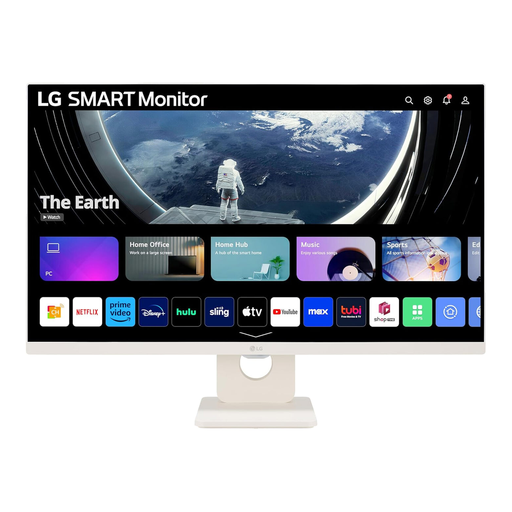
LG 27U511SA-W 27-inch Full HD Smart Monitor
Combines desk use with webOS apps and a remote for occasional viewing. The listing specifies a 1920 × 1080 IPS display, two HDMI ports and 5W × 2 speakers. Consider whether Full HD provides enough workspace for your tasks, and check the UK apps, stand adjustment and laptop connection you need.
View on Joybuy
 No image available
Lenovo L32p-30 31.5-inch 4K Monitor
A conventional work monitor that could be paired with a compatible HDMI streaming device. The listing describes USB-C video, data and power delivery, one HDMI port, height adjustment and two 3W speakers. Confirm the USB-C charging wattage for your laptop and how you would connect both the computer and streaming device.
View on Joybuy
 No image available
iiyama ProLite XUB2792UHSU-B6 27-inch 4K Monitor
For a work-focused desk setup that could add guest viewing through a separate compatible device. The listing specifies HDMI, DisplayPort, USB-C, speakers and height, pivot, swivel and tilt adjustment. Check the USB-C charging wattage against your laptop’s needs, and confirm the streaming device and input arrangement.
View on Joybuy
Questions about work and guest viewing
Does a monitor used for TV need a TV Licence?
The screen type does not decide it. TV Licensing says that, in the UK, you need licence coverage to watch live TV on any service or device, or to use BBC iPlayer. Watching only on-demand programmes on other services, such as Netflix, ITVX or YouTube, does not by itself require a licence.
Can a smart monitor stream without an aerial?
Yes, where its supported apps stream over an internet connection. Samsung UK says its M7 Smart Monitor has no TV tuner but offers Smart TV Apps; check the services available on the exact model, including any account or subscription requirements.
When does a monitor plus streaming stick make sense?
It makes sense when the monitor already meets your work needs but you want separate app navigation and a remote for guests. Check for a compatible HDMI input, power and audio. Amazon says its Fire TV Stick 4K Max works with HD and 4K UHD displays; 4K viewing also needs a 4K display and available 4K content.
Can a small smart TV double as a computer monitor?
It can if the computer and the TV’s HDMI input support a suitable PC resolution; Which? advises configuring that input for PC screen resolutions. Compare native resolution before buying: the JVC LT-32CT150 is HD Ready (768p), rather than 4K, which matters for desk workspace and text detail.
Are built-in apps and speakers all a guest setup needs?
Check the services, account access and sound in the room before relying on them. Smart features need internet, paid services may require subscriptions, and external speakers or a soundbar require a suitable connection on the exact display.


