What matters when choosing
Start with the mapping app and the full route it must cover. Then assess how the phone will be mounted and powered before comparing handset specifications.
| Concern |
What to check |
Who this matters to |
| Directions without signal |
Check offline driving support, free storage and whether the downloaded area covers the whole route. Google Maps Help says offline mode does not provide live traffic or alternative routes. |
If signal drops on the campsite approach, I need directions that remain available for the entire drive. Around 36% of consumers put route continuity first. |
| Safe in-car use |
Check mount fit and placement, and set the destination before moving. Under GOV.UK guidance, a driver must not hold and use the phone, block their view of the road or lose control of the vehicle. |
When I am driving, I need to see the next turn without picking up the phone or obscuring the road. Safe mounted use is the main concern for roughly 29% of consumers. |
| Power and outdoor use |
Compare the exact model’s battery, display and water-resistance specifications, then plan compatible in-car charging. Manufacturer battery figures do not establish navigation runtime. |
For a long day of directions and campsite stops, I want a workable charging plan and a screen I can read outdoors. About 21% of consumers prioritise this combination. |
| Apps and accessories |
Confirm that your preferred map app supports the required offline area, and check the phone’s storage and the charging equipment you already own. |
If I am replacing a familiar phone, I want my maps and travel setup to remain straightforward to use. Existing services and accessories come first for around 14% of consumers. |
Joybuy phones for campsite directions
These Android and iPhone models offer different screen sizes and storage configurations to consider for downloaded maps and mounted viewing. For any model, confirm your preferred app’s offline coverage, holder fit and charging setup before the trip.
 No image available
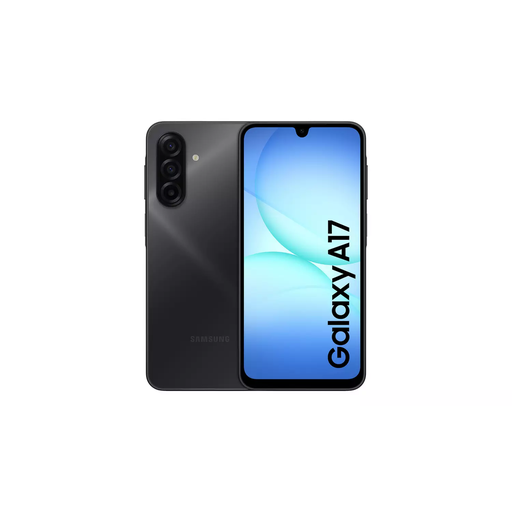
Samsung Galaxy A17 5G A176 Dual SIM 4GB 128GB Grey
If you plan to mount an Android phone for directions, check that this handset fits your holder and leaves the road view clear.
The named configuration has 4GB memory and 128GB storage. Check available space for downloaded maps and arrange compatible in-car charging.
View on Joybuy
 No image available
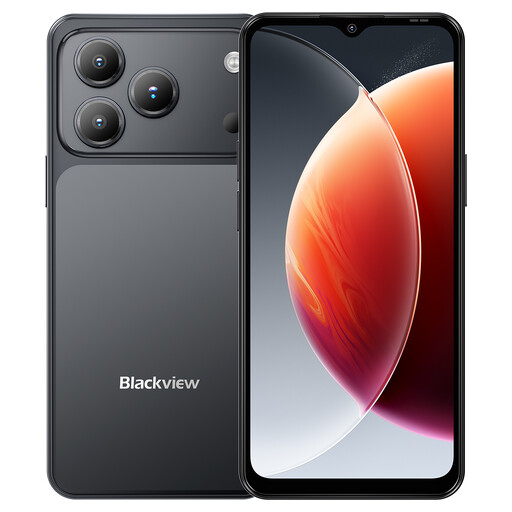
Blackview Wave 7C Android 16 4G 128GB Black
If you want an Android phone for downloaded directions, check that Google Maps covers the complete campsite route before leaving.
The product name specifies GPS, 128GB storage, a 6.56-inch display, a 5,000 mAh battery and IP54. Check daylight readability and your in-car charging setup; battery capacity does not establish navigation runtime.
View on Joybuy
 No image available
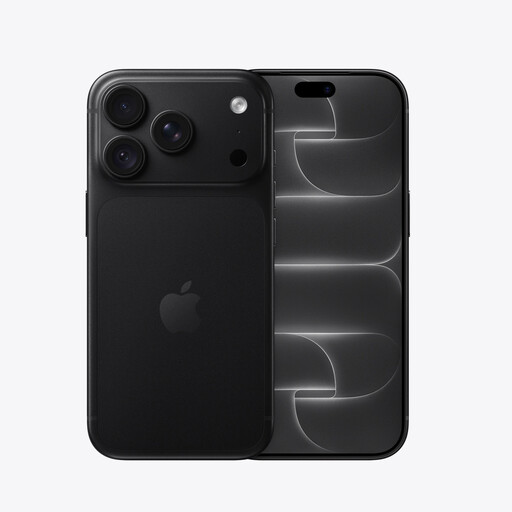
iPhone 18 Pro 256GB Black
If you prefer Apple Maps, check the phone’s iOS version and whether an offline map is available for your campsite area before relying on downloaded directions.
This named variant has 256GB storage. Confirm its location specifications, holder fit and charging equipment for the journey.
View on Joybuy
 No image available
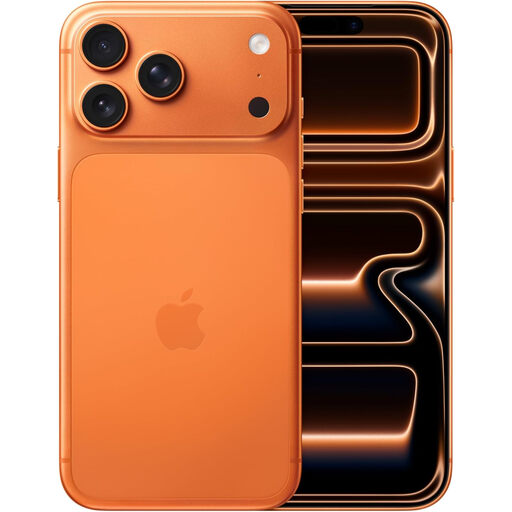
Apple iPhone 17 Pro Max 256GB Cosmic Orange
If you use Apple Maps for campsite directions, check that the required offline area is available and downloaded before departure.
This named variant has 256GB storage. Confirm its location specifications, mount fit and compatible car-charging equipment before the trip.
View on Joybuy
No image available
Blackview Wave 7C Android 16 4G 64GB Black
If downloaded maps are central to your trip, check the space left on this Android phone after your usual apps and photos.
The product name specifies GPS, 64GB storage, a 6.56-inch display, a 5,000 mAh battery and IP54. It also lists card expansion; check where your mapping app stores offline maps rather than assuming it can use a card.
View on Joybuy
Questions about road-trip navigation
Can I hold my phone to check campsite directions while driving in the UK?
No. GOV.UK says it is illegal to hold and use a phone or other device that can send or receive data while driving, including when stopped at traffic lights or in a queue. Set the route before moving, or stop somewhere safe before handling the phone.
Can I use a phone in a dashboard or windscreen mount?
Yes, hands-free navigation can be permitted under the conditions stated by GOV.UK: do not hold the phone, do not block your view of the road and traffic ahead, and remain in full control of the vehicle. A mount does not remove the need to avoid distraction.
Will downloaded maps guide me to a campsite without signal?
They can, provided the app and downloaded area cover the journey. Google Maps Help says its offline driving route must lie entirely within the downloaded map and will not include live traffic or alternative routes. Apple Support says offline Maps navigation is available on iPhone with iOS 17 or later in selected areas.
What should I set up before leaving?
Download the campsite and approach roads, check that the complete route is covered, and set your destination before driving. Allow storage for the map, charge the phone and check that its holder and in-car charging connection are suitable.
Does an IP rating mean a phone is safe to submerge?
No IP rating promises protection in every situation. For the iPhone 16 specifically, Apple states an IP68 rating under IEC 60529, tested to a maximum depth of 6 metres for up to 30 minutes. Check the conditions and care guidance for the exact phone you choose.


